

Let's get to using the Moment.js in node js application.
For this article, we are going to use the project that we have already created in the following article.
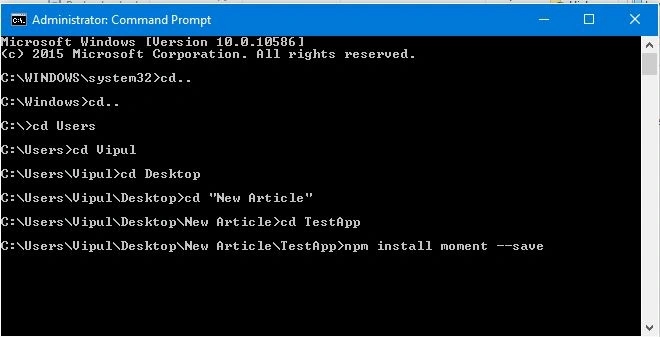
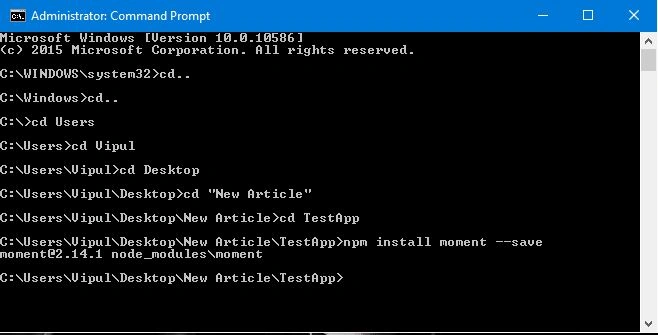
Install moment package in the application from npm, using the following command-
Step 2: Now, include this js in your app.js, using the code given below:
- var moment = require('moment');

|
S.No |
Moment Input |
Output |
|
1 |
moment().format('MMMM Do YYYY, h:mm:ss a') |
July 8th 2016, 11:54:56 pm |
|
2 |
moment().format('dddd') |
Friday |
|
3 |
moment().format("MMM Do YY") |
Jul 8th 16 |
|
4 |
moment().format() |
2016-07-08T23:54:56+05:30 |
|
5 |
moment("20111031", "YYYYMMDD").fromNow() |
5 years ago |
|
6 |
moment("20180620", "YYYYMMDD").fromNow() |
in 2 years |
|
7 |
moment().startOf('day').fromNow() |
a day ago |
|
8 |
moment().endOf('day').fromNow() |
in 5 minutes |
|
9 |
moment().startOf('hour').fromNow() |
an hour ago |
|
10 |
moment().subtract(10, 'days').calendar() |
06/28/2016 |
|
11 |
moment().calendar() |
Today at 11:54 PM |
|
12 |
moment().add(1, 'days').calendar() |
Tomorrow at 11:54 PM |
|
13 |
moment.locale() |
En |
|
14 |
moment().format('LT') |
11:54 PM |
|
15 |
moment().format('LTS') |
11:54:56 PM |
|
16 |
moment().format('L') |
07/08/2016 |
|
17 |
moment().format('l') |
7/8/2016 |
|
18 |
moment().format('LL') |
July 8, 2016 |
|
19 |
moment().format('ll') |
Jul 8, 2016 |
|
20 |
moment().format('LLL') |
July 8, 2016 11:54 PM |
|
21 |
moment().format('lll') |
Jul 8, 2016 11:54 PM |
|
22 |
moment().format('LLLL') |
Friday, July 8, 2016 11:54 PM |
|
23 |
moment().format('llll') |
Fri, Jul 8, 2016 11:54 PM |
pooja guptaPosted Sep 8, 2016, 6:45 AM
What all other uses of moment.js?
kalu singh raoPosted Jul 11, 2016, 2:33 AM
Nice...