

INTRODUCTION
In this blog. let’s see about SQL basic queries and using queries how to create table and insert values in the table and how to alter, delete, update values in the table.
CREATE DATABASE
It is used to create a new database.
Syntax
CREATE DATABASE database_name;
Example
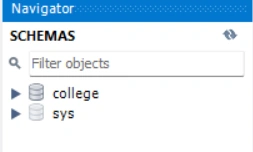
CREATE DATABASE college;
DROP DATABASE
It is used to delete the database.
Syntax
DROP DATABASE database_name;
OR
DROP SCHEMA database_name; --- using SCHEMA keyword to delete the database --
Example
DROP DATABASE college;
IF EXISTS
To prevent error if database is not found.
For example
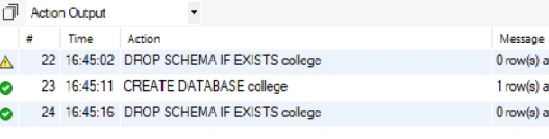
DROP SCHEMA IF EXISTS college;
If we deleted the database and we use IF EXISTS to delete the database it shows a warning message. If the database is not deleted we want to delete the database using the IF EXISTS to delete the database.
USE
To select a specific database and then perform operations using this command.
Syntax
USE database name;
For example
USE college;
CREATE TABLE
To create a new table in a database.
Syntax
CREATE TABLE table_name(
Column1 datatype,
Column2 datatype,
Column3 datatype,
……..
);
Example
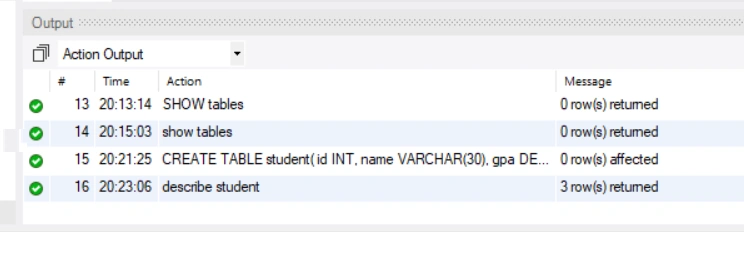
CREATE TABLE student(
id INT,
name VARCHAR(30),
gpa DECIMAL(3,2)
);
DESCRIBE
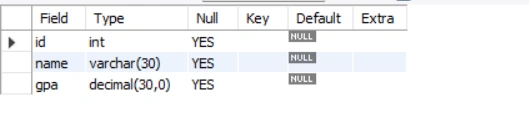
To describe the columns in the table.
For example
describe STUDENT;
INSERT INTO
To insert new records in a table.
Syntax


jose loraPosted Apr 5, 2022, 8:39 PM
Excelente work