

Just follow the below steps to enable Intellisense in Sql Server 2008.
Step 1:Just make sure, Intellisense is enabled.
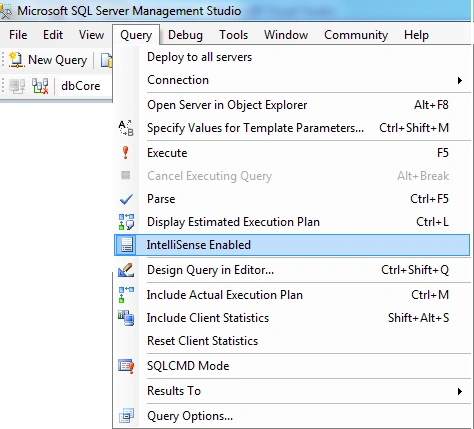
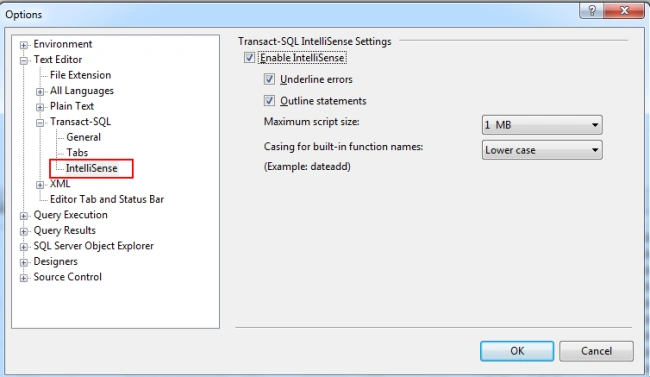
Step 2:Go to Tools -> options. Then enable the intellisense as shown
below.
Step 3:After enabling intellisense, just start to type your view, table
name etc.
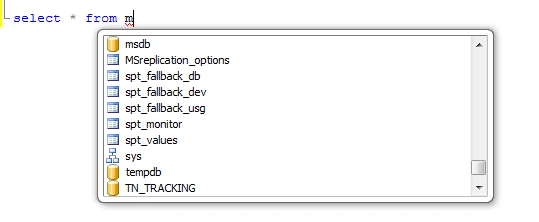
Note: It takes table or views with in the selected database.
Step 4:Options: Just change the casing to upper, but only for built in
function.
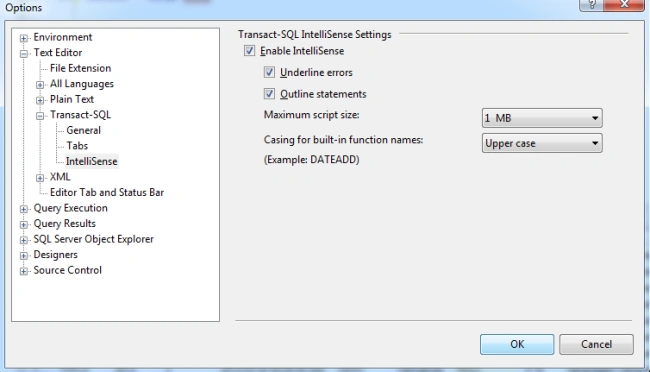
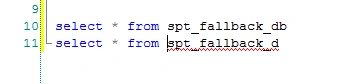
Step 5:If the “Underline errors” checked to true in the above image, if
your object name is wrong it highlight with read underline.
Step 6:Reference Link:
nikhil sreeniPosted Jun 22, 2012, 1:38 AM
Thanks
Lajapathy ArunPosted Jun 21, 2012, 3:32 AM
Thanks to all for reading this :)
Chirag SolankiPosted Jun 21, 2012, 3:05 AM
thx
Anil KumarPosted Jun 20, 2012, 2:10 PM
Nice posting,keep it up!
Jean PaulPosted Jun 20, 2012, 10:45 AM
Oh! That was a cool hidden feature. Thank You for sharing my friend.