

Welcome to a blog on how to get all permission levels in SharePoint 2013 programmatically using a console application. We will use Visual Studio to get all permission levels in SharePoint 2013 site.
Let’s see how to do it.
- Open you Visual Studio.
- Select New Project.

- Select Console Application.
- Add the references.
Microsoft.SharePoint dll and Microsoft.SharePoint.Client dll - Paste the code below under Program.cs.
Code
- using System;
- using System.Collections.Generic;
- using System.Linq;
- using System.Text;
- using System.Threading.Tasks;
- using Microsoft.SharePoint.Client;
- namespace Getallpermissionlevels {
- class Program {
- static void Main(string[] args) {#call the web
- ClientContext clientContext = new ClientContext("http://devtest.us01.apmn.org/SPTests/");
- Web web = clientContext.Web;#get all permission levels
- RoleDefinitionCollection roleDef = web.RoleDefinitions;
- clientContext.Load(roleDef);#execute the code
- clientContext.ExecuteQuery();#loop through all the permission levels
- foreach(RoleDefinition roleDefinition in roleDef) {
- Console.WriteLine(roleDefinition.Name);
- }#Display them here
- Console.ReadKey();
- }
- }
- }
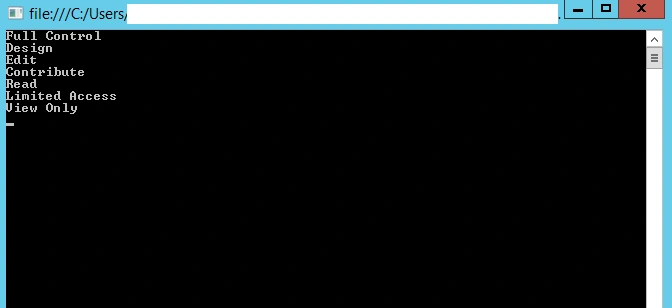
- Run the code and your document library will be created.
Join the conversation! Your thoughts help the community grow.