

Introduction
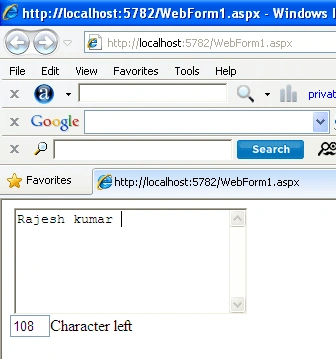
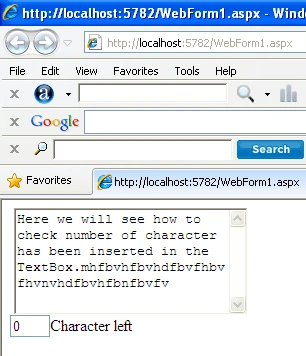
Here, we will see how to check the number of
character has been inserted in the TextBox. A TextBox Which has max length 120
character and we insert a character in TextBox max length will be display 119
characters. When We enter 120 characters in the TextBox that will be the Max
length.
Drag and drop a TextBox on the page. Select
TextBox and press F4 to the property window.
- TextMode="MultiLine"
Now add the following code in the Head section
of the .aspx page.
- <head runat="server">
- <title></title>
- <style type="text/css">
- .valid
- {
- background-color: #FFFFFF;
- color: #000000;
- }
- .invalid
- {
- background-color: #FFCCCC;
- color: #ff0000;
- }
- </style>
- <script language="javascript">
- function textCounter1(field, maxlimit)
- {
- if (field.value.length > maxlimit)
- {
- field.value = field.value.substring(0, maxlimit);
- document.getElementById('message').className = "invalid";
- document.getElementById('message').focus(); //alert('You have reached your maximum character limit.');}
- else
- {
- document.getElementById('message').className = "valid";
- }
- }
- function textCounter(field, countfield, maxlimit)
- {
- if (field.value.length > maxlimit) // if too long...trim it!
- field.value = field.value.substring(0, maxlimit);
- else
- countfield.value = maxlimit - field.value.length;
- }
- </script>
- </head>
Join the conversation! Your thoughts help the community grow.