

Introduction
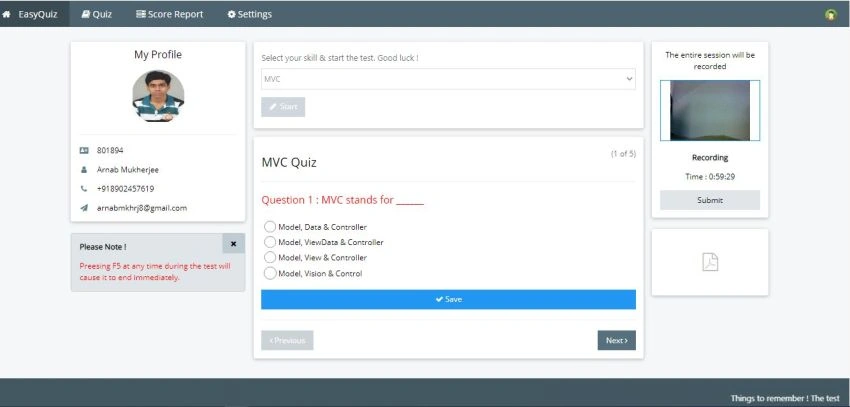
EasyQuiz is a quiz application project in ASP.NET Core MVC 5.0 which will help us to learn and implement the features in Real-World Applications.
Prerequisites
- Visual Studio 2019
- SQL Server 2019
- .NET Core SDK 5.0
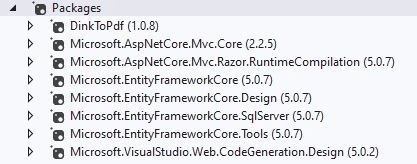
NuGet packages used in this project
Configure and run the project
- Clone the complete code from Github https://github.com/ArnabMSDN/Quiz-Application.git
- Open solution Quiz-Application.sln in Visual Studio 2019
- Create a new database
- Make Changes in Connection Strings in the appsettings.json file to connect the database
- Run the ‘Update-Database’ command in Package Manager Console to create the tables inside the database.
- Build the solution which will restore all NuGet Packages
- Run Database Script which is provided
- Run Quiz-Application.Web Project
Database Structure
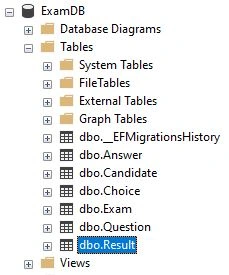
The structure of the database is very simple. The result table holds the information for the people taking the test.
Folder Structure
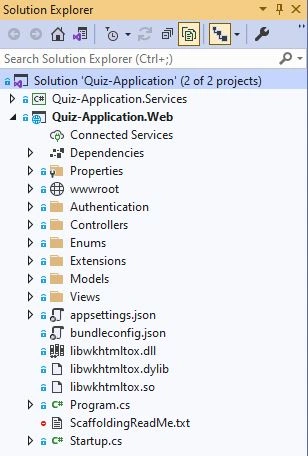
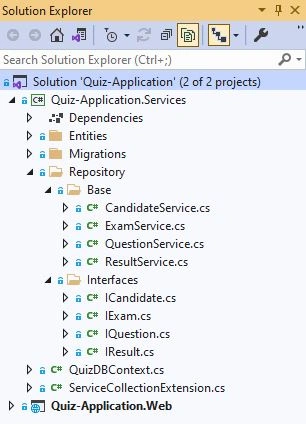
Quiz-Application.Web is the main ASP.NET Core project and Quiz-Application.Services contain all Entities. It is also used to access the database and write business logic. Quiz-Application.Services project can be accessed in Quiz-Application.Web project.
Record the Session
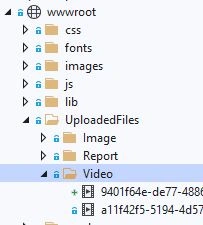
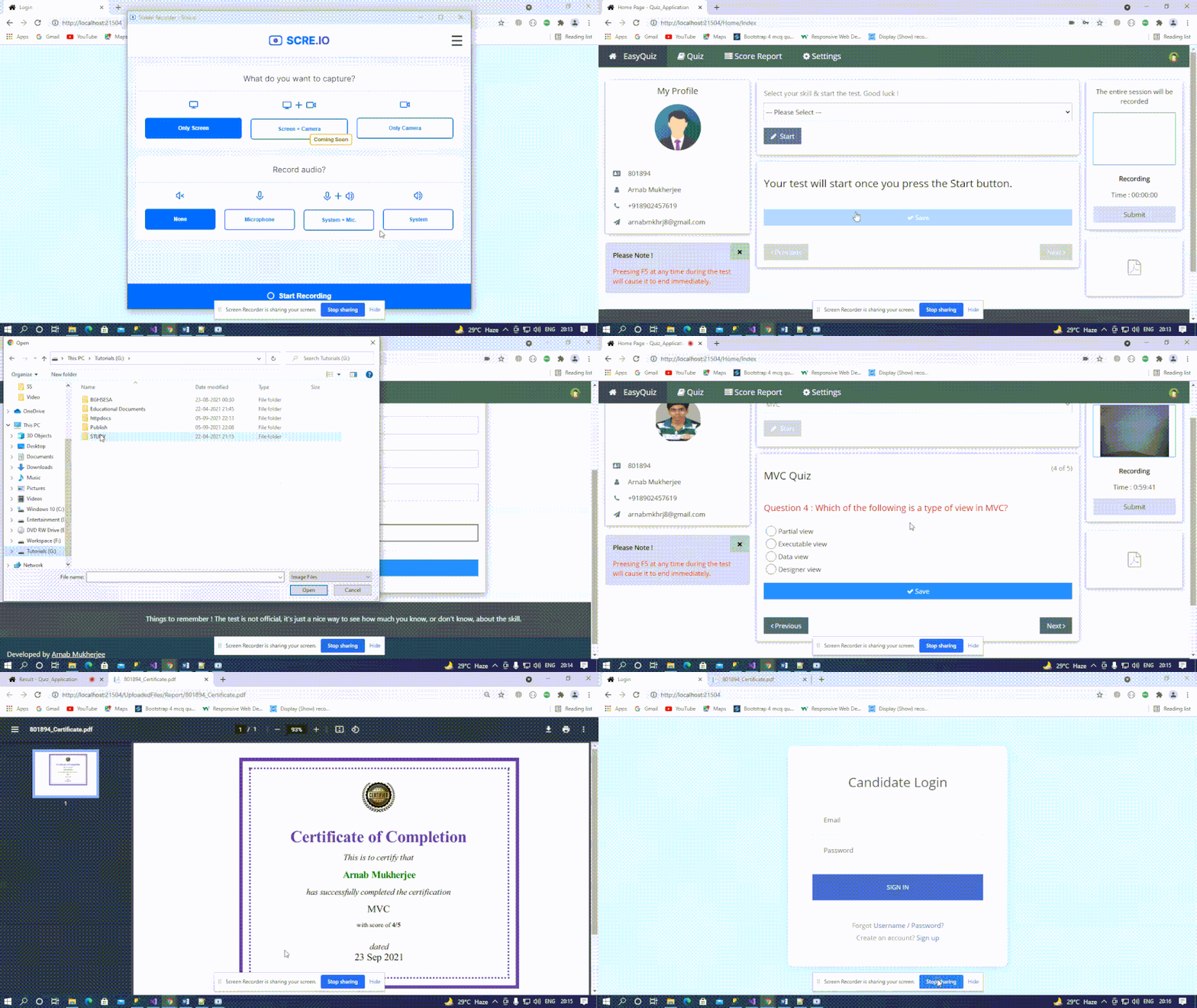
WebRTC is used here to record the entire quiz session. Captured Session is stored in a folder.
Generate Score Report (PDF)
DinkToPdf library is used here which uses Webkit engine to convert HTML to PDF for creating the Score Report.
[HttpPost]
[Route("~/api/CreatePDF")]
public async Task<IActionResult> CreatePDF(ReqCertificate argPDFRpt)
{
   ResPDF obj = null;
   try
   {
       string html = await _result.GetCertificateString(argPDFRpt);
       string UploadFolder = Path.Combine(Directory.GetCurrentDirectory(), "wwwroot", "UploadedFiles/Report");
       string UniqueFileName = argPDFRpt.CandidateID + "_Certificate.pdf";
       string UploadPath = Path.Combine(UploadFolder, UniqueFileName);
       var globalSettings = new GlobalSettings
       {
           ColorMode = ColorMode.Color,
           Orientation = Orientation.Landscape,
           PaperSize = PaperKind.A4,
           Margins = new MarginSettings { Top = 10, Bottom = 10 },
           Out = UploadPath
       };
       var objectSettings = new ObjectSettings
       {
           PagesCount = true,
           HtmlContent = html,
           WebSettings = { DefaultEncoding = "utf-8" },
       };
       var htmlToPdfDocument = new HtmlToPdfDocument()
       {
           GlobalSettings = globalSettings,
           Objects = { objectSettings },
       };
       _converter.Convert(htmlToPdfDocument);
       obj = new ResPDF();
       obj.IsSuccess = true;
       obj.Path = "/UploadedFiles/Report/" + UniqueFileName;
   }
   catch (Exception ex)
   {
       obj.IsSuccess = false;
       obj.Path = null;
       throw new Exception(ex.Message, ex.InnerException);
   }
   finally
   {
   }
   return Json(obj);
}
Output
Please note that W3.CSS is a standard CSS only and used here to make this application responsive and mobile-friendly.
Reference
foladi behrazPosted Feb 16, 2022, 7:31 AM
Hello. I have been supporting the development of an LMS application for many years. In the core mvc environment.I saw your source for the exam. Thank you. There were many points. How to stream the webcam film for all students online as webinar.Thank you for your help.