

TO EXECUTE STORED PROCEDURE WITH .NET
APPLICATION
- Open Asp.net / Windows Application in Visual Studio. Create new Project.
NOW, Go to the Properties of the
Application.
In Asp.net
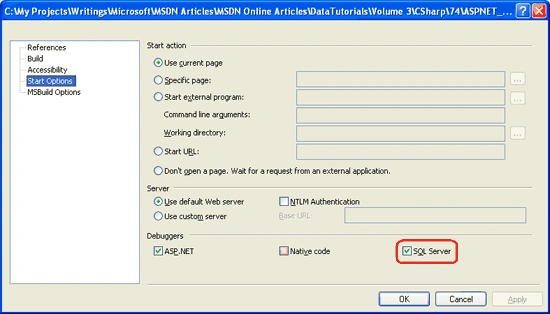
or,
In Windows
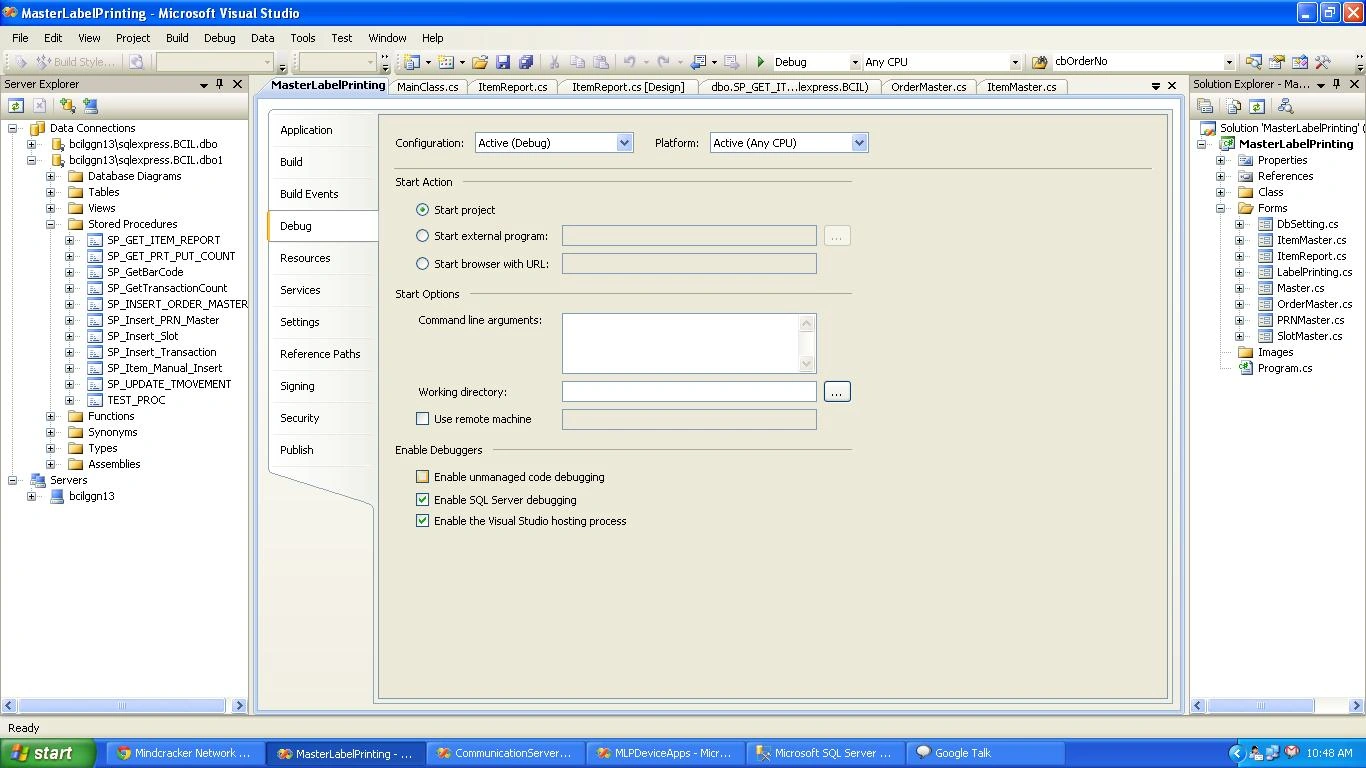
Enable Sql Server Debugging. . .Now!!!
- Go to View -->
- Server Explorer -->
- Right Click on Data Connection -->
- Add Connection -->
- Choose Server Name -->
- User Id -->
- Password -->
- Then Choose Your Database -->
- Click OK -->
- Now right click on database and
Enable Application debugging.
- After that Right click on stored procedure -->
- Step Into Stored procedure -->
- Fill your Input Parameters(if there is any input param)
- Click OK. Now set debugger in stored procedure. (Like below image).
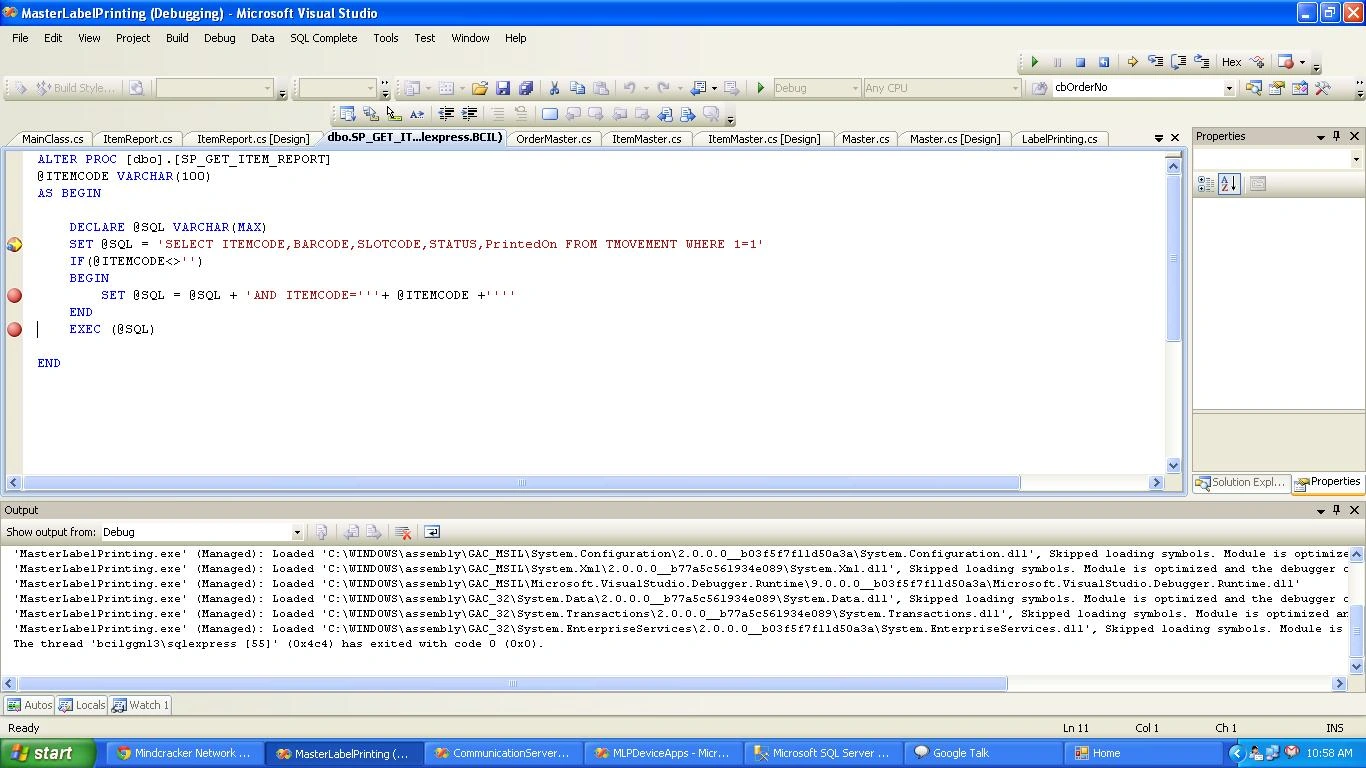
Now perform your event through Asp page/Win
Forms .You will see your debugger passes through
your .net code with stored procedure.
Join the conversation! Your thoughts help the community grow.