
1. First Add WebService in your Asp.net WebApplication and Name Employees:
File >> New >> Project >> Web>> Asp.netWebAppliCation : then follow the figure:
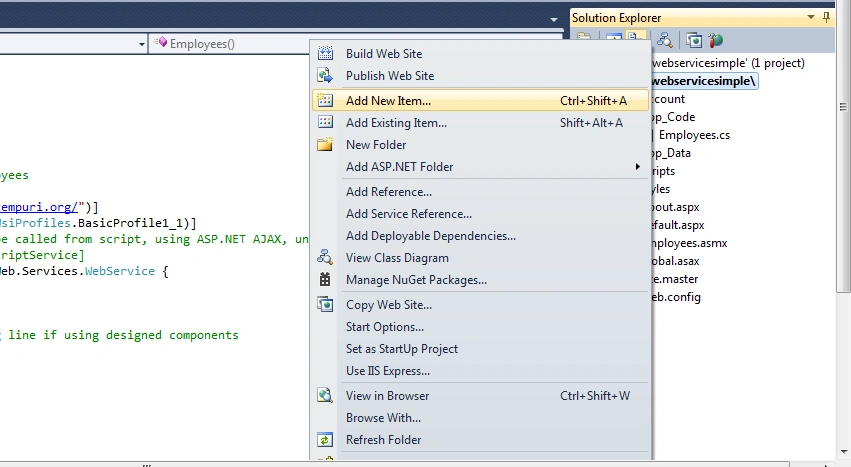
File >> New >> Project >> Web>> Asp.netWebAppliCation : then follow the figure:
Figure 1
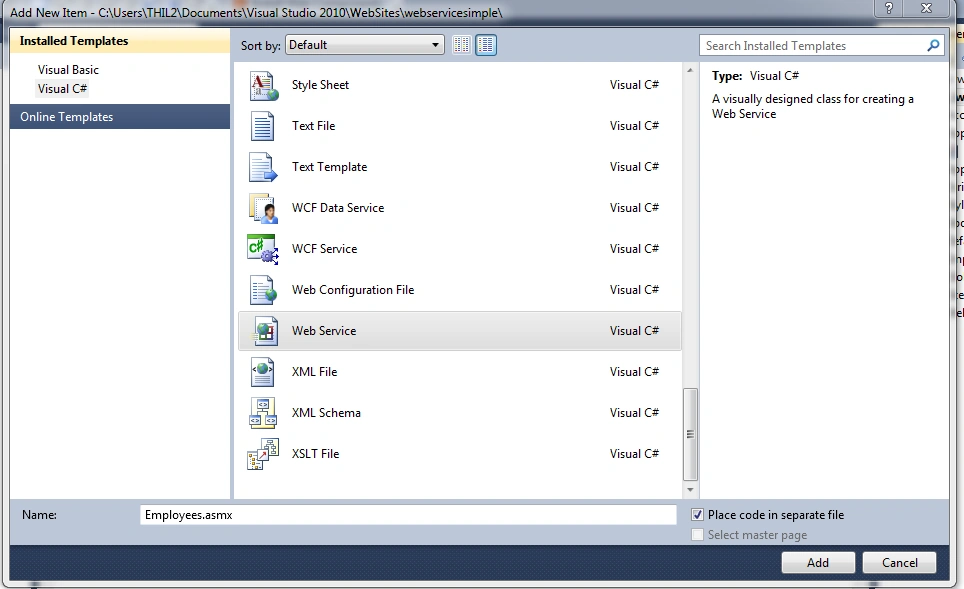
Figure 2
2. You will find it in App Code Folder:
2. You will find it in App Code Folder:
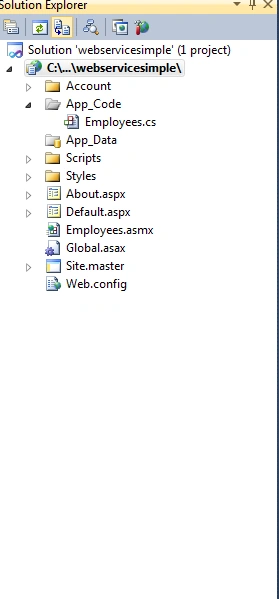
Figure 3
3. Open The Employees.asmx and add a class name EMPLOYEES and ADD some employees in it(List OF Employees) below Employee constructor:
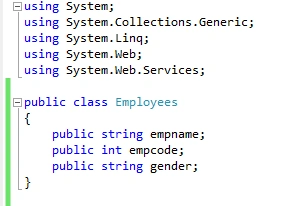
Figure 4
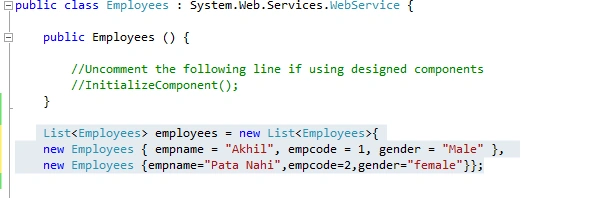
Figure 5
4. Now Add Two Web Methods GetAllEmployees () and GetEMployeesByEmpCode() below List Of Employees:
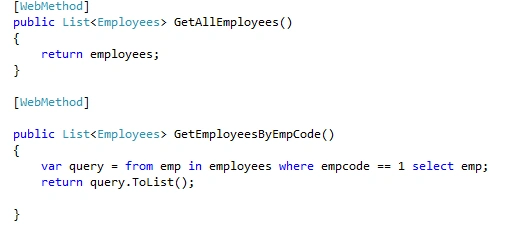
Figure 6
5. Now Go To the Design Page Default.aspx and add the code given below:
- <input type="button" id="getemployees" value="Get Employees" onclick="getEmployees();" />
- <div id="output" style="overflow: scroll">
- </div>
- <input type="button" id="getemployeesbyempcode" value="Get Employees By Code" onclick="GetEmployeesByEmpCode();" />
- </br> Select Emp Code:<div id="Div1">
- <select id="ddlemployees" onchange="GetEmployeesByEmpCode();">
- </select>
- </div>
- <script src="scripts/jquery-1.4.1.min.js" type="text/javascript"></script>
- function getEmployees() {
- $.ajax({
- type: "POST",
- url: "Employees.asmx/GetAllEmployees",
- data: "{}",
- contentType: "application/json; charset=utf-8",
- dataType: "json",
- success: function (response) {
- var Employees= response.d;
- $('#output').empty();
- $('#output').append('<table id="tbone"><thead><tr><th style="width:60px">EMPLOYENAME</th><th style="width:60px">EMPCODE</th><th style="width:60px">GENDER</th></tr></thead></table>');
- $.each(Employees, function (index, Employee) {
- var Name = "empname";
- var EmpCode = "empcode";
- var Gender = "gender";
- $('#output').append('<table><tr><td style="width:60px">' + Employee.empname + '</td><td style="width:60px">' + Employee.empcode + '</td><td style="width:60px">' + Employee.gender + '</td></tr>');
- });
- },
- failure: function (msg) {
- $('#output').text(msg);
- }
- });
- }
- function GetEmployeesByEmpCode() {
- $.ajax({
- type: "POST",
- url: "Employees.asmx/GetEmployeesByEmpCode",
- data: "{empcode:" + $('#ddlemployees').val() + "}",
- contentType: "application/json; charset=utf-8",
- dataType: "json",
- success: function (response) {
- var Employees = response.d;
- $('#output').empty();
- $('#output').append('<table id="tbone"><thead><tr><th style="width:60px">EmployeeName</th><th style="width:60px">EmpCode</th><th style="width:60px">Gender</th><th style="width:60px">DOORS</th></tr></thead></table>');
- $.each(Employees, function (index, Employee) {
- $('#output').append('<table><tr><td style="width:60px">' + Employee.empname + '</td><td style="width:60px">' + Employee.empcode + '</td><td style="width:60px">' + Employee.gender + '</td></tr>');
- });
- },
- failure: function (msg) {
- $('#output').text(msg);
- }
- });
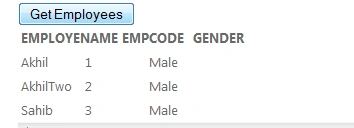
Figure 7
OUTPUT after Selecting empcode from dropdownlist::
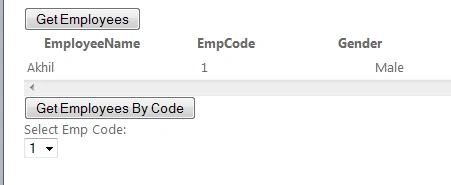
Figure 8
Join the conversation! Your thoughts help the community grow.