

In this articals we wiil see how to creating and running a SampleWinApp windows application.
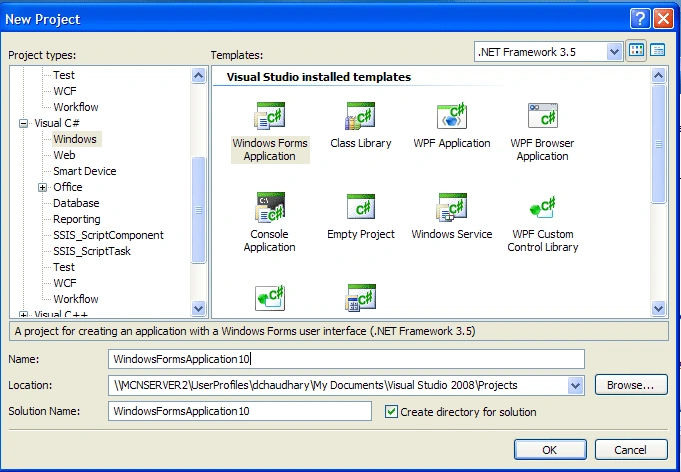
SampleWinApp is a window application that allows auser to click on a button named Click Me.when the button is clicked the click event occurs through which the click me text of the button changes to hello and vice-versa.to creat SampleWinApp windows application .net using microsoft visual studio,first of all :
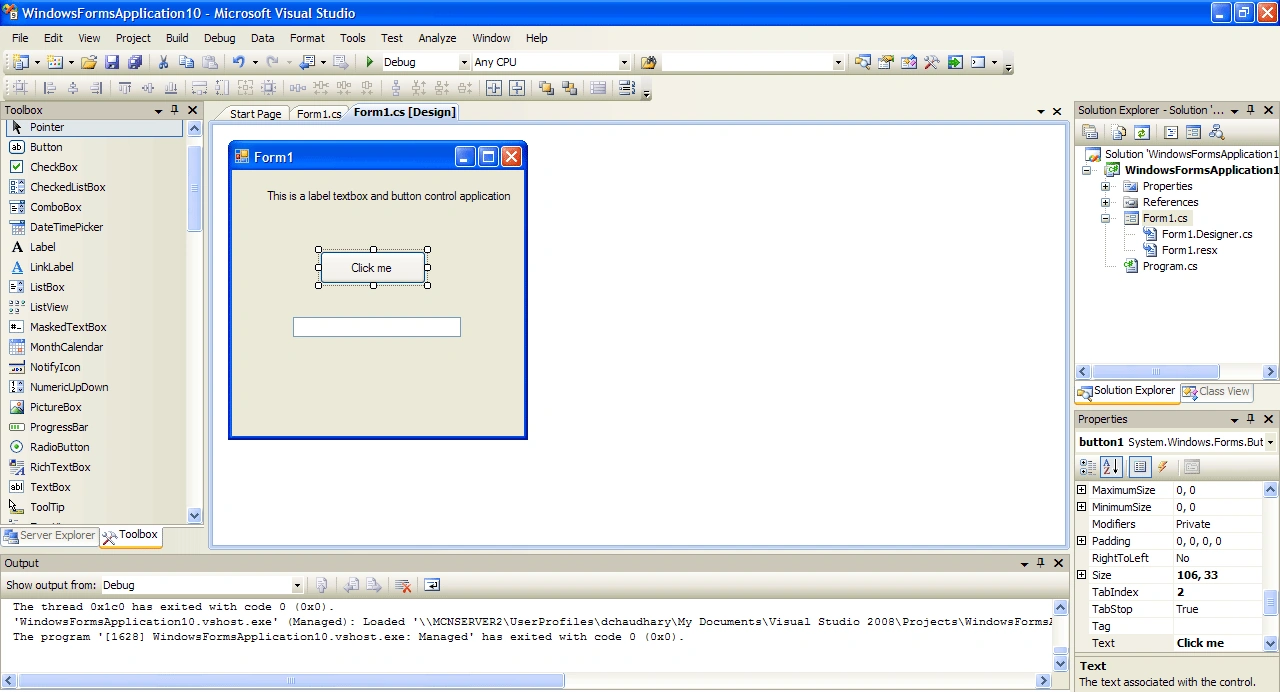
we creat the form1 form
add code to form1 form
we can use f5 key or a combination od ctrl and f5 that is ctrl+f5 keys to run the sampleWinApp window application.
coding of the program:
using System;
using System.Collections.Generic;
using System.ComponentModel;
using System.Data;
using System.Drawing;
using System.Linq;
using System.Text;
using System.Windows.Forms;
namespace WindowsFormsApplication10
{
public partial class Form1 : Form
{
int i =0;
public Form1()
{
InitializeComponent();
}
private void Form1_Load(object sender, EventArgs e)
{
}
private void button1_Click(object sender, EventArgs e)
{
i++;
if (i % 2 != 0)
{
button1.Text = "Hello";
MessageBox.Show("The button has been clicked & the button text changed to
'Hello'.");
}
else
{
button1.Text = "clicked Me";
MessageBox.Show("the button has been clicked and the button text changed to 'click
Me'.");
}
textBox1.Show();
textBox1.Text="Click the button again and the button text changes.";
textBox1.ReadOnly = true;
}
}
}
Ouput of the program:
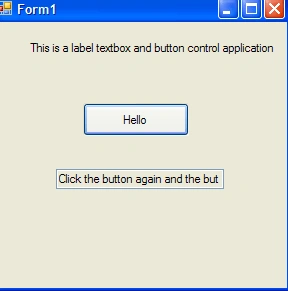
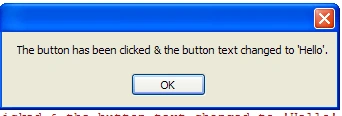
|
Join the conversation! Your thoughts help the community grow.