

In this blog, how to concatenate three columns (First Name, Last Name and Middle Name) using Calculated Column in SharePoint List has been explained.
I have created a List Employee having three columns, shown as below:
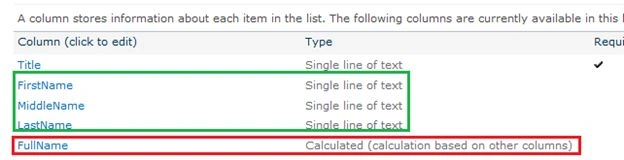
FullName is the Calculated Column, that displays the result after concatenating the above columns:
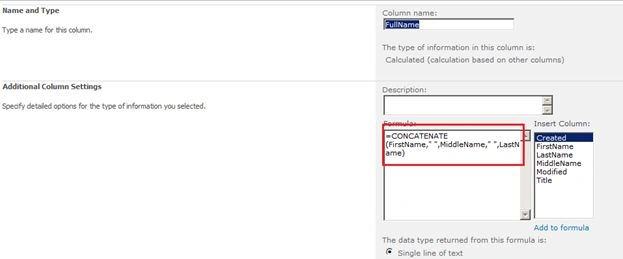
Add the given below formula in the calculated column.
=CONCATENATE(FirstName," ",MiddleName," ",LastName)
The List will display as shown below:

Lakshmanan Sethu SankaranarayanPosted Mar 24, 2014, 7:21 AM
Nice blog friend :)