

Welcome back to the Learn Angular 8 in 10 Days article series - Part 6. In the previous article, we discussed the different concepts of Pipes in Angular. Now, in this article, we will discuss the Concept of View Encapsulation along with Content Projection. If you want to read the previous articles of this series, then follow the links.
- What's New Angular 8
- Angular 8: How to start (Day 1)
- Angular 8: Components (Day 2)
- Angular 8: Data Binding (Day 3)
- Angular 8: Directives (Day 4)
- Angular 8: Pipes (Day 5)
So, in this article, we will discuss some different aspects of DOM management in Angular 8. In web application development, web component plays an important role in designing and developing web UI. Web Components are generally available in all modern browsers except Microsoft Edge and IE 11. But for these browsers, polyfills play the role of fulfilling the requirement. Mainly, Web Components consist of three elements – Custom Elements (fully valid HTML elements), Shadow DOM (isolated CSS and JavaScript API), and User-defined HTML Templates. Now, an Angular Component is actually not a Web Component. But still, the Angular framework supports all the features of a web-components. So, in this article, we will discuss the different techniques of designing views so that they can be treated as web components.
What is a Web Component?
Angular Framework always provides a set of libraries for developing encapsulated components, dependency injection, data binding-based HTML templates, etc. Using this framework, we can separate the UI display logic (components) from the application's business logic (services and logic) in such a way that multiple developers or teams can work on the different parts of the same application at the same time. To implement this approach, one of the key parts is the Web Component.
Web Components are a group of standard APIs that make it possible to create custom HTML-based tags that have their own functionality and component lifecycle flow. The main objectives of the Web Component are to encapsulate the code for the angular components as a reusable package for maximum interoperability. So, in simple words, Web Components is a suite of standard APIs that may be developed in different technologies allowing us to create reusable custom elements the entire functionality is encapsulated from the rest of our code and we can utilize them in our web applications.
For defining any web component, we need to define the below features in any angular component so that it can act as a web component.
- Custom Elements: This specification helps us to design the new types of DOM elements.
- Shadow DOM: It helps us to define how to use encapsulated style and markup in the web components.
- ES Modules: This specification helps us to define to include any JS library and provide options for reusing them in the documents in a standard way.
- HTML Templates: Using this specification, we can define any HTML markup section that normally is in unused mode at the time of page load but will be active or initialized later on at run time against any specific events or task.
Benefits of a Web Component
As a developer, we always prefer to reuse the code as much as possible in any application development. The main purpose of using Web Component is for the reusability of code. A web component is basically a standardized process of making encapsulated, reusable user interface elements for the web application. A web component always provides the following features in our web development.
- Reusability
- Maintainability
- Productivity
- Encapsulation
- Extensibility
- Composability
But still, the question remains the same, i.e. Why do we need a web component as all framework provides us with all the above features? The main reason behind the web component is Interoperability. Since every framework works superbly within its own ecosystem. Generally, we can’t (easily) use any Angular Component within a React framework or vice versa.
Since the front-end development community provides a large number of new tools, frameworks, libraries, etc on a regular basis manner. In this way, we need to make changes to our applications to fit them into the new frameworks or libraries. So, when we want to develop any web application today, our main concern will be how our application will adopt future release libraries or frameworks. Since sometimes it is very hard and in some cases, we need to re-write the entire application from scratch again to fit into the new technology. In this scenario, web components play an important role in web application development. Because web components are built on the basis of standard web protocol it will work across any ecosystem. The main benefits of the web components are,
- Interoperability: Web components can transcend framework and can be used in different projects of different technology stacks.
- Lifespan: Since our web components are interoperable, so they have a longer life span and we do not need to re-write them to adopt the new technology.
- Portability: Web Components are very portable to work in any environment framework or library.
So, with the above benefits, the web component always has cross-compatibility features which help it to play an important role in the ever-changing web landscape.
Shadow DOM
So before starting the discussion about View Encapsulation in the Angular framework, we first need to understand what is Shadow DOM and why it is required. Also, we need to understand, why we want to use this. In one sentence, Shadow DOM is one of the important segments of the Web Components and it enables DOM tree and CSS or style encapsulation within the Web Components. So, in simple words, with the help of Shadow DOM, we can hide DOM-related logic behind the other elements of DOM. Now the question is why this is great. It's because, in the end, we developed components that normally expose a single (custom or user-defined) HTML-based element with hidden DOM logic and styles that can be applied only to that element i.e. a Web Component. For example, like <input type=“date”> HTML element. It is simply nice and excellent that we just use a single tag and the browser will render the entire date picker control for us.
Now, we have some basic ideas about Shadow DOM. Now we need to discuss how we can use this within Angular Framework, especially within Angular Components. As we already know each and every component in Angular Framework consists of a controller class with HTML templates and styles. We can use different types of styles for a different component. In general, every component can be shared across the application if they are isolated and independent functionalities. It simply means that the Angular framework always provides a component as a reusable element. Actually, Angular components are not Web Components but they already have some benefits that we can achieve using web components.
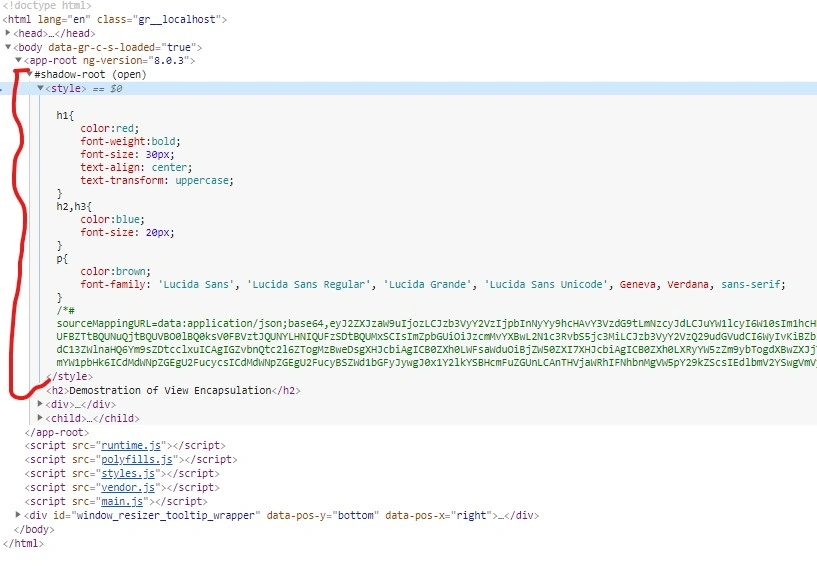
So, in Angular when we create a component, Angular Framework assigns its HTML template into shadowRoot which is basically the Shadow DOM of that particular component. So, in this way, we get the DOM tree and style encapsulation by default. But what happens if our browser does not support the Shadow DOM? Can we run Angular Applications on those browser environments? The answer is Yes, we can run Angular Applications in those browsers. Because Angular does not use the native Shadow DOM by default, it actually uses emulation. It's because most of the browsers do not support Shadow DOM features.
View Encapsulation
Angular Framework provides the View Encapsulation features by default. It totally depends upon us on how we want to implement View Encapsulation in Angular. We can either enable this by using Shadow DOM or event emulate it. Using View Encapsulation, we can define whether the template and styles used within the component can affect the entire application or vice versa.
Types of View Encapsulation
Angular Framework provides three types of encapsulation. They are,
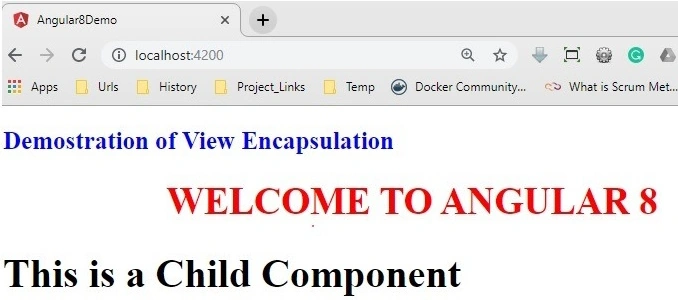
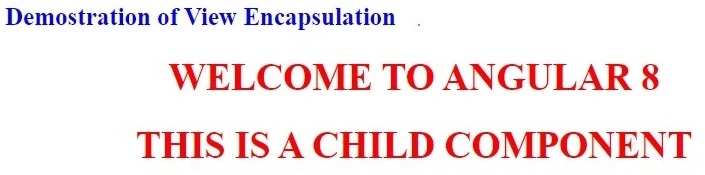
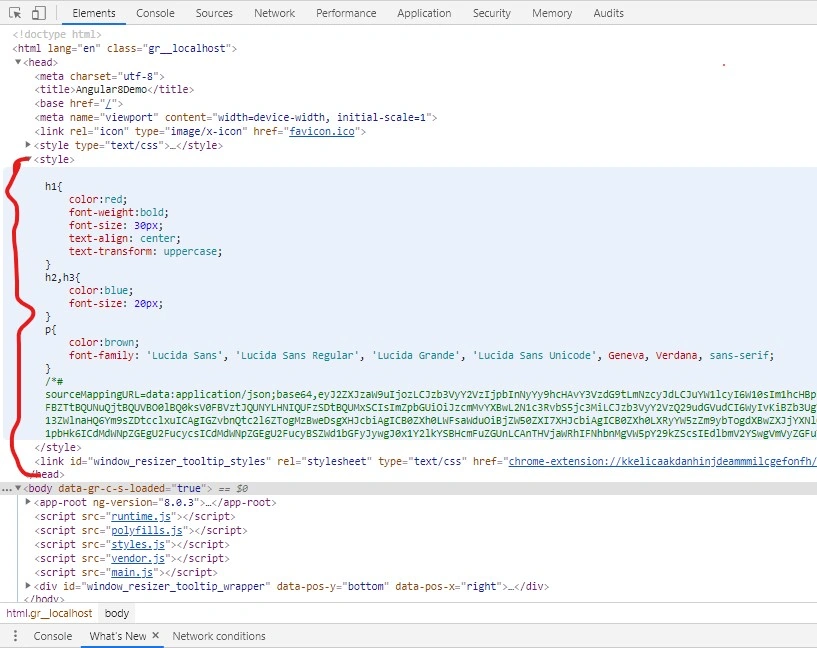
- ViewEncapsulation.None: In this option, there is no Shadow DOM option available. Also, style is not scoped to the component in this option. Therefore, the style code will be moved to the Header section of the DOM and it will affect all the nodes of the component.
- ViewEncapsulation.Emulated: In Angular, the default ViewEncapsulation mode is Emulated. In this option, Angular will not create the Shadow DOM for the component. So, the style of the component will be scoped to the component. In this option, Angular only emulates Shadow DOM but does not create the real Shadow DOM. Hence, the applications that run in browsers do not support Shadow DOM also and styles are scoped to the component.
- ViewEncapsulation.ShadowDom: In this option, Angular will Create Shadow DOM for the mentioned component. Also, it scoped the style-related part of the component.
Concept of Content Projection
In Angular Framework, Content Projection helps us to insert a shadow DOM element within our component. In simple words, if we want to insert HTML elements or another component within a component dynamically, then we need to use the concept of content projection. Content Projection is one of the most important and useful features of the Angular Framework. It helps us to pass the data along with the HTML template from the parent component to the nested child components. In the earlier version of Angular, it is normally known as transclusion. Basically, in a real-life web application, it is a very rare case when we just need to use content in only one place. In most cases, we need to project or use specific code parts in different places of the child component templates. This type of requirement can be done with the help of Content projection.

Join the conversation! Your thoughts help the community grow.