

Introduction
In this article, I will explain the basic operators in Python.
Definition
An operator is a symbol which represents some operations that can be performed on data. There are different types of operators in Python. There are:
- Arithmetic operators
- Relational operators
- Logical operators
- Assignment operators
Arithmetic operators
Arithmetic operators are used to perform arithmetic operations.
Syntax
- Variable 1 arithmetic operator variable 2
The arithmetic operators and their meaning are given in the below table:
|
operators
|
operations
|
|
+
|
Addition
|
|
-
|
Subtraction
|
|
*
|
Multiplication
|
|
/
|
Division
|
|
%
|
Modulo division
|
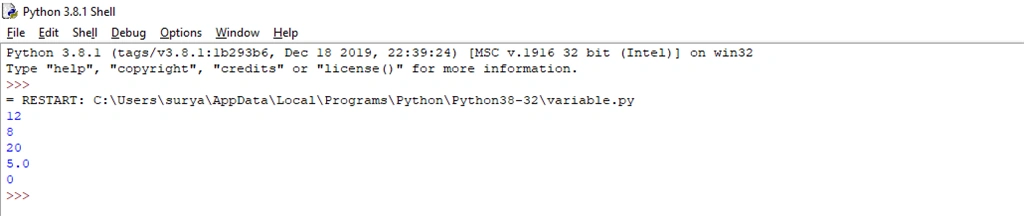
Example
- x = 10
- y = 2
- print(x + y)#Addition
- print(x - y)#Subtraction
- print(x * y)#Multiplication
- print(x / y)#Division
- print(x % y)#Modulo division
Output
Relational operators
Relational operators are used to compare two or more operans. It evaluates whether the given expression is true or false.
|
operators
|
operations
|
|
<
|
is less than
|
|
<=
|
is less than or equal
|
|
>
|
is greater t
|
|
>=
|
is greater than or equal
|
|
==
|
is equal to
|
|
!=
|
is not equal to
|
Syntax
- Variable 1 relational operator variable 2
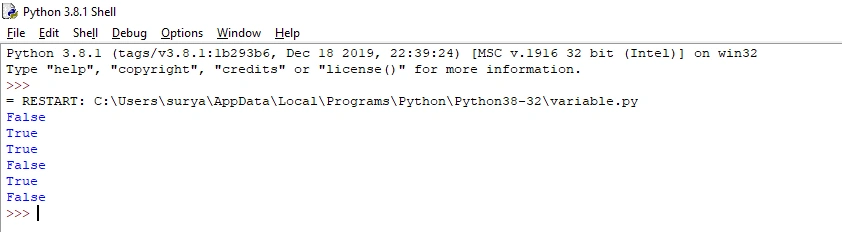
Example
- x = 20
- y = 10
- print(x == y)# returns False because 20 is not equal to 10
- print(x != y)#returns True because 20 is not equal to 10
- print(x > y)#returns True because 20 is greater than 10
- print(x < y)#returns False because 20 is not less than 10
- print(x >= y)#returns True because 20 is greater, or equal, to 10
- print(x <= y)#returns False because 20 is neither less than or equal to 10
Output
Logical operators
They are used to combine the result of two or more conditions.
|
operators
|
operations
|
|
&&
|
And
|
|
||
|
Or
|
|
!
|
Not
|
Syntax
- Variable 1 logical operator variable 2
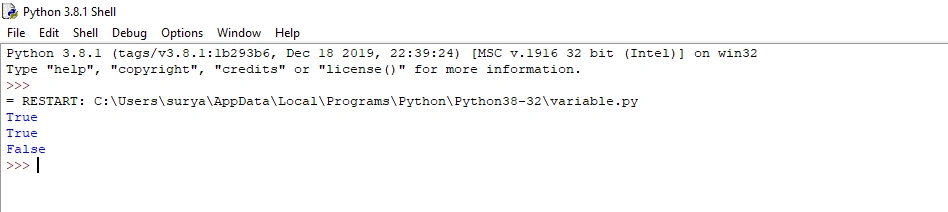
Example
- x = 8
- print(x > 3 and x < 10)# returns True because 8 is greater than 3 AND 8 is less than 10
- print(x > 3 or x < 1)# returns True because one of the conditions are true
- print(not(x > 3 and x < 11))#returns False because not is used to reverse the result
Output
Assignment operators
Assignment operators have to assign a value or an expression or a value of a variable to another variable. Assignment operators use arithmetic operators (+, -, *, /) along with assignment operator (=).
|
operators
|
Example
|
Meaning
|
|
+=
|
X+=Y
|
X=X+Y
|
|
-=
|
X-=Y
|
X=X-Y
|
|
*=
|
X*=Y
|
X=X*Y
|
|
/=
|
X/=Y
|
X=X/Y
|
|
%=
|
X%=Y
|
X=X%Y
|
Syntax
- Variable 1 assignment operator variable 2
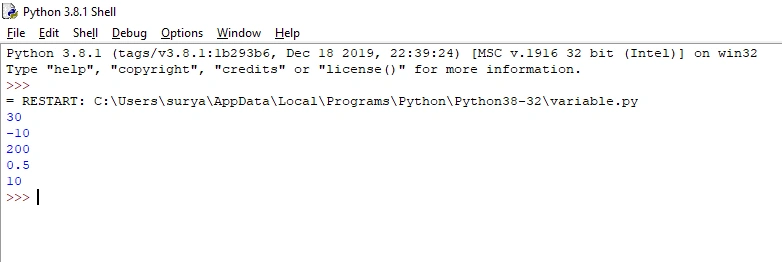
Example
- a = 10
- b = 10
- c = 10
- d = 10
- e = 10
- a += 20#Addition
- b -= 20#Subtraction
- c *= 20#Multiplication
- d /= 20#Division
- e %= 20#Modulo division
- print(a)
- print(b)
- print(c)
- print(d)
- print(e)
Output
Conclusion
In this article, we have seen basic operators in Python. I hope this article was useful to you. Thanks for reading!
Join the conversation! Your thoughts help the community grow.