

Introduction
In this article, we will cover String Methods in JavaScript. Before we start, Let's understand the objective of this demonstration, which tells what exactly will be covered in this article.
- charAt(index)
- concat(str1, str2, ..., strN)
- includes(searchString, position)
- indexOf(searchValue, fromIndex)
- lastIndexOf(searchValue, fromIndex)
- replace(searchValue, replaceValue)
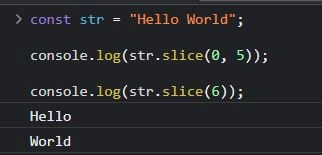
- slice(startIndex, endIndex)
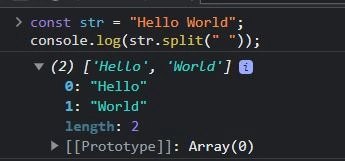
- split(separator, limit)
- toLowerCase()
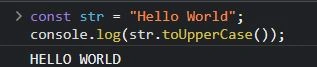
- toUpperCase()
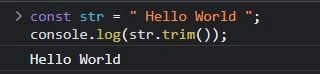
- trim()
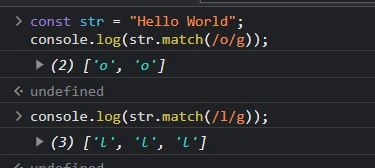
- match()
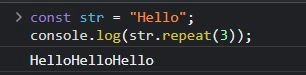
- repeat()
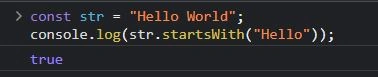
- startsWith()
- substr()
So, Let's get started.
What are String Methods?
In JavaScript, a string method is a built-in function that can be called on a string object to perform operations on that string. String methods allow developers to manipulate strings, extract information from them, and perform other useful tasks.
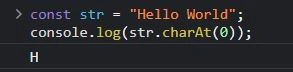
charAt(index)
Returns the character at the specified index.
const str = "Hello World";
console.log(str.charAt(0));
// Output: H
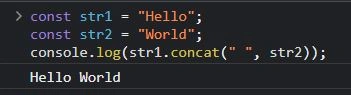
concat(str1, str2, ..., strN)
Concatenates two or more strings.
const str1 = "Hello";
const str2 = "World";

console.log(str1.concat(" ", str2));
//Output: "Hello World"
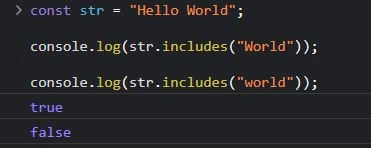
includes(searchString, position)
Checks whether a string contains a specified substring. Returns true or false.
const str = "Hello World";

console.log(str.includes("World"));
//Output: true

console.log(str.includes("world"));
//Output: false
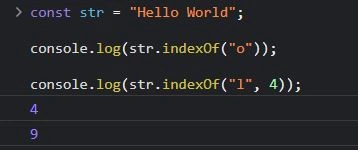
indexOf(searchValue, fromIndex)
Returns the index of the first occurrence of a specified value in a string.
const str = "Hello World";

console.log(str.indexOf("o"));
//Output: 4

console.log(str.indexOf("l", 4));
//Output: 9
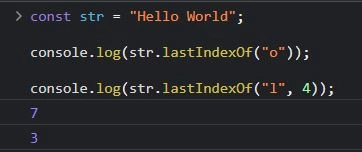
lastIndexOf(searchValue, fromIndex)
Returns the index of the last occurrence of a specified value in a string.
const str = "Hello World";

console.log(str.lastIndexOf("o"));
//Output: 7

console.log(str.lastIndexOf("l", 4));
//Output: 3



Raja MsrPosted Aug 22, 2023, 6:15 AM
Thank you for sharing this informative and well-written article on string methods in JavaScript. I found it very helpful and easy to follow. Your explanations and examples were clear and concise, making it easy to understand the string methods.