

In this third post on Remote Event Receivers we are going to explore the mechanics revolving around Remote Event Receivers on List/ List Item Events. The previous two posts in this series can be seen at:
- SharePoint 2013: Remote Event Receivers
- SharePoint 2013: How to develop Remote Event Receivers for App Events
In order to showcase this scenario we need to start with a Provider Hosted App as highlighted in the following steps:
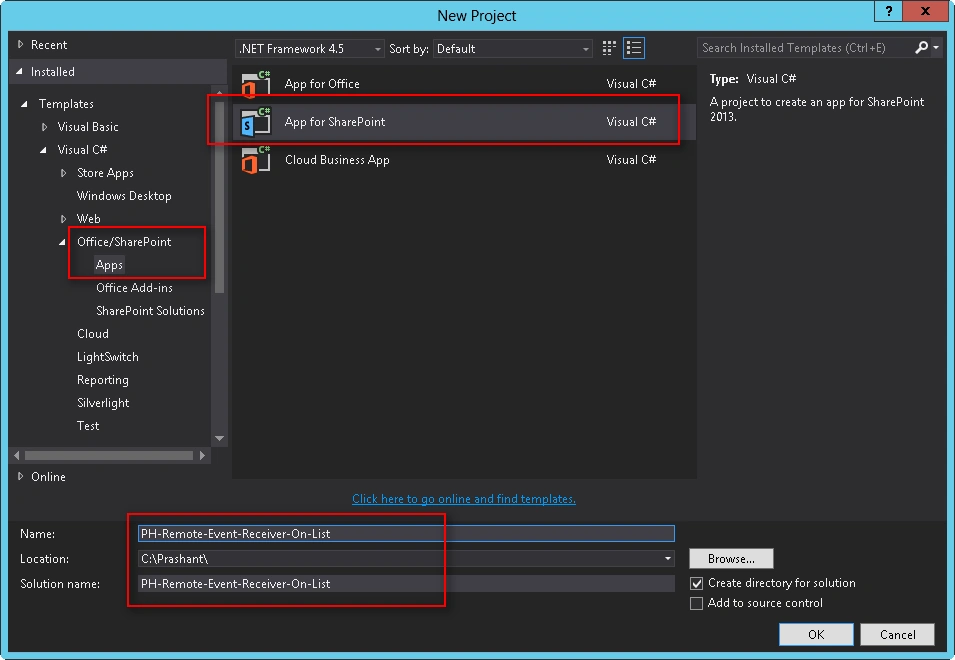
- Select “App for SharePoint” Project Template.
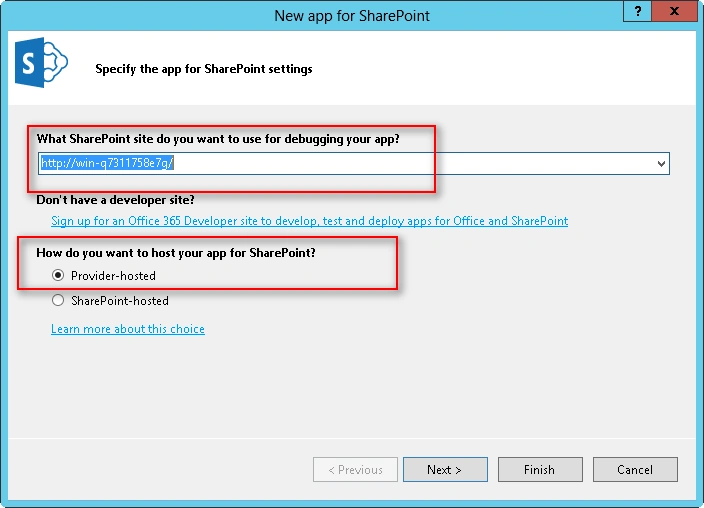
- Specify the URL of Host Web and select “Provider-Hosted” as Hosting Model.
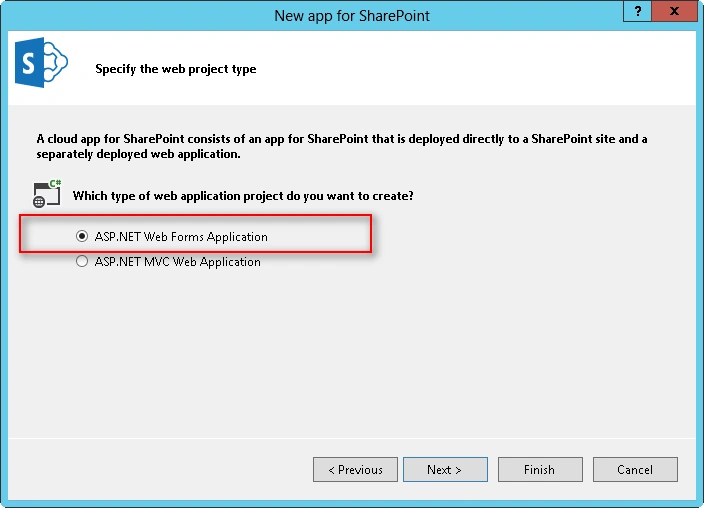
- Select “ASP.Net Web Forms Application” as Project Template for Hosting the Remote Web.
- Specify the Security Certificate details based on SharePoint Provider Hosted App Development Environment configuration.
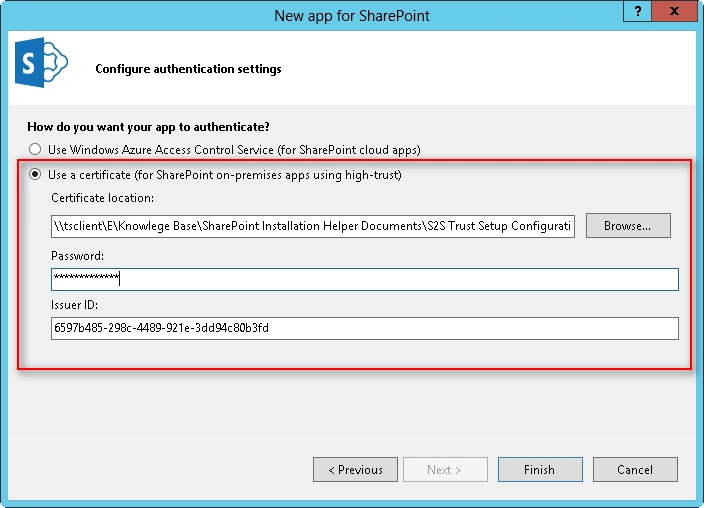
Click Finish to complete the Visual Studio Solution Wizard.
Now next thing is to add the required items to the SharePoint App Project.
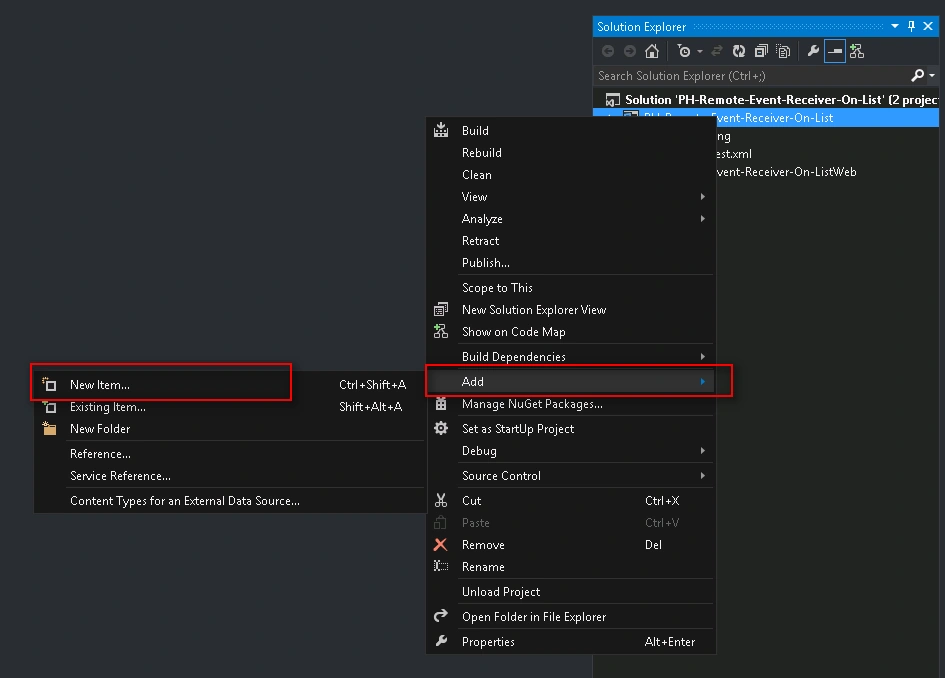
- Select App Project => New Item => Add.
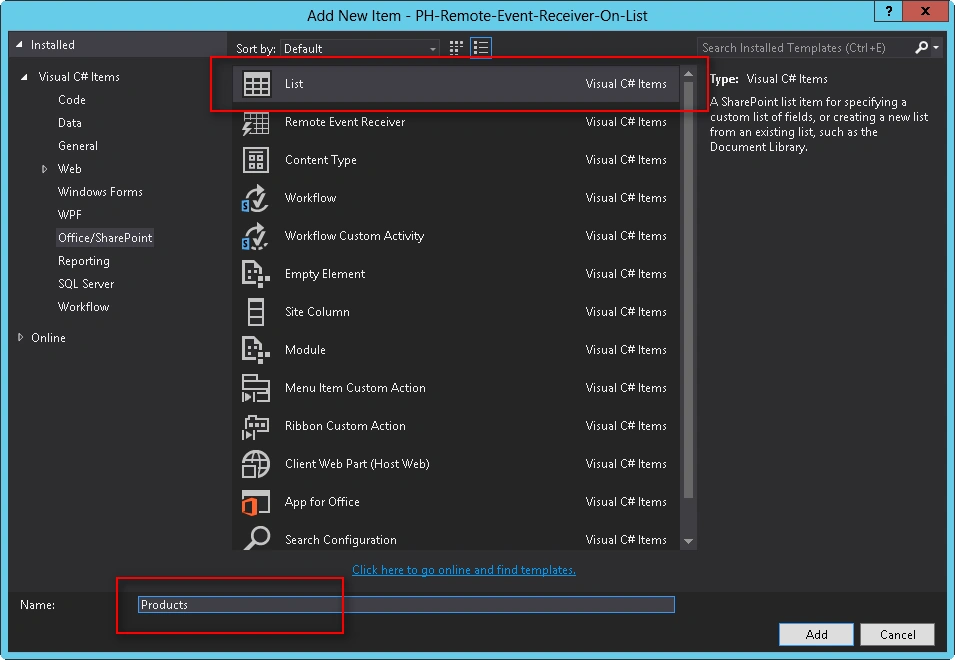
- Select “List” as Project Item Template and the list as “Products”.
This List will act as the Source of Events which will be delegated to the Remote Event Receiver.
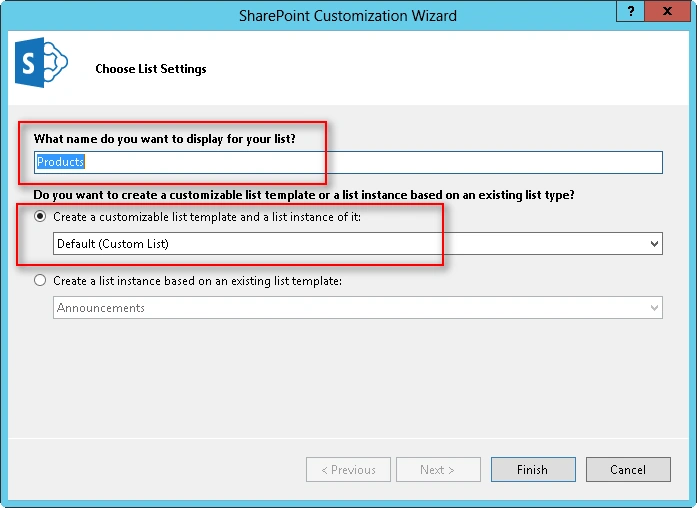
On List Settings Page
- Select a Display Name for the List.
- Choose Template for List Instance as “Custom List”.
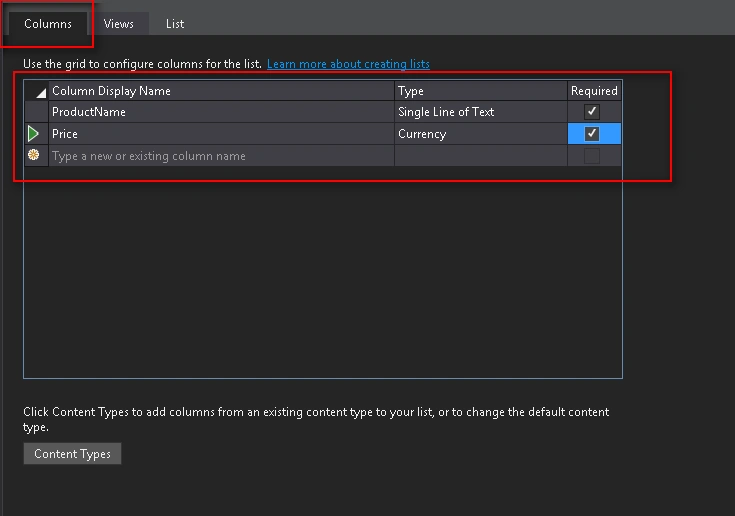
In List Designer
- On Columns Tab, specify the Columns/Fields you need to add to the list.
I took ProductName & Price as two fields to be added for Products List.
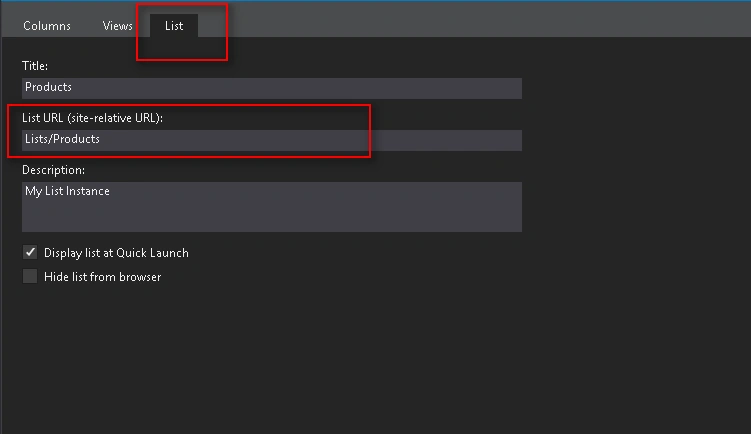
- On the List Tab, verify the Site Relative Url of List.
Once we have our list created and configured, it is time to add a new SharePoint Item to the project. Guess what?
The Remote Event Receiver. Yes!
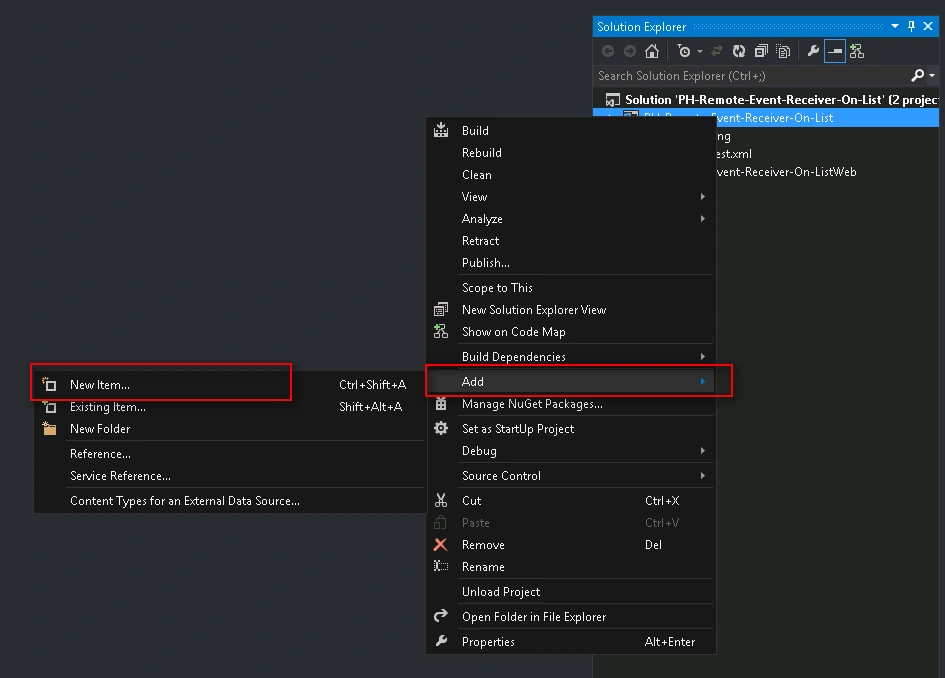
- Select App Project => New Item => Add.
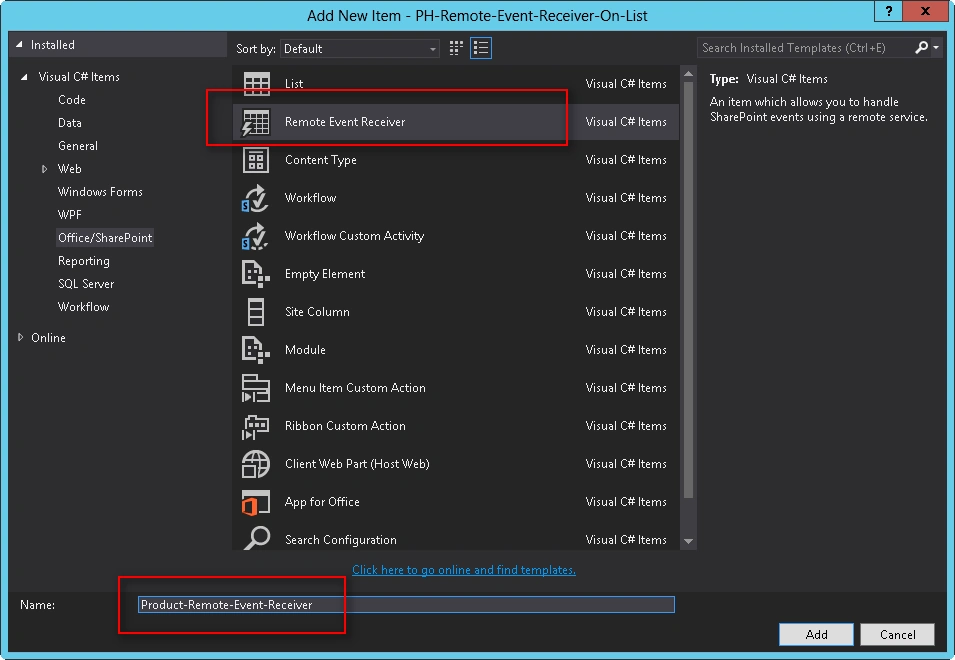
- Select “Remote Event Receiver” as Project Item Template.
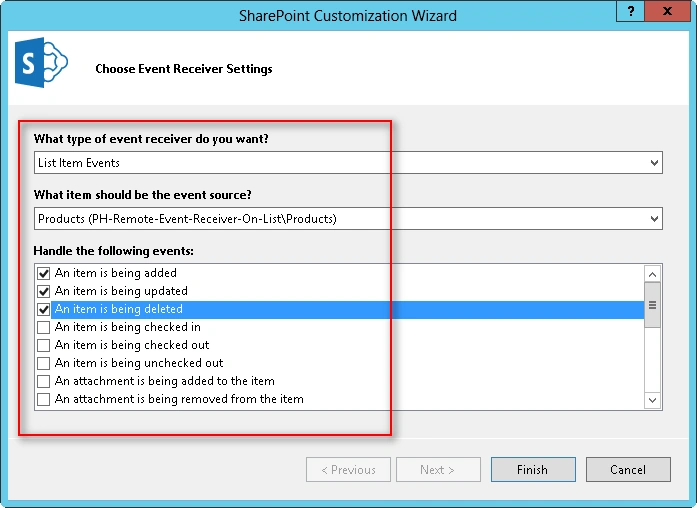
- Select Type of Event Receiver as “List Item Events”.
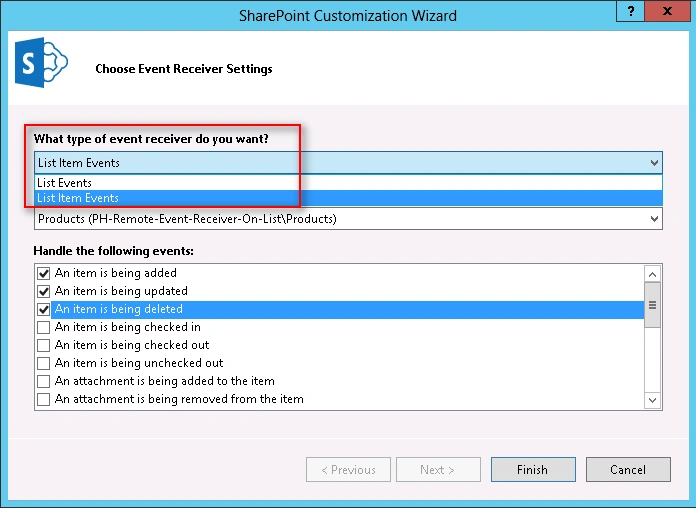
- Select Event Source as “Products” List.
- Choose what events you want to be handled by this Remote Event Receiver. For now I am choosing “Item Added”, “Item Updated” and “Item Deleted” events.
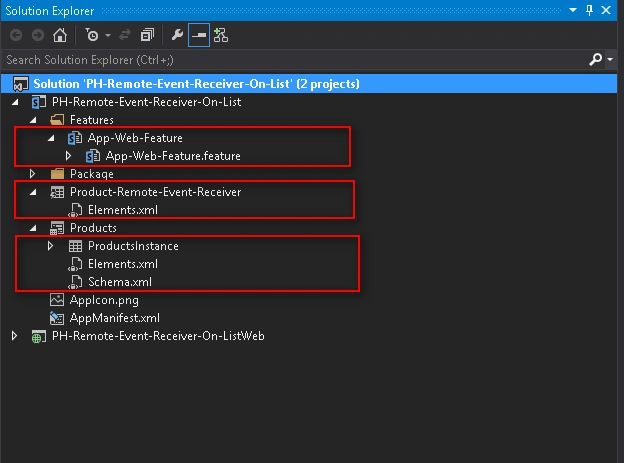
As soon as the List is added to the Project a Feature scoped to the App Web gets also added.
Once we are done with the configuration steps as shown above, we can see following artifacts added to the Project as highlighted below:
- Products List
- List Instance of the Products List
- Remote Event Receiver
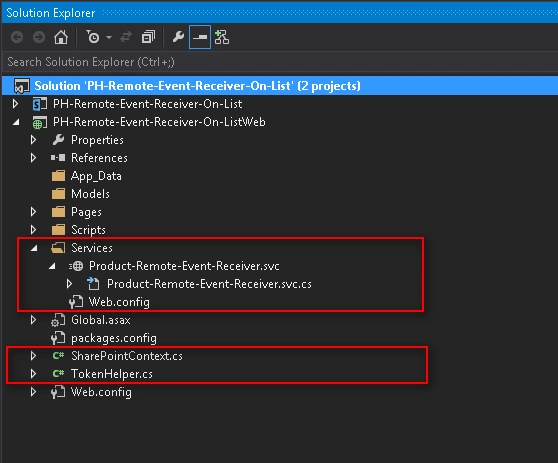
If we notice Remote Web Project which is nothing but an ASP.Net Application, we can see the following artifacts added already to it:
- Service Class [Product-Remote-Event-Receiver]: That represent the Remote Event Handler Code Base.
- TokenHelper.cs & SharePointContext.cs: These helper classes are added to VS2013 to execute all the heavy lifting related to Authorization and Authentication algorithms easily between Remote Web Server(SPWeb Host) & SharePoint Server(Front-end Server).
We will revisit the Service Class Code in a short while to understand its internal plumbing.
But for now let’s build the Solution and Run it.
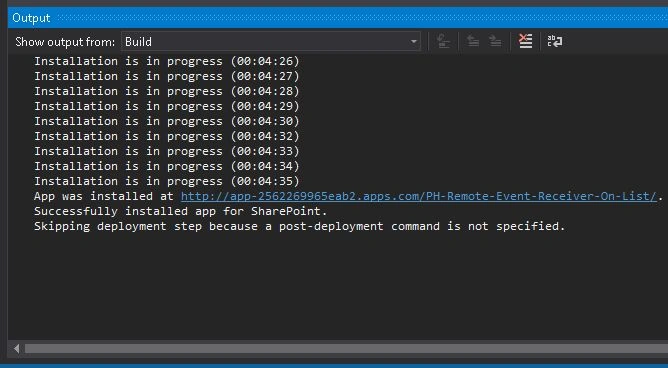
Trust the App with all needed permissions when prompted.
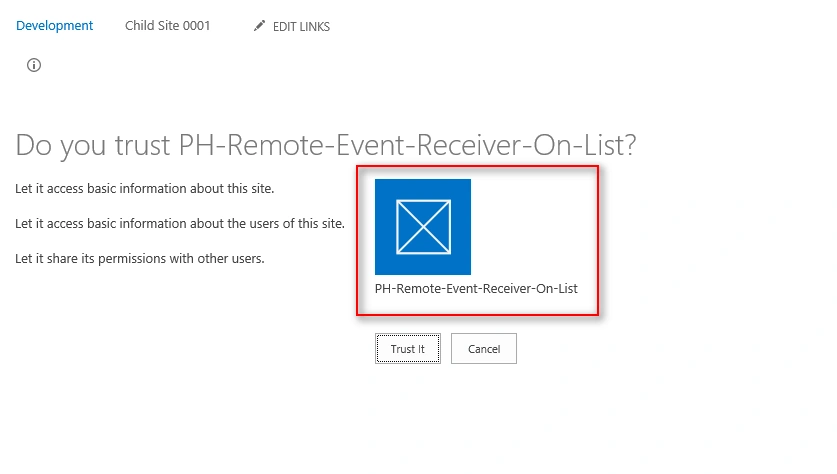
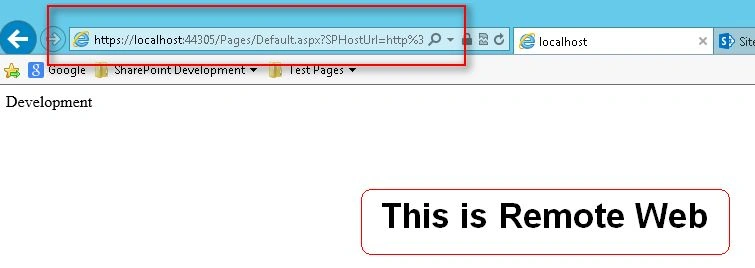
As soon as we Grant the App with all of the required permissions, the App Launcher redirects the User to the Start Page for the App, which is residing in the Remote Web for this case as highlighted below:
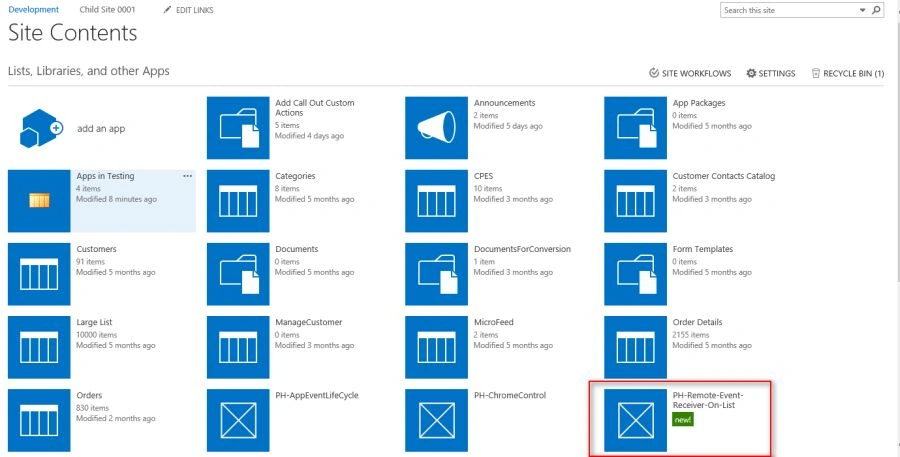
We can see the App Launcher added to the Site Contents of the Host Web as shown below:
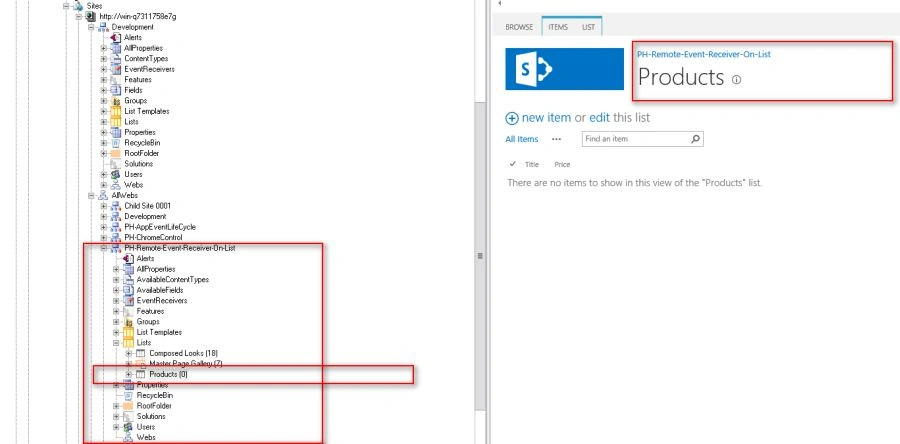
We can ensure the presence of App Web by using SharePoint Manager and inspects Products List that has been provisioned to the App Web during the App Deployment.
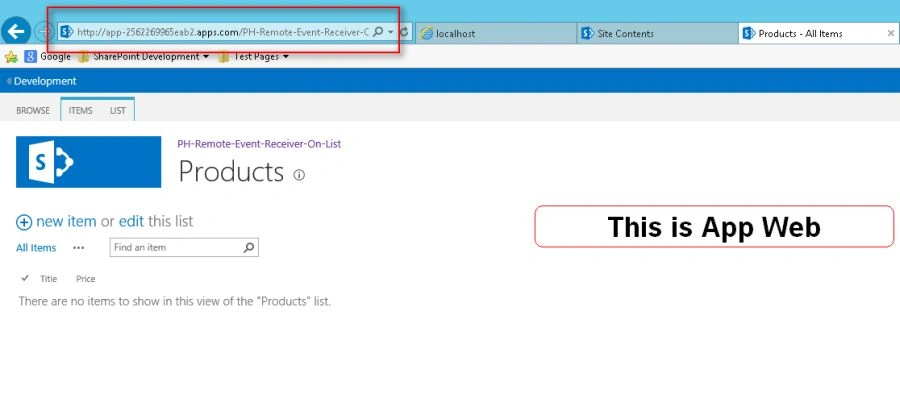
We can browse the App Web from Browser also as shown below:
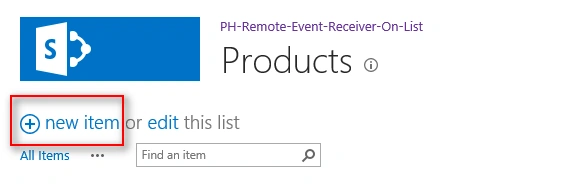
Now in order to test the Event Receiver, let’s create a test item in Products List as shown below:
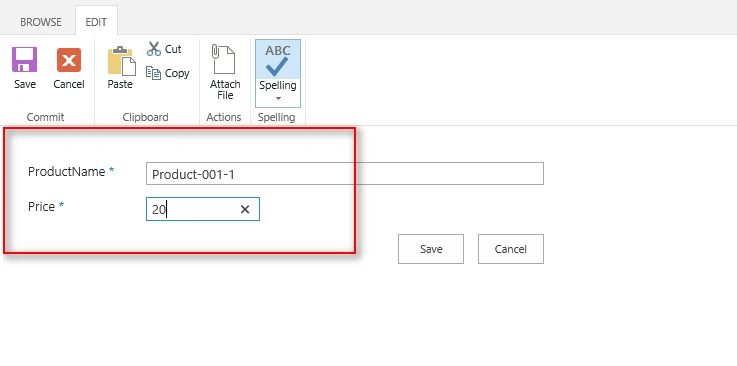
Specify Product Name & Price and Click Save button.
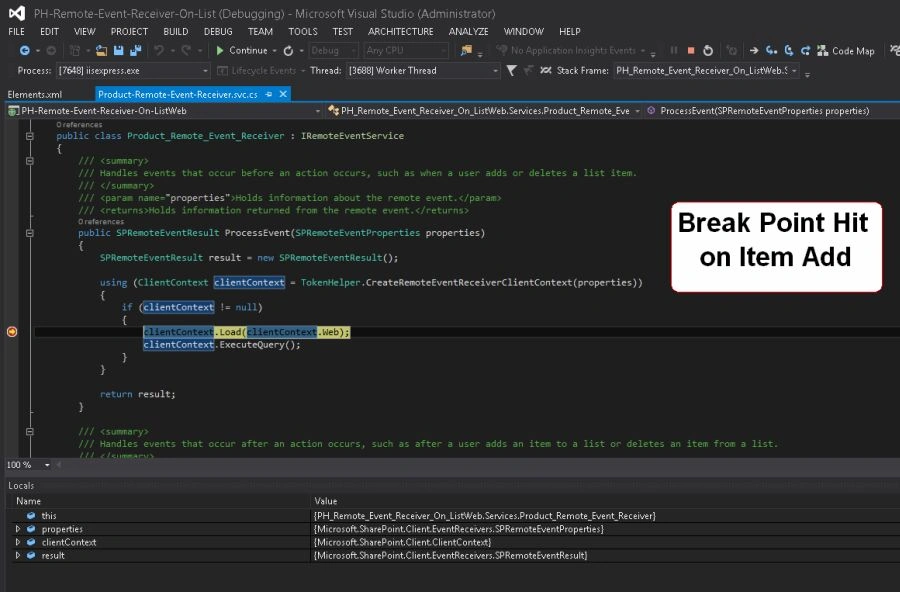
As soon as Item gets added, it triggers “ItemAdded” event which is delegated to Remote Event Receiver by SharePoint.
In Remote Event Receiver we have two methods “ProcessEvent” & “ProcessOneWayEvent”.
For more details on these methods you can revisit my earlier post SharePoint 2013: Remote Event. Receivers.
On Item added we can see Breakpoint hit in “ProcessEvent” Method as shown below:
Similarly we can see Break Point hit every time the Item gets updated as highlighted in below steps.
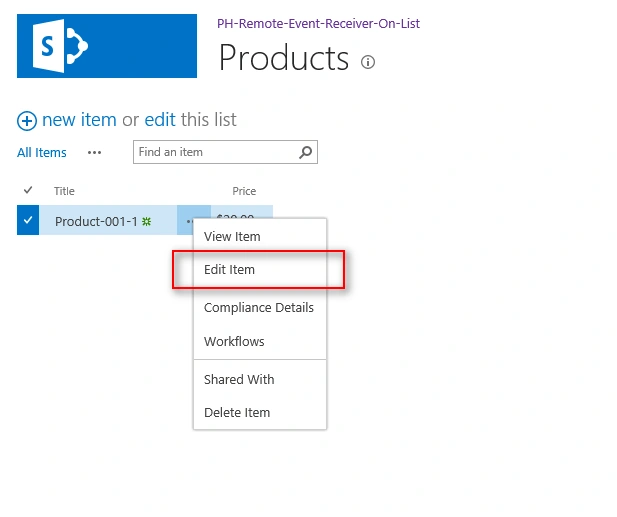
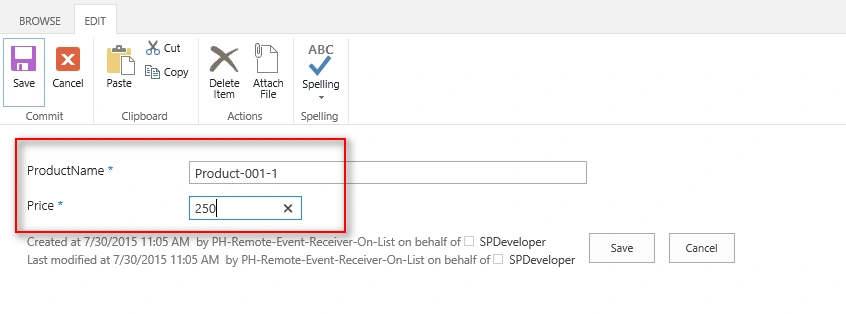
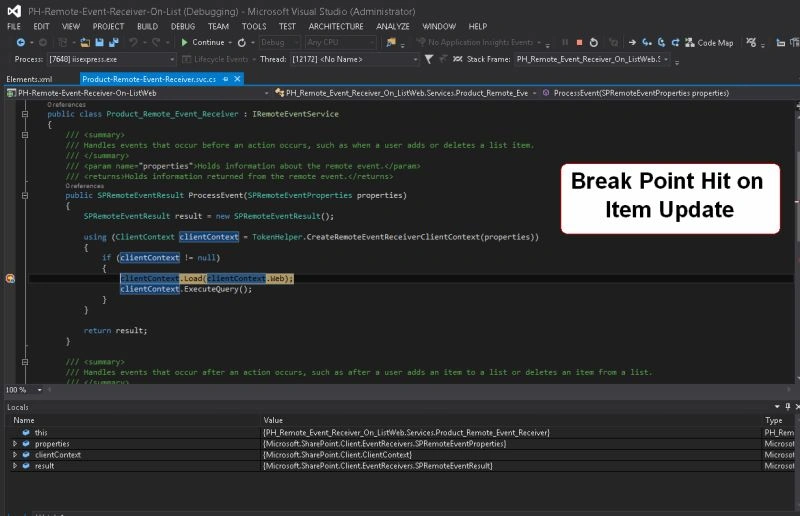
Likewise we can see Break Point hit when Item gets deleted as highlighted in below steps
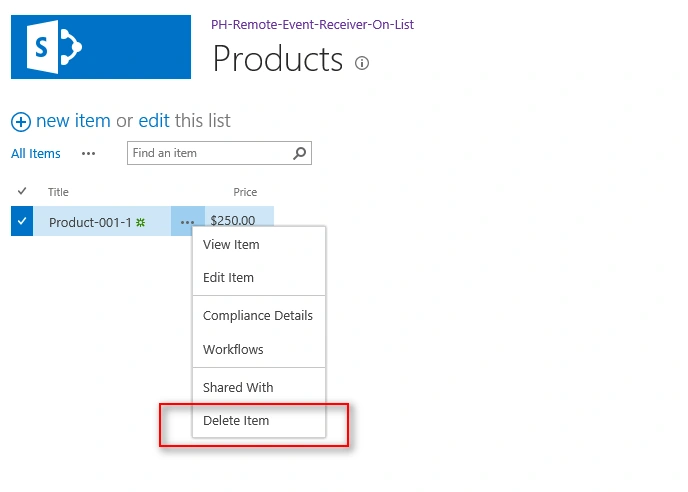
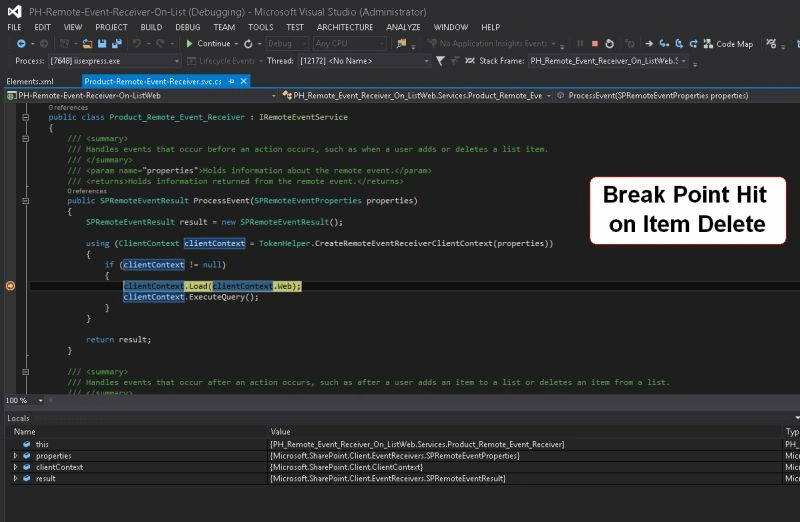
Since we registered the Event Receivers to handle “ItemAdded”, “ItemUpdated”, “ItemDeleted” only so none of the other Events would be delegated to Remote Event Receiver by SharePoint.
In case if any more Events need to be handled we need to add <Receiver> Elements in the Element.xml file associated with Remote Event Receiver as and when needed.
SPRemoteEventProperties Object is your real friend
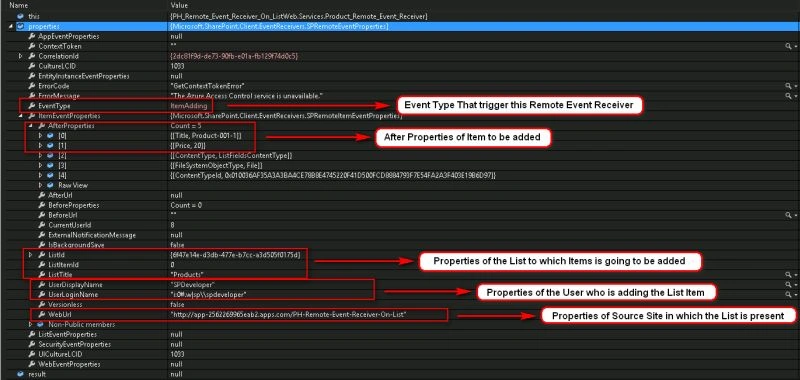
“ProcessEvent” method of Remote Event Receiver provides an object called as“properties” that exposes a lot of useful properties that can help us to perform any desired operation on the Web or List or List Item.
Following are the important properties that are exposed by “properties” object:
- Event Type Returns the type of Event Triggered by SharePoint Source Object.
- Item Event Properties If the Event Type is of “List Item Type”, then“ItemEventProperties” collection is returned with data entered by user in each field of the List Item.
- List Properties Returns the List specific properties like List Name, List IDand so on.
- Login User Properties Return User specific properties like User ID, Login Name and so on.
- Source Web Properties Return Web specific properties like Web Url.
This post is more focused on the mechanics offered by SharePoint around Remote Event Receivers for List/List Item Events.
We will meet in another post where it will be more focused on to the implementation details on Event Receivers dancing around some valid Business Use Cases.
Bhupesh RayatePosted Aug 23, 2019, 1:34 AM
Very nice article
Santhakumar MunuswamyPosted Jun 9, 2016, 12:46 AM
Thank you for nice share
Kuppurasu NagarajPosted Jun 6, 2016, 12:05 PM
Nice Sharing..
Sonu ChaudharyPosted Jun 6, 2016, 9:47 AM
good one...
Debasis SahaPosted Jun 6, 2016, 12:21 AM
Good One..