

What is Angular?
Angular is a leading framework for building JavaScript applications and often, it is used for building single page applications.
Angular 1.0 to Angular 2.0
What is a single page app?
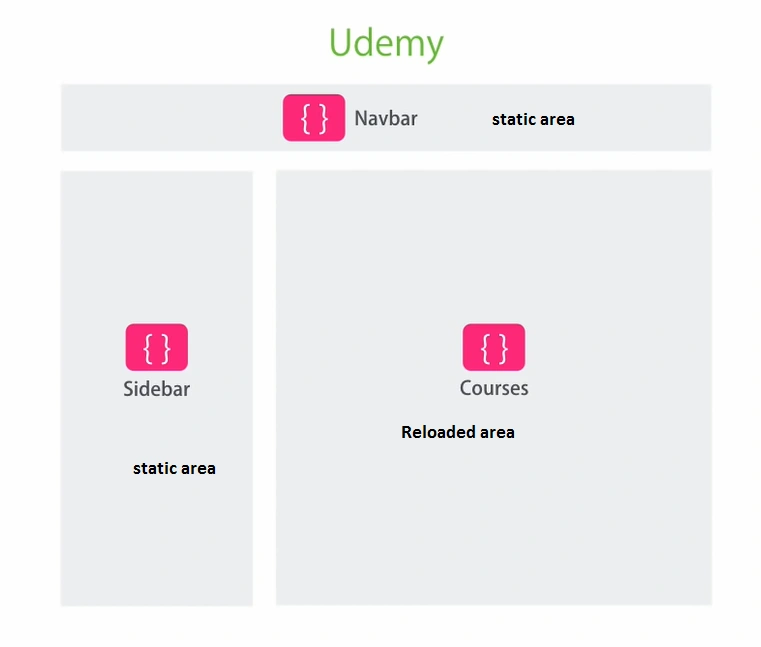
In a standard web application, when we click on a link, the entire page is reloaded. In single page app, instead of reloading the entire page, we need to place a view in the content area. Here, we are able to keep track of the history when the user navigates between forward and backward.
Mainly, Angular is used to restore the application into a right state. Developing an application in Angular is a fast and fluid experience.
The best example for single page applications is Gmail.

If you want to develop a single page application that allows the user to reload a single view without loading an entire view, take a look at the article below.
Angular JS helps us to develop an application in a modular, maintainable, and testable way.
With the huge improvement in technology, there are a lot of frameworks available for developing an application. Then the question is, “Why we are going with AngularJS?”
Angular is one of the leading frameworks that has achieved huge improvements over the years. It has a huge community next to .NET because it is developed by Google.
Google Trends report
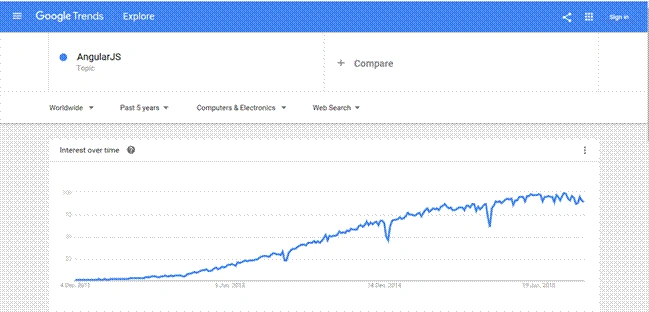
India is a country which is at the top on the list of Angular JS Active developers.
In this article, we are going to see a step by step process of working with Angular JS 2.0. If you are not familiar with Angular 1, it's okay, because Angular 2 is entirely a new framework.
Here, we are using TypeScript instead of JavaScript.
TypeScript
Typescript is a superset of JavaScript. Any valid JavaScript code is said to be TypeScript, which means, you don’t need to learn an additional programming language. TypeScript has some new features that are supported by modern browsers as well as by JavaScript, such as - modules, classes, interfaces, access modifiers like public, private etc. We will be able to get compile time errors by using IntelliSense.
The following are some of the key players that are available to develop an Angular application.
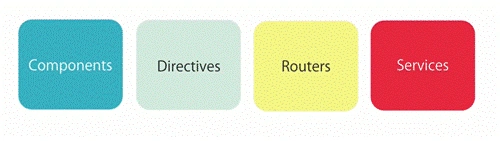
Component
The component encapsulates the data, template, and behavior of view. It is also called View.
Directive
A class that allows us to extend or control DOM (Document Object Model). It is used by adding the custom tools and custom tags.
Getting the Tools
The following are the tools that are required to execute a simple Angular application. Download node.js from official node.js website.
Visual Studio Code is a light-weight code editor that can be downloaded from the Microsoft Store.
Google Chrome browser can be downloaded from Chrome Store.
First Angular app
The proper way to create an Angular app is through Command Line Interface. But this tool is not available yet. So, download the package from the Angular official site or from Angular GitHub.
Download Quickstart Seed project file, unzip it, and move to your project folder. Then, perform the following operations through command line called CMD.
cd quickstart
npm install
npm start
Demonstration
Finally, I got a solution. As I mentioned earlier, the proper way for deploying an application is through Command Line Interface. So, follow the steps given below to configure and deploy and application.
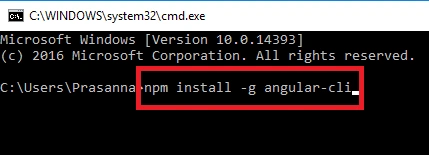
npm install -g angular-cli
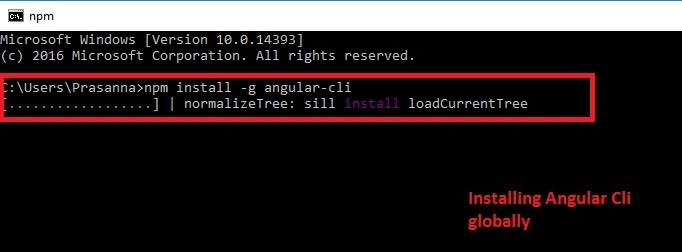
The above command is used to install Angular Command Line Interface globally on developer machine.
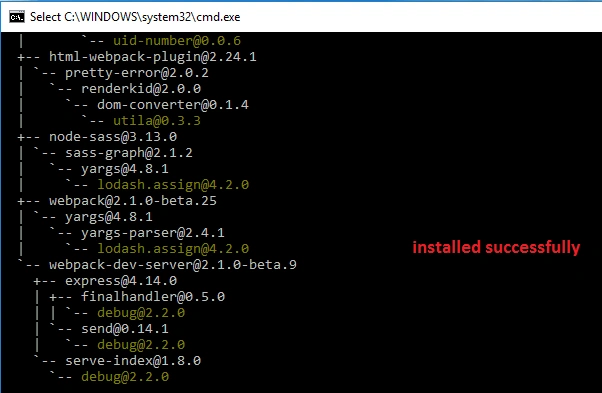
It takes sometimes to install Angular-CLI package. It takes about 2 to 3 minutes.
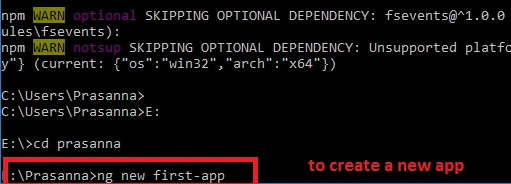
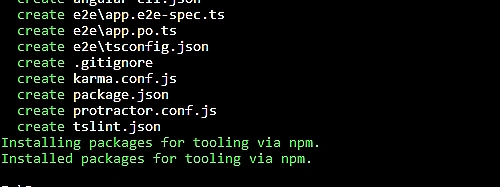
ng new first-app
This command is used to create a new application in the directory which you have specified.
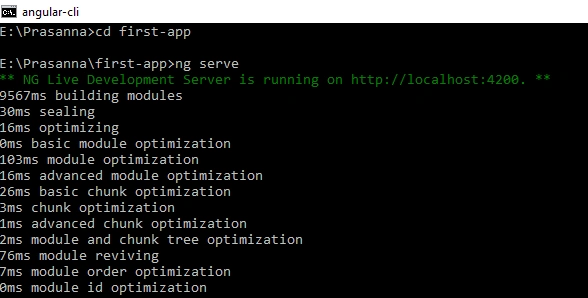
ng serve
This command is used to deploy an application. It is served to the web browser plugin to display the output.
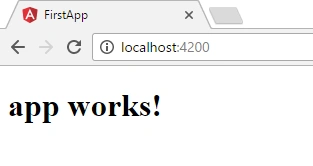
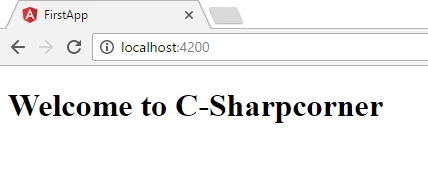
Congrats! Finally, we got an output.
Structure of Quick Seed
The quick seed contains the following files that are required to run the project. All the files are TypeScript files with ".ts" extension.
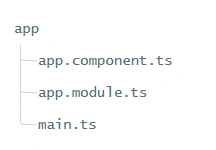
app.component.ts
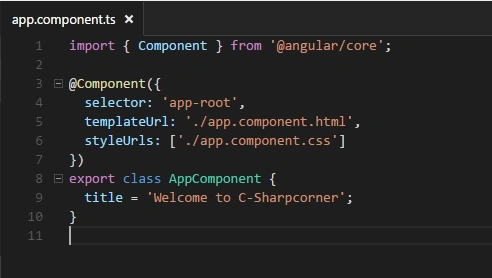
- import { Component } from '@angular/core';
- @Component({
- selector: 'app-root',
- templateUrl: './app.component.html',
- styleUrls: ['./app.component.css']
- })
- export class AppComponent {
- title = 'Welcome to C-Sharpcorner';
- }
- import { BrowserModule } from '@angular/platform-browser';
- import { NgModule } from '@angular/core';
- import { FormsModule } from '@angular/forms';
- import { HttpModule } from '@angular/http';
- import { AppComponent } from './app.component';
- @NgModule({
- declarations: [
- AppComponent
- ],
- imports: [
- BrowserModule,
- FormsModule,
- HttpModule
- ],
- providers: [],
- bootstrap: [AppComponent]
- })
- export class AppModule { }
- import './polyfills.ts';
- import { platformBrowserDynamic } from '@angular/platform-browser-dynamic';
- import { enableProdMode } from '@angular/core';
- import { environment } from './environments/environment';
- import { AppModule } from './app/';
- if (environment.production) {
- enableProdMode();
- }
- platformBrowserDynamic().bootstrapModule(AppModule);
| File | Purpose |
| app.component.ts | Defines AppComponent as the quickstart. It is the root component and trees are nested. |
| app.module.ts | It defines AppModule the root component and tells the assembly of the angular project. It is declared only as AppComponent |
| main.ts | Compiles the application using JIT Compiler and bootstraps and display output in the browser. |
Changes in app.component.ts
Here, I made a change in app.component.ts code. Since I need an output as "Welcome to C-Sharpcorner". I made changes in AppComponent class with the name as "Welcome to C-Sharpcorner".
Output
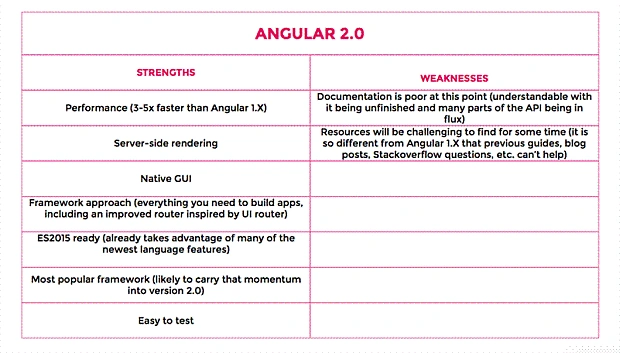
Strength and Weaknesses of Angular 2.0
Best Example
- Cricbuzz.com
- Udmey.com
I hope, you enjoyed reading this article. Thanks for reading.
Happy Coding!!!
Bikesh SrivastavaPosted Jan 5, 2017, 1:17 AM
Good explained,Nice article
Kasam ShaikhPosted Dec 6, 2016, 4:17 AM
Nicely explained! One query, are you sure Udemy.com is Angular 2.0 based ? I believe Mosh Hamedani just presented it as an example in his tutorial to explain components. Please correct me. Thanks.
Manav PandyaPosted Dec 6, 2016, 4:07 AM
Create whole series so readers can have multiple tutorial at one place
OM RAJANPosted Dec 4, 2016, 6:31 PM
Thanks for this article, this is very simple and fine way to explain about angular 2
Former memberPosted Dec 3, 2016, 9:43 PM
Nice article. I liked the way you explained it !