Previous part: Consuming an API and Populating a List with the Results in MAUI MVVM .NET 9 [GamesCatalog] - Part 4
Step 1. Let's create a ViewModelBase that will contain the parameters to be used by the other pages in the system.
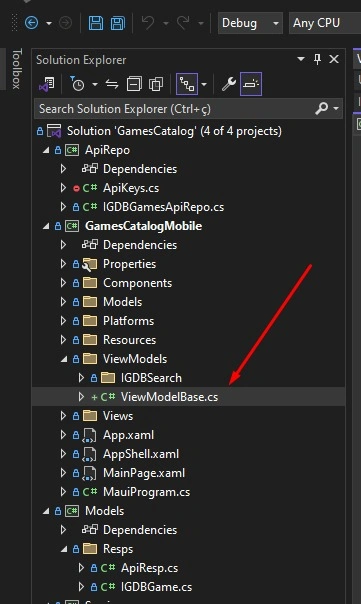
Step 2. Let's define two variables: one to indicate that the system is performing an action and another to check the internet connection.
 public partial class ViewModelBase : ObservableObject
 {
     bool isBusy;

     public bool IsBusy
     {
         get => isBusy; set
         {
             if (isBusy != value)
             {
                 SetProperty(ref (isBusy), value);
             }
         }
     }

     protected static bool IsOn => Connectivity.NetworkAccess == NetworkAccess.Internet;
 }
Step 3. Let's make IGDBResultsVM inherit from the created base.
public partial class IGDBResultsVM : ViewModelBase
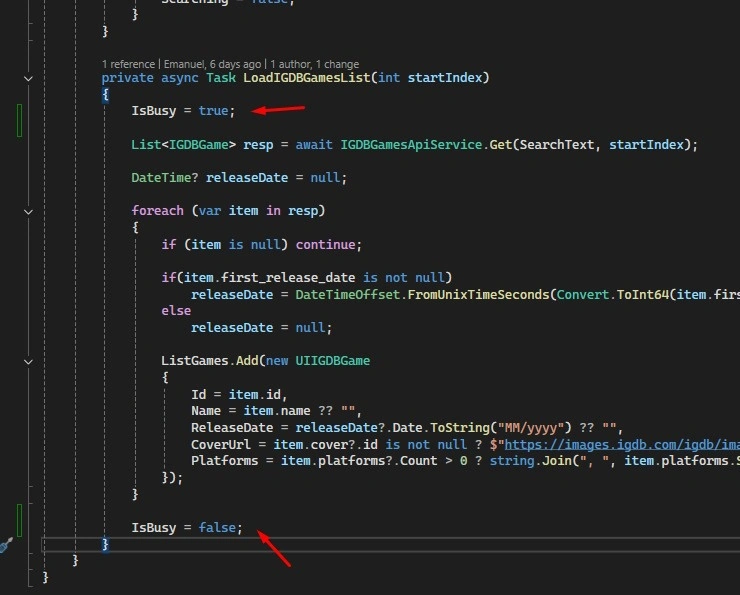
Step 4. In the search results function, we will use the IsBusy variable to define when this function is being executed.
Step 5. In IGDBResults.xaml, we will define the ActivityIndicator based on the variable.
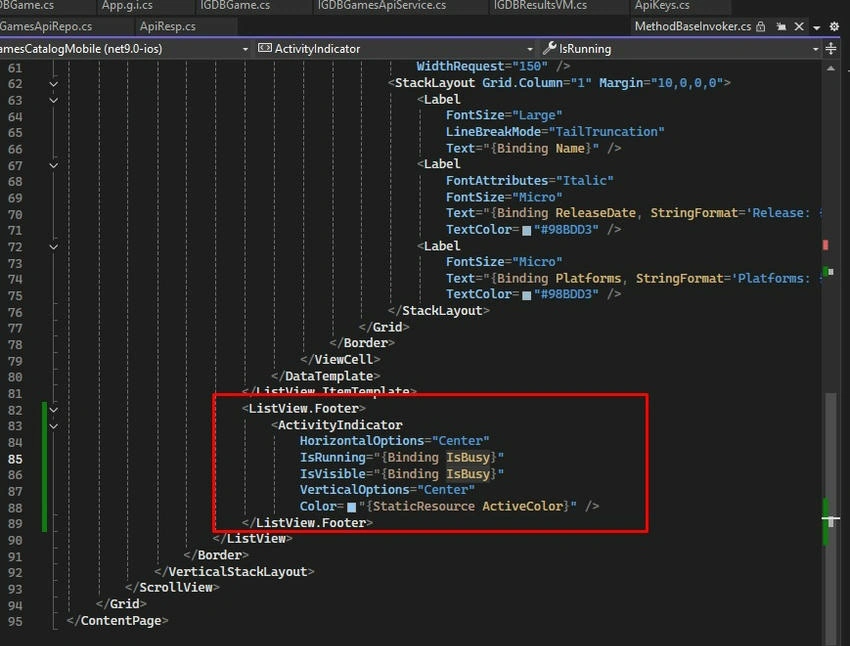
Step 5.1. Code.
<ListView.Footer>
    <ActivityIndicator
        HorizontalOptions="Center"
        IsRunning="{Binding IsBusy}"
        IsVisible="{Binding IsBusy}"
        VerticalOptions="Center"
        Color="{StaticResource ActiveColor}" />
</ListView.Footer>
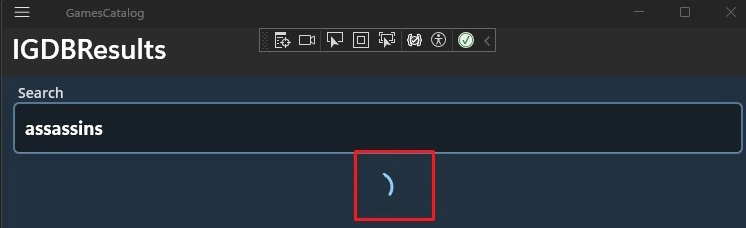
Step 5.2. Now we have a loading indicator at the end of the list.
Step 6. In IGDBResultsVM, define the variable for the current page.
public int CurrentPage { get; set; }
Step 7. Define the use of the variable in the list load during the search.
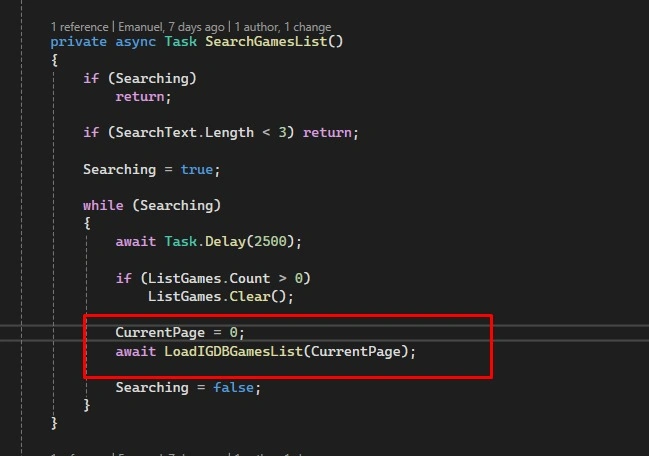
Step 8. Let's create a function to load additional pages in the list.
[RelayCommand]
public Task LoadMore()
{
    CurrentPage++;
    return LoadIGDBGamesList(CurrentPage);
}
Step 9. Let's create the Behavior class that will handle loading additional pages in the ListView.
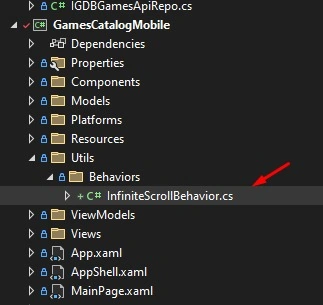
Step 9.1. Code.
 public partial class InfiniteScrollBehavior : Behavior<ListView>
   {
       public static readonly BindableProperty LoadMoreCommandProperty =
                              BindableProperty.Create(nameof(LoadMoreCommand), typeof(ICommand), typeof(InfiniteScrollBehavior), null);

       public ICommand LoadMoreCommand
       {
           get
           {
               return (ICommand)GetValue(LoadMoreCommandProperty);
           }
           set
           {
               SetValue(LoadMoreCommandProperty, value);
           }
       }

       public ListView AssociatedObject
       {
           get;
           private set;
       }

       protected override void OnAttachedTo(ListView bindable)
       {
           base.OnAttachedTo(bindable);
           AssociatedObject = bindable;
           bindable.BindingContextChanged += Bindable_BindingContextChanged;

           bindable.ItemAppearing += InfiniteListView_ItemAppearing;
       }

       private void Bindable_BindingContextChanged(object sender, EventArgs e)
       {
           OnBindingContextChanged();
       }

       protected override void OnBindingContextChanged()
       {
           base.OnBindingContextChanged();
           BindingContext = AssociatedObject.BindingContext;
       }

       protected override void OnDetachingFrom(ListView bindable)
       {
           base.OnDetachingFrom(bindable);
           bindable.BindingContextChanged -= Bindable_BindingContextChanged;
           bindable.ItemAppearing -= InfiniteListView_ItemAppearing;
       }

       void InfiniteListView_ItemAppearing(object sender, ItemVisibilityEventArgs e)
       {
           IList items = AssociatedObject.ItemsSource as IList;

           if (items != null)
           {
               if (items.Count > 0)
               {
                   int index = items.Count - 1;
                   if (e.Item == items[index])
                   {
                       if (LoadMoreCommand != null && LoadMoreCommand.CanExecute(null)) LoadMoreCommand.Execute(null);
                   }
               }
           }
       }
   }
Step 10. In IGDBResults, let's remove the ScrollView that was used to display the fixed list and add the behavior to the list.
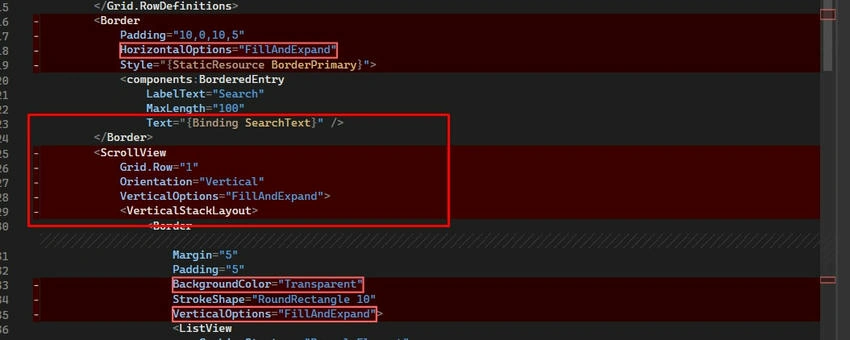
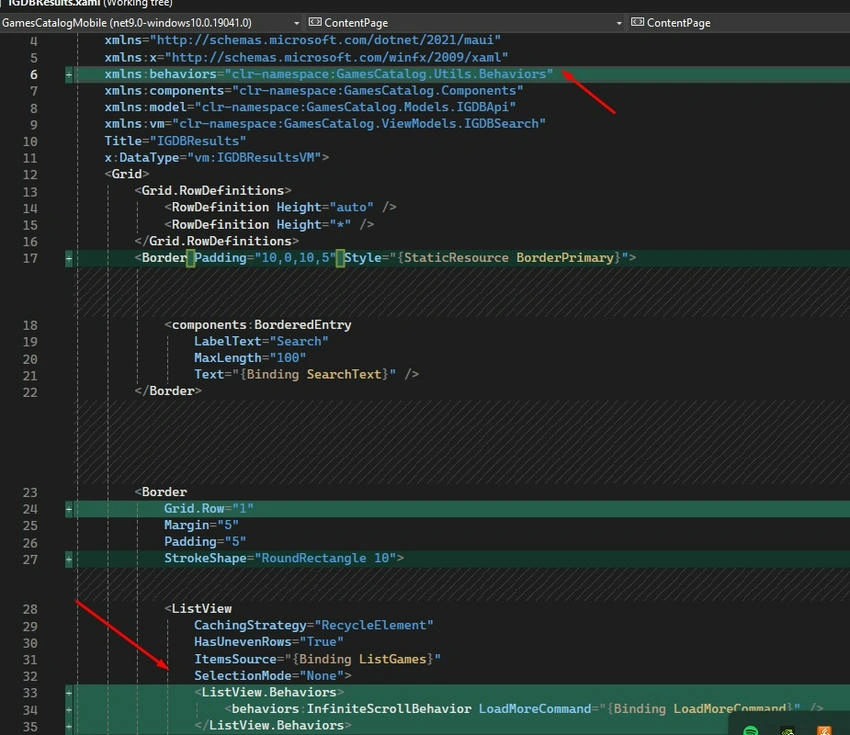
Step 10.1. Add the link to the behaviors.
xmlns:behaviors="clr-namespace:GamesCatalog.Utils.Behaviors"
Step 10.2. Code for the border containing the list.
<Border
    Grid.Row="1"
    Margin="5"
    Padding="5"
    StrokeShape="RoundRectangle 10">
    <ListView
        CachingStrategy="RecycleElement"
        HasUnevenRows="True"
        ItemsSource="{Binding ListGames}"
        SelectionMode="None">
        <ListView.Behaviors>
            <behaviors:InfiniteScrollBehavior LoadMoreCommand="{Binding LoadMoreCommand}" />
        </ListView.Behaviors>
        <ListView.ItemTemplate>
            <DataTemplate x:DataType="model:UIIGDBGame">
                <ViewCell>
                    <Border
                        Margin="0,0,0,5"
                        Padding="10"
                        BackgroundColor="#101923"
                        Stroke="#2B659B"
                        StrokeShape="RoundRectangle 10">
                        <Grid Padding="10">
                            <Grid.ColumnDefinitions>
                                <ColumnDefinition Width="Auto" />
                                <ColumnDefinition Width="*" />
                            </Grid.ColumnDefinitions>
                            <Image
                                Grid.Column="0"
                                Aspect="AspectFit"
                                HeightRequest="100"
                                Source="{Binding CoverUrl}"
                                VerticalOptions="Center"
                                WidthRequest="150" />
                            <StackLayout Grid.Column="1" Margin="10,0,0,0">
                                <Label
                                    FontSize="Large"
                                    LineBreakMode="TailTruncation"
                                    Text="{Binding Name}" />
                                <Label
                                    FontAttributes="Italic"
                                    FontSize="Micro"
                                    Text="{Binding ReleaseDate, StringFormat='Release: {0:F0}'}"
                                    TextColor="#98BDD3" />
                                <Label
                                    FontSize="Micro"
                                    Text="{Binding Platforms, StringFormat='Platforms: {0:F0}'}"
                                    TextColor="#98BDD3" />
                            </StackLayout>
                        </Grid>
                    </Border>
                </ViewCell>
            </DataTemplate>
        </ListView.ItemTemplate>
        <ListView.Footer>
            <ActivityIndicator
                HorizontalOptions="Center"
                IsRunning="{Binding IsBusy}"
                IsVisible="{Binding IsBusy}"
                VerticalOptions="Center"
                Color="{StaticResource ActiveColor}" />
        </ListView.Footer>
    </ListView>
</Border>
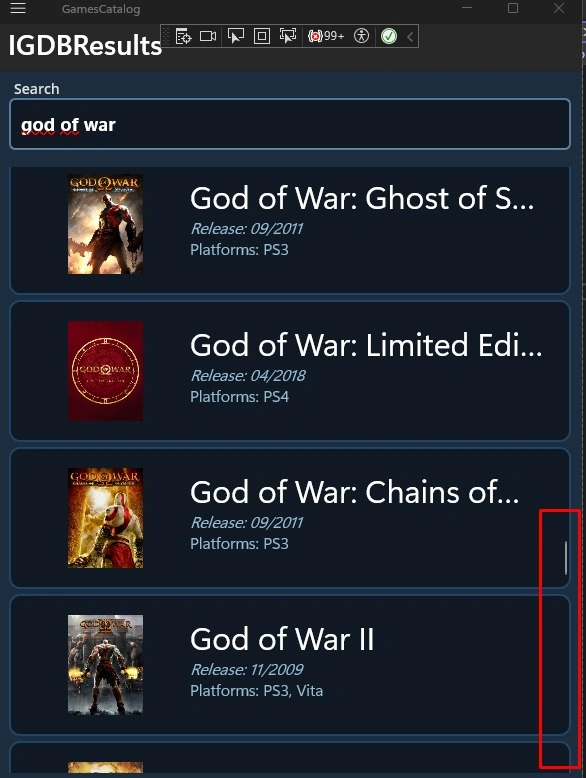
Step 11. This way, we load information based on the user's scroll.
Next part: Passing an Object from a List to Another Page in MAUI MVVM .NET 9 [GamesCatalog] - Part 6
Code on git: GamesCatalog git


Join the conversation! Your thoughts help the community grow.