
Introduction
In this article, I wil show how to get a distinct count of SharePoint list items based on a specific status and send the summary in email using Power Automate or Microsoft flow.
Scenario
Find the below screenshot, here we have to 3 Status(In process, Not Started, and Completed). We want to get the distinct count of all 3 statuses and send the summary in Email.
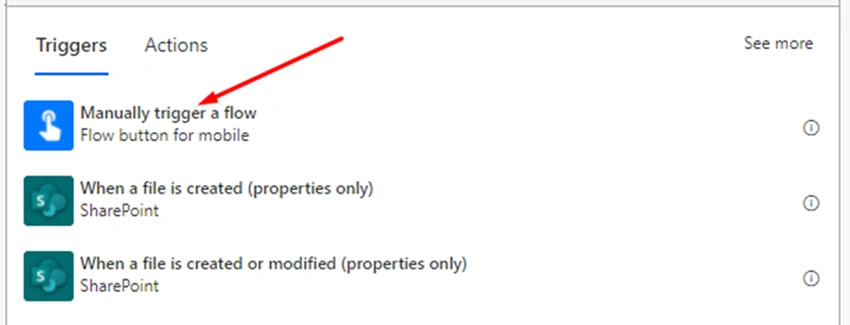
Step 1
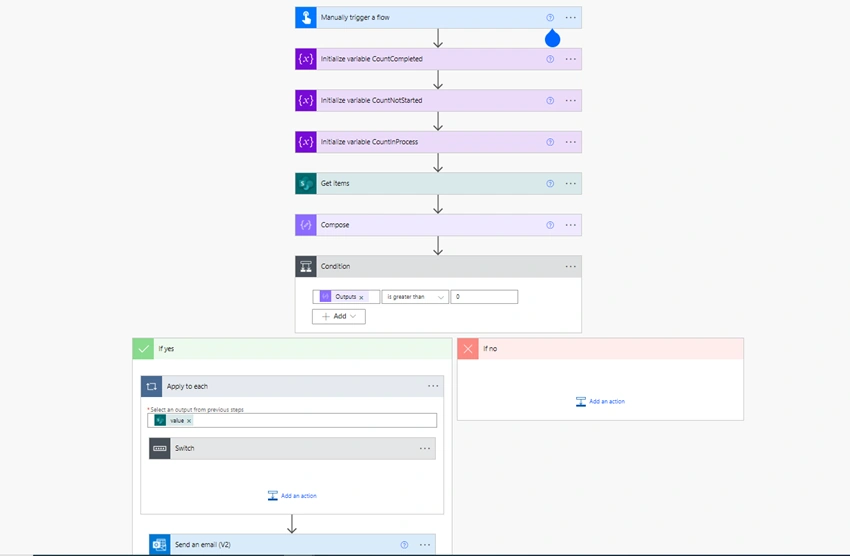
Manually Trigger a Flow as
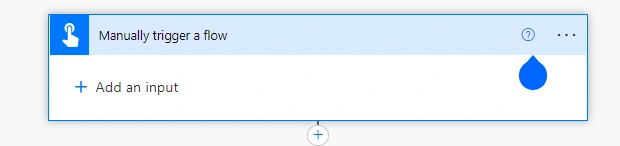
Step 2
Initialize 3 Variables for Count
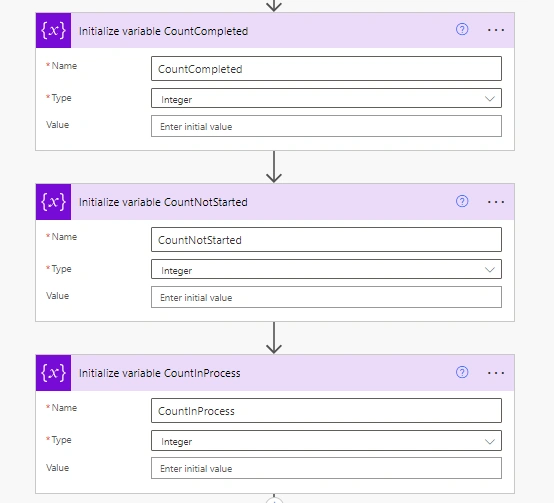
Step 3
Add an action, Get Items, provide SharePoint Site and List Name
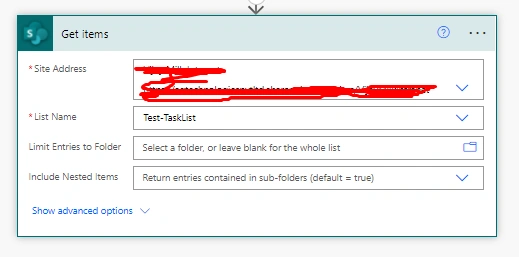
Step 4
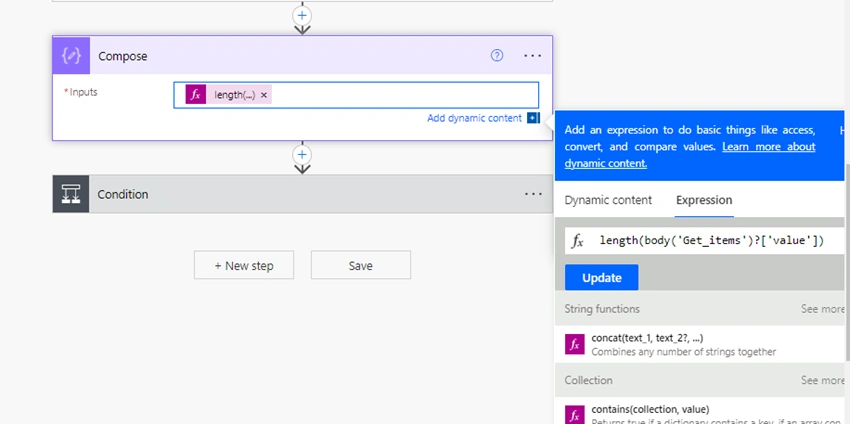
Add an action, Compose, and provide input as Expression length(body('Get_items')?['value']) to store the number of records which are returned by Get Items action
Step 5
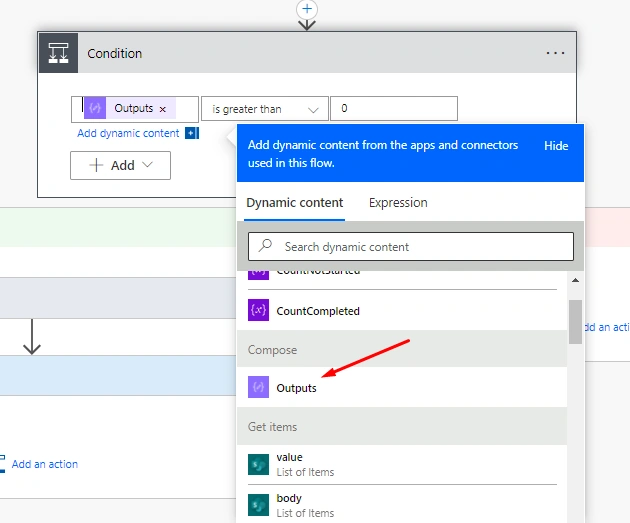
Add Condition as Output of Compse is greater than 0 to check if items returned by Sharepoint is greater than 0. If yes then
Step 6
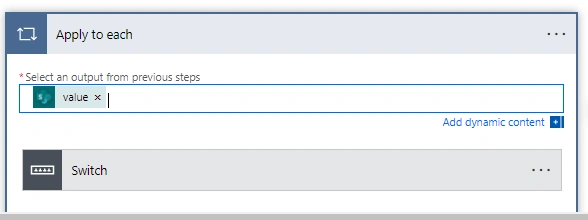
Add Apply to each to loop through the items returned from Get Items action.
Step 7
Add Switch action on field Status Value

Step 8
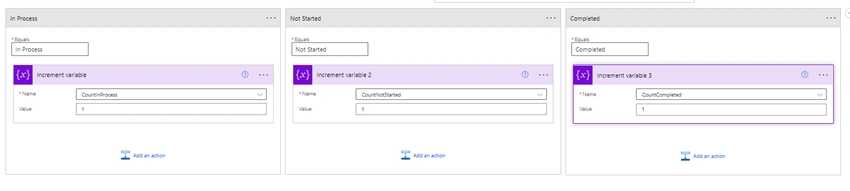
Add below cases in Switch to check the current item's status and then Add Increment Variable action in each case
Step 9
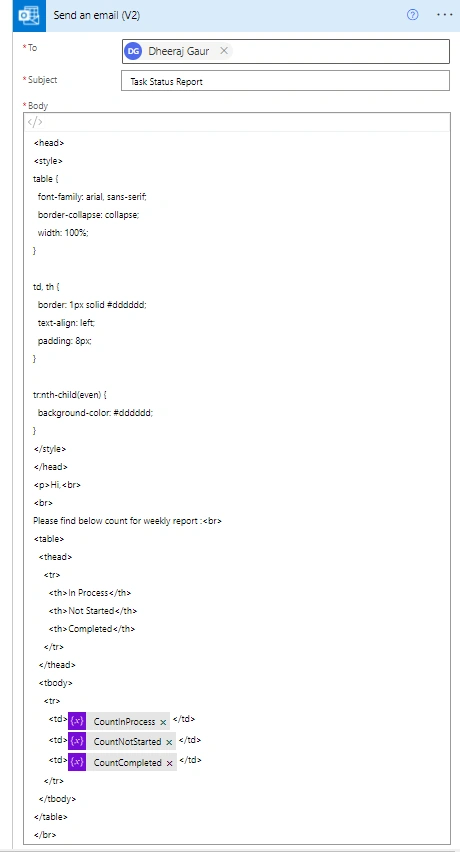
Add action Send an Email(V2) to send the summary of the records to user
Step 10
Please find all actions together as
Step 11
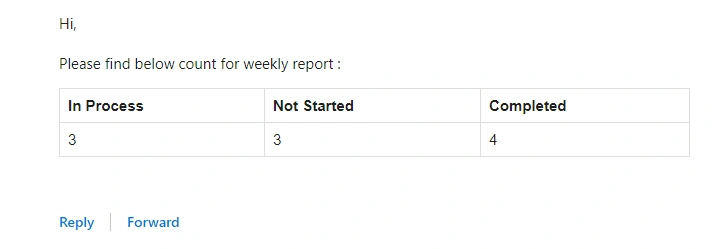
Output of the flow will be an email to user as,
Join the conversation! Your thoughts help the community grow.