

Determining whether a number is odd or even is a fundamental programming task that helps beginners understand control flow and conditional statements in Java. In this article, we will explore different methods to check if a number is odd or even, complete with code examples and explanations.
Odd and Even Numbers
- Even Numbers: An integer is considered even if it is divisible by two without a remainder (e.g., -4, -2, 0, 2, 4).
- Odd Numbers: An integer is considered odd if it is not divisible by 2 (e.g., -3, -1, 1, 3).
Check odd or even using the Modulus Operator
The simplest way to check if a number is odd or even is to use the modulus operator (%). This operator returns the remainder of a division operation.
Example Code
import java.util.Scanner;

public class OddEvenCheck {
    public static void main(String[] args) {
        Scanner scanner = new Scanner(System.in);

        System.out.print("Enter an integer: ");
        int number = scanner.nextInt();

        // Check if the number is even or odd
        if (number % 2 == 0) {
            System.out.println(number + " is even.");
        } else {
            System.out.println(number + " is odd.");
        }

        scanner.close();
    }
}
Explanation
- The program prompts the user to enter an integer.
- It uses the modulus operator to check if the number is divisible by 2.
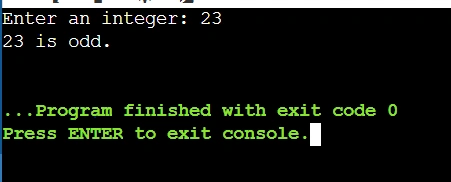
- If the number % 2 equals 0, it prints that the number is even; otherwise, it prints that it is odd.
Output
Check odd or even using Bitwise Operator
Another method to determine if a number is odd or even involves using the bitwise AND operator (&). This method can be more efficient for certain applications.
Example Code
import java.util.Scanner;

public class OddEvenCheckBitwise {
    public static void main(String[] args) {
        Scanner scanner = new Scanner(System.in);

        System.out.print("Enter an integer: ");
        int number = scanner.nextInt();

        // Check if the number is even or odd using bitwise operator
        if ((number & 1) == 0) {
            System.out.println(number + " is even.");
        } else {
            System.out.println(number + " is odd.");
        }

        scanner.close();
    }
}
Explanation
- The program uses the bitwise AND operator to check the least significant bit of the number.
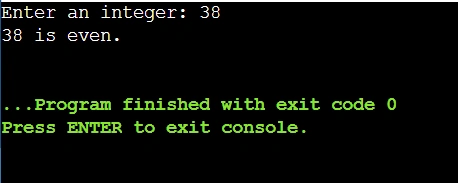
- If number & 1 equals 0, the number is even; otherwise, it is odd.
Output
Check odd or even using Ternary Operator
You can also use a ternary operator for a more concise way to print whether a number is odd or even.
Example Code
import java.util.Scanner;

public class OddEvenCheckTernary {
    public static void main(String[] args) {
        Scanner scanner = new Scanner(System.in);

        System.out.print("Enter an integer: ");
        int number = scanner.nextInt();

        // Using ternary operator to determine if the number is even or odd
        String result = (number % 2 == 0) ? "even" : "odd";
        System.out.println(number + " is " + result + ".");

        scanner.close();
    }
}
Explanation
- The program uses a ternary operator to evaluate whether the number is even or odd and assigns the result to a string variable.
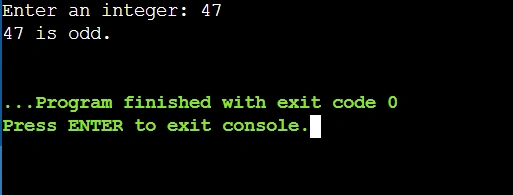
- It then prints out the result in a single line.
Output
Conclusion
In this article, we explored three different methods for checking whether a number is odd or even in Java. Each method demonstrates various programming concepts, such as conditional statements, operators, and user input handling. Understanding these techniques will help you build more complex applications that require numerical analysis.
Happy coding!
Join the conversation! Your thoughts help the community grow.