

Introduction
In this tutorial, we'll embark on an exciting journey to build a real-time chat application using Node.js and the socket.io library. Real-time applications have become increasingly popular, and building a chat app is a fantastic way to dive into the world of Node.js and enhance your skills while having some fun along the way.
Prerequisites
Make sure you have Node.js installed on your machine. If not, you can download it from nodejs.org.
Step 1. Initialize Your Project 🚀
Start by creating a new directory for your project and navigate into it using your terminal.
mkdir nodejs-chat-app
cd nodejs-chat-app
Now, initialize your project with npm:
npm init -y
Step 2. Install Dependencies
Now, let's get the tools we need. We're bringing in Express to build our server and socket.io for that real-time magic.
npm install express socket.io
Step 3. Set Up the Express Server
Create a file named server.js and set up a simple Express server.
// server.js
const express = require('express');
const app = express();
const server = require('http').createServer(app);
const io = require('socket.io')(server);

app.get('/', (req, res) => {
  res.sendFile(__dirname + '/index.html');
});

app.use(express.static(__dirname));

const PORT = 3000;
server.listen(PORT, () => {
  console.log(`Server is running on port ${PORT}`);
});
Step 4. Create the Chat UI
Time to make things look pretty! Craft a basic HTML file for our chat interface in index.html.
<!-- index.html -->
<!DOCTYPE html>
<html lang="en">

<head>
    <meta charset="UTF-8">
    <meta name="viewport" content="width=device-width, initial-scale=1.0">
    <title>Node.js Chat App</title>
    <!-- Add Bootstrap CSS -->
    <link href="https://cdn.jsdelivr.net/npm/[email protected]/dist/css/bootstrap.min.css" rel="stylesheet">
</head>

<body>
    <div class="container mt-5">
        <div id="chat" class="card">
            <div class="card-body">
                <ul id="messages" class="list-group">
                    <h2>Send Message</h2>
                </ul>
            </div>
            <form id="form" class="card-footer" action="">
                <div class="input-group">
                    <input id="message-input" class="form-control" autocomplete="off" />
                    <button class="btn btn-primary">Send</button>
                </div>
            </form>
        </div>
    </div>

    <!-- Add Bootstrap JS and Popper.js (required for Bootstrap) -->
    <script src="https://cdn.jsdelivr.net/npm/@popperjs/[email protected]/dist/umd/popper.min.js"></script>
    <script src="https://cdn.jsdelivr.net/npm/[email protected]/dist/js/bootstrap.min.js"></script>
    <script src="https://cdn.socket.io/4.0.1/socket.io.min.js"></script>
    <script src="/client.js"></script>
</body>

</html>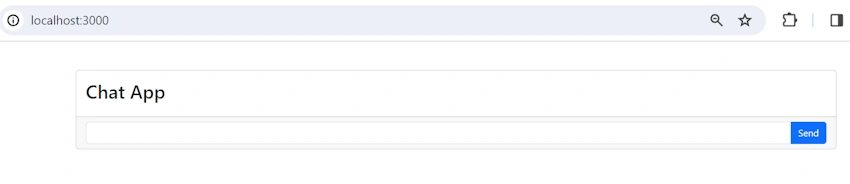
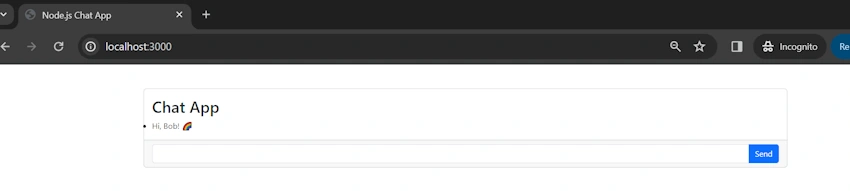
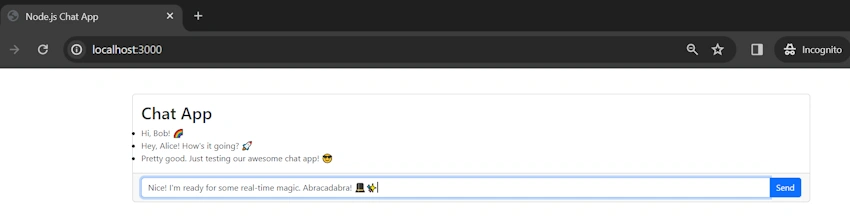
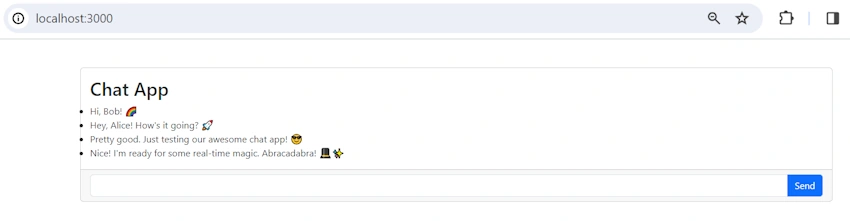
Join the conversation! Your thoughts help the community grow.