
Introduction
Recently there was a great announcement in the Visual Studio connect() event by Microsoft. Many things were introduced there like Visual Studio 2015, C# 6 and many more. Here I am trying to explain a common feature, the null conduction operator, that is in C# 6. In this feature we have the special keyword "?" . This keyword denotes the null conduction operator.
As we have seen, the null condition operator uses has.value but that is quite cumbersome. From my point of view let us try to understand it with an example and I will also try to compare it with the old one.
Program of input Null Conduction operator
- using System;
- using System.Collections.Generic;
- using System.Linq;
- using System.Text;
- using System.Threading.Tasks;
- namespace null_value1
- {
- class program
- {
- static void Main(string[] args)
- {
- int? x = 3;
- int y = 3;
- Console.WriteLine();
- bool check = false;
- if (y == x)
- {
- Console.WriteLine();
- check = true ;
- Console.WriteLine(check.ToString());
- Console.ReadLine();
- }
- }
- }
- }
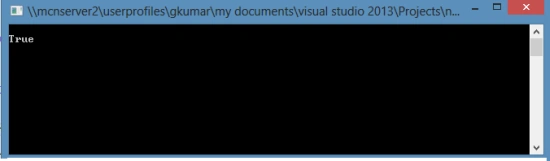
Output of this program
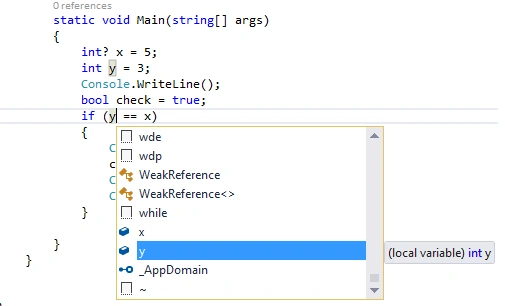
Visual Studio Library show the error
Old version of Null Conduction operator
In the null value, suppose you enter a integer value that is a special case like 0. In many programming languages that can mean false. But the null function helps to enter the special case of values. They are some type of null value. 1 Hasvalue is the return, a bool and indicates the null value contains a set value. It does not have the value. The null hasvalue is false, also the assigned only has an integer value. With the hasvalue is true <T>. You can easily access the value without any exception.2 Value property is used for the return value if only one is assigned but the default value for the has.value is false. The value property has no default value.
Input program of Null Conduction operator
- using System;
- using System.Collections.Generic;
- using System.Linq;
- using System.Text;
- using System.Threading.Tasks;
- namespace null_value1
- {
- class program
- {
- static void Main(string[] args)
- {
- int x = 5;
- int y = 3;
- Console.WriteLine();
- bool check = true;
- if (y == x)
- {
- Console.WriteLine();
- check = false ;
- Console.WriteLine(check.ToString());
- Console.ReadLine();
- }
- }
- }
- }
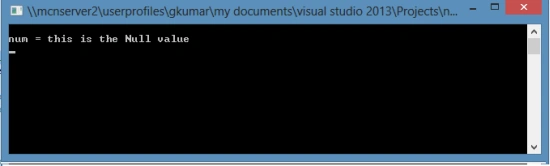
Output of program
Jaganathan BantheswaranPosted Dec 1, 2014, 2:49 AM
There is nothing to do with VS 2015. This is feature is with C#6.
Blocked AccountPosted Nov 30, 2014, 11:31 PM
Sunney, Whats new on that, In C# we can do that by using Nullable Types.