

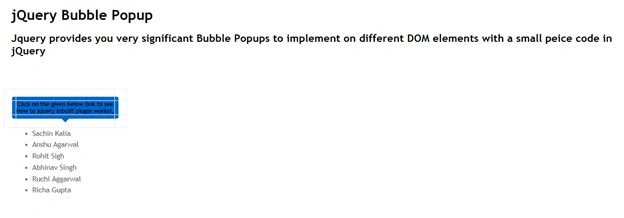
Let's create a simple BubblePopup!
As I learn more about the jQuery function every day, I have researched a feature that helps to perform some operation in the runtime called "CreateBubblePopup()".
It may do the following:
- Attach popups to any DOM element!
- Mouseover/mouseout events automatically managed!
- Set custom popups events!
- Create smart shadowed popups! (In IE too!)
- Choose popup's style templates at runtime!
- Insert HTML messages inside popups!
- Many other options: distances, velocity, delays, colors, shadows...
Popup's shadows and colorized templates are fully supported by Internet Explorer 6+, Firefox, Opera 9+, Safari.
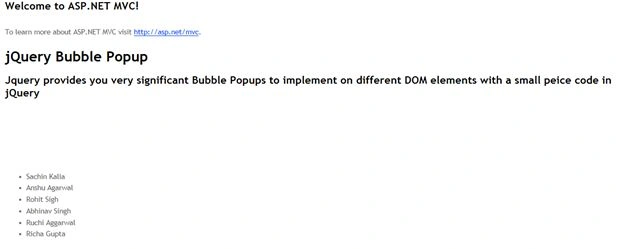
I've created a sample application that demonstrates the locating and functioning done by this feature. To proceed further and get the advantages of this jQuery plugin you must add a few references into your solution. The image shown below shows the .css, .js and theme libraries being used in the solution. You can find the theme over the internet in ample amounts though I have used a few like all-azure, all-blue and so on.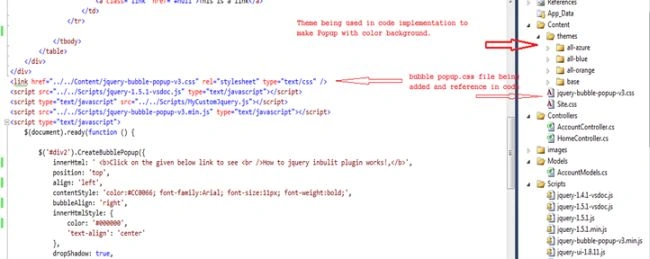
Jump into the themes folder and explore this.
All-azure keeps multiple .jpg files that helps to create Popup side boundaries. Because CreateBubblePopup is built up from multiple <td> under a main <div> and if you notice, each .jpg file is associated with respective <td> segments.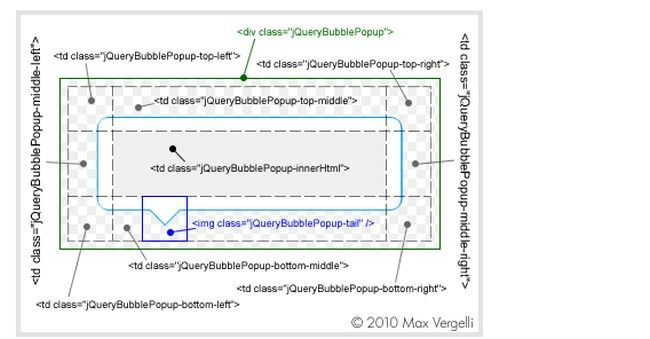
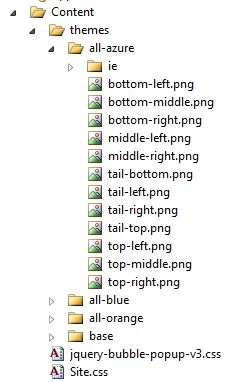
These are a few libraries being used in this solution; they are:
<link href="../../Content/jquery-bubble-popup-v3.css" rel="stylesheet" type="text/css" />
<script src="../../Scripts/jquery-1.5.1-vsdoc.js" type="text/javascript"></script>
<script type="text/javascript" src="../../Scripts/MyCustomJquery.js"></script>
<script src="../../Scripts/jquery-bubble-popup-v3.min.js" type="text/javascript"></script
You can have a look into the CreateBubblePopup function using intelligence libraries.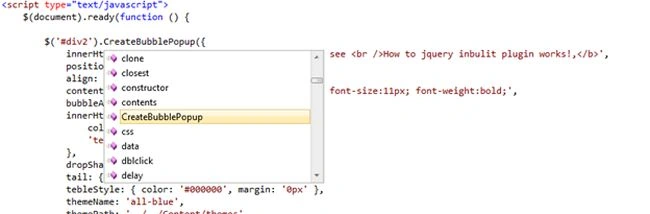
Properties
Join the conversation! Your thoughts help the community grow.