
Introduction
Step 1
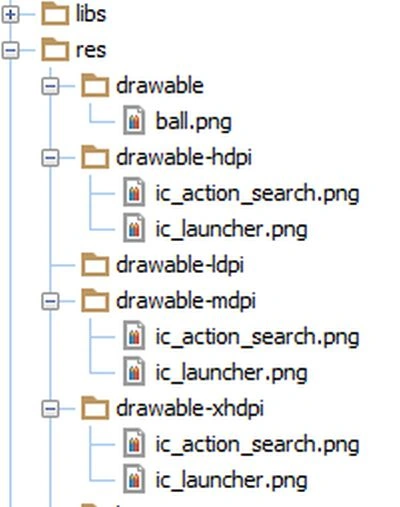
You will add the image of a ball by copying to the drawable folder like this:
Step 3
Create an XML file and provide this for it:
- <LinearLayout xmlns:android="http://schemas.android.com/apk/res/android"
- xmlns:tools="http://schemas.android.com/tools"
- android:layout_width="fill_parent"
- android:layout_height="fill_parent"
- android:orientation="vertical"
- android:background="#000000">
- <com.authorwjf.bounce.AnimatedView
- android:id="@+id/anim_view"
- android:layout_height="fill_parent"
- android:layout_width="fill_parent"/>
- </LinearLayout>
Step 4
Create a Java file and provide this for it:
- import android.os.Bundle;
- import android.app.Activity;
- public class MainActivity extends Activity {
- @Override
- public void onCreate(Bundle savedInstanceState) {
- super.onCreate(savedInstanceState);
- setContentView(R.layout.activity_main);
- }
- }
Step 5
Create another Java class and provide this for it:
Step 6
Android manifest.xml file:
- import android.content.Context;
- import android.graphics.Canvas;
- import android.graphics.drawable.BitmapDrawable;
- import android.os.Handler;
- import android.util.AttributeSet;
- import android.widget.ImageView;
- public class AnimatedView extends ImageView{
- private Context context;
- int x = -1;
- int y = -1;
- private int VelocityxDirection = 10;
- private int VelocityyDirection = 5;
- private Handler handler;
- private final int FRAME_RATE = 30;
- public AnimatedView(Context context, AttributeSet attrs) {
- super(context, attrs);
- context = context;
- handler = new Handler();
- }
- private Runnable r = new Runnable() {
- @Override
- public void run() {
- invalidate();
- }
- };
- protected void onDraw(Canvas canvas) {
- BitmapDrawable drawableball = (BitmapDrawable) context.getResources().getDrawable(R.drawable.ball);
- if (x<0 && y <0) {
- x = this.getWidth()/2;
- y = this.getHeight()/2;
- } else {
- x += VelocityxDirection;
- y += VelocityyDirection;
- if ((x > this.getWidth() - drawableball.getBitmap().getWidth()) || (x < 0)) {
- VelocityxDirection = VelocityxDirection*-1;
- }
- if ((y > this.getHeight() - drawableball.getBitmap().getHeight()) || (y < 0)) {
- VelocityyDirection = VelocityxDirection*-1;
- }
- }
- canvas.drawBitmap(drawableball.getBitmap(), x, y, null);
- handler.postDelayed(r, FRAME_RATE);
- }
- }
- <manifest xmlns:android="http://schemas.android.com/apk/res/android"
- package="com.authorwjf.bounce"
- android:versionCode="1"
- android:versionName="1.0" >
- <uses-sdk
- android:minSdkVersion="4"
- android:targetSdkVersion="15" />
- <application
- android:icon="@drawable/ic_launcher"
- android:label="@string/app_name"
- android:theme="@style/AppTheme" >
- <activity
- android:screenOrientation="portrait" android:configChanges="orientation|keyboardHidden"
- android:name=".MainActivity"
- android:label="@string/title_activity_main" >
- <intent-filter>
- <action android:name="android.intent.action.MAIN" />
- <category android:name="android.intent.category.LAUNCHER" />
- </intent-filter>
- </activity>
- </application>
- </manifest>
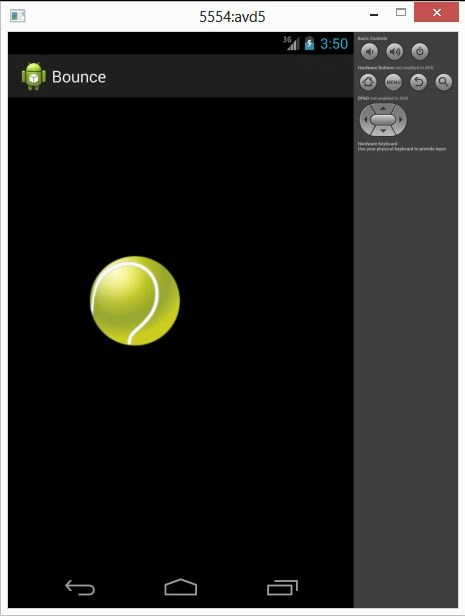
Step 7
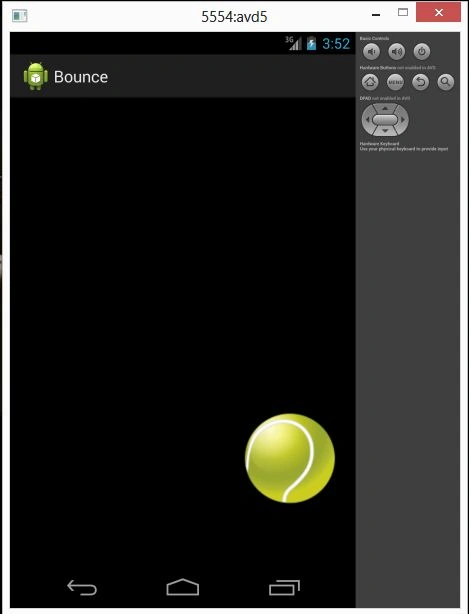
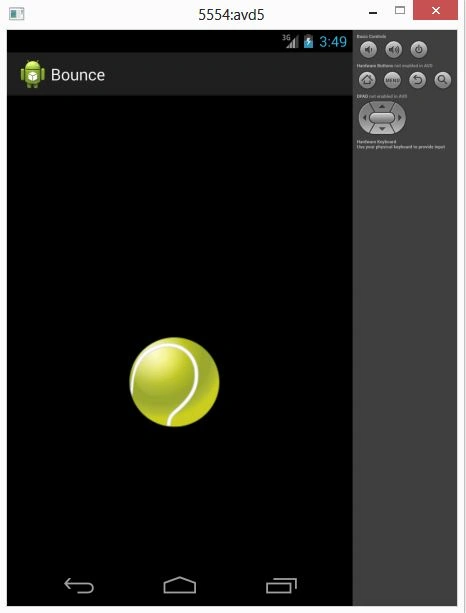
Image 1
Gowtham RajamanickamPosted Apr 7, 2016, 4:27 AM
Good Show.