

Internationalization
Introduction: With the advent of globalization, the importance of internationalizing web applications has increased. This is important because web applications are accessed by users from various regions and countries. The Internet has no boundaries and neither should your web application. People all over the world access the Net to browse web pages that are written in different languages. For example, you can check your web-based email from virtually anywhere. A user in America can access the web and check her Facebook!. How does Facebook do it?
In this world of Internationalization and Localization. What are they and why do we need them? This chapter attempts to answer these questions and shows you how to internationalize and localize your J2EE web applications. Each of these terms is explained in detail in the subsequent sections of this chapter. At the end of this chapter you will be able to see how to make your web application user friendly in different countries using different languages. You will also see the various ways to do this.
JAVA and Internationalization: Java
Standard Edition, provides a rich set of API's to support Internationalization
and Localization of an application. The internationalization API's provided with
Java(SE) can easily adapt different messages, number, date, and currency formats
according to different country and region conventions. The internationalization
and Localization API's specified under Java Se platform is based on the Unicode
3.0 character encoding. Java provides two common classes to implement
internationalization, Locale and ResourceBundle.
Internationalization and Localization: When you read about internationalizing
applications, you will come across terms such as localization, character
encoding, locales, resource bundles and so on. This section covers some of the
commonly used terms in this chapter.Internationalization or I18n is the process
of enabling your application to cater to users from different countries and
supporting different languages. With I18n, software is made portable between
languages or regions. For example, the Yahoo! Web site supports users from
English, Japanese and Korean speaking countries, to name a few.Localization or
L10n on the other hand, is the process of customizing your application to
support a specific location. When you customize your web application to a
specific country say, Germany, you are localizing your application. Localization
involves establishing on-line information to support a specific language or
region. Though I18n and L10n appear to be at odds with each other, in reality
they are closely linked.
Describing the Locale Class: The java.util.Locale class is used while
creating internationalization Java's applications. The java.util.Locale class is
a non-abstract final class packed into the java.util package. A Locale object
encapsulates the language, country, and variant of the specific locale. These
Locales affects language choice, collation, calendar usage, date and time
formats, number and currency formats, and many other cultural sensitive data
representations. All other locale-oriented classes use the locale object to
adapt to the specific locale and provide the output accordingly.
The Locale class consists of three constructors:
- Locale (String Language)
- Locale (String language, String country)
- Locale (String language, String country, String variant)
Parameters Of The locale Object: There are three parameters which are ed in the Locale Objects:
- Language
- Country
- Variant
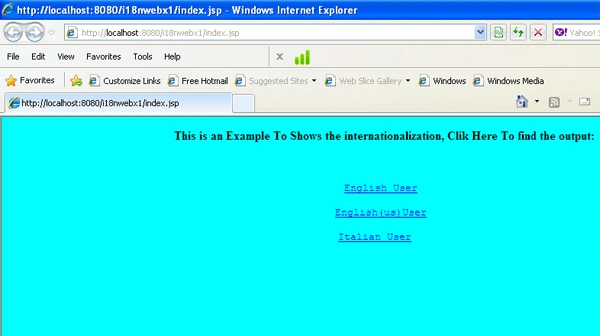
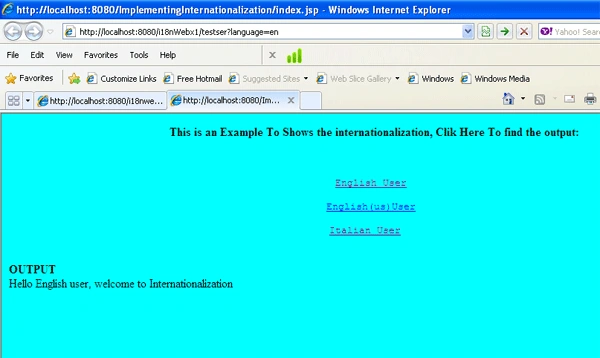
Azim ZahirPosted Dec 10, 2011, 10:12 AM
Till now I had implemented internationalization in ASP.Net. Now I can try it in Java. Thanks very much.