My code
-----------------------
public class TestListViewModel
{
public DateTime? CloseDate{ get; set; }
}
output
-----------------
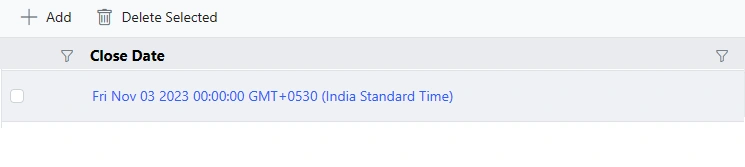
Actual need to
Close Date : 03-11-2023
My code
-----------------------
public class TestListViewModel
{
public DateTime? CloseDate{ get; set; }
}
output
-----------------
Actual need to
Close Date : 03-11-2023
Know the answer? Post it — somebody with the same question will find it here.
Sign in to answer this question
It is the same account you read, post and publish with — and you will come straight back to this page.
Mithun PradhanPosted Nov 8, 2023, 10:14 AM
Its Working highlighted in yellow background
----------------------------
toolbar="toolbarItems" allowSorting="true" allowFiltering="true" allowTextWrap="true" allowSelection="true">
function load(args) {
this.columns[5].format = { type: 'date', format: 'dd-MM-yyyy' };
}
Amit MohantyPosted Nov 8, 2023, 9:49 AM
Modify your ViewModel to format the
CloseDateproperty:Update your grid configuration to use the
CloseDateStringproperty for displaying the formatted date.