

Error:
The content type text/html; charset=utf-8 of the response
message does not match the content type of the binding (text/xml;
charset=utf-8). If using a custom encoder, be sure that the IsContentTypeSupported
method is implemented properly. The first 1024 bytes of the response were:
'<html>
<head>
Solution:
Step 1-
- Under Control Panel > Programs > Programs and
Features > Click Turn Windows Features On or Off.
- Under Microsoft .NET Framework 3.0, choose Windows Communication Foundation
HTTP Activation.
- Install the selected features.
Step 2-
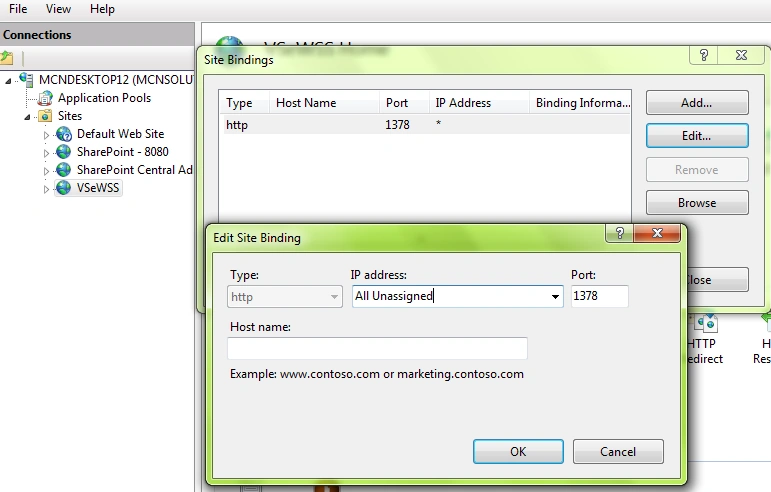
Change the binding in IIS Manager for the VSeWSS web site (created
by the VSeWSS v1.3 installer) to “All Unassigned”.
"C:\Windows\Microsoft.NET\Framework\v3.0\Windows Communication Foundation\servicemodelreg.exe" –i
Step 5-
Reset the iis
Close and reopen the application
Join the conversation! Your thoughts help the community grow.