

Introduction
This session is the third part of the Learn ASP.NET MVC Step By Step for Beginners. I suggest reading the articles:
- Learn ASP.NET MVC Step By Step For Beginners- Part One
- Learn ASP.NET MVC Step By Step For Beginners- Part Two
In this article, we will discuss,
What Are DataAnnotations?
How Do We Add Validations Using Model and DataAnnotations?
DataAnnotations
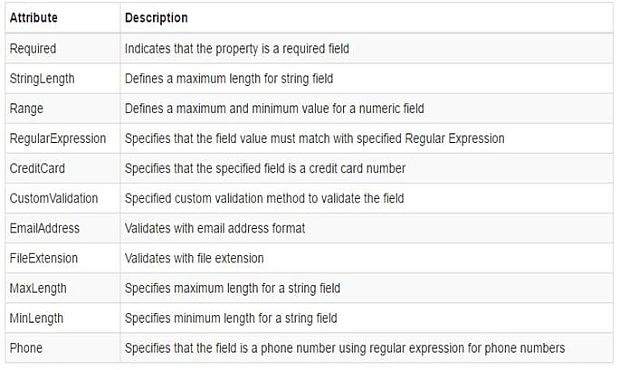
DataAnnotations use different attributes on our model to implement validations. DataAnnotations include built-in validation attributes for different validation rules, which can be applied to the properties of model class. The DataAnnotations attributes are included in System.ComponentModel. DataAnnotations namespace.
The following table lists DataAnnotations validation attributes.
Step 1 First of all, open a Visual Studio 2012
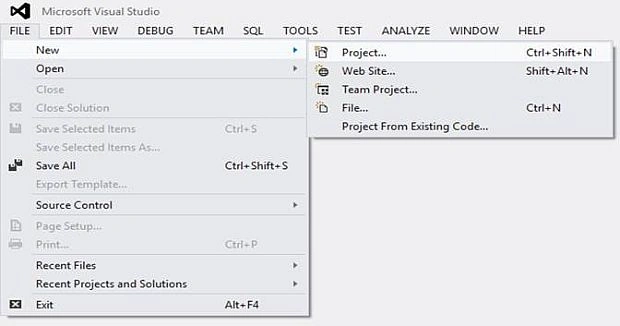
- File-> New-> Project.
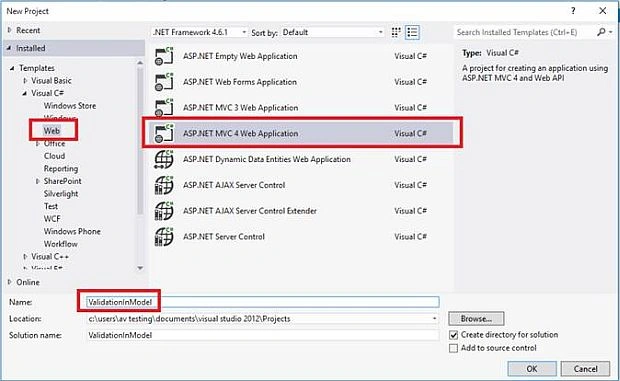
- Visual C#-> Web-> ASP.NET MVC 4 Web Application-> Name your project -> Ok.
- From the New ASP.NET Project dialog, select MVC as shown below. And also select View Engine Razor.

- Visual Studio creates the following folder structure for MVC application by default.

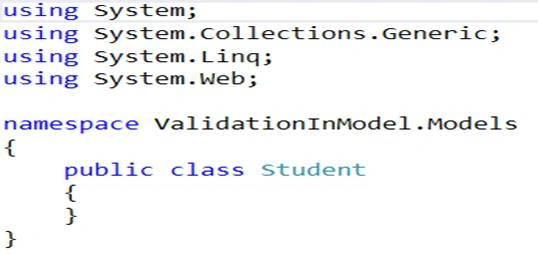
Step 2 Add Student Model Class
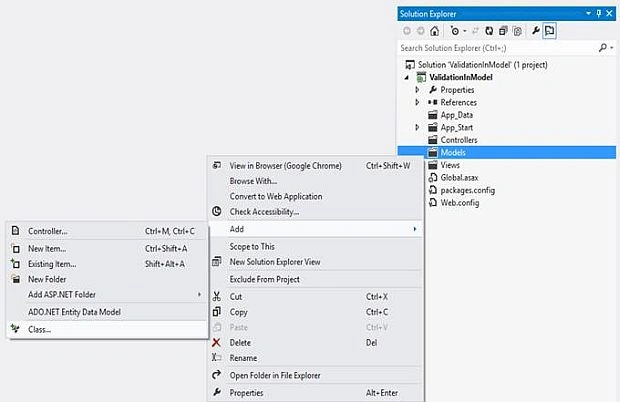
- Right click on Model folder -> Add -> click on Class.
- In the Add New Item dialog box, enter class name 'Student' and click Add.

- This will add new Student class in model folder.
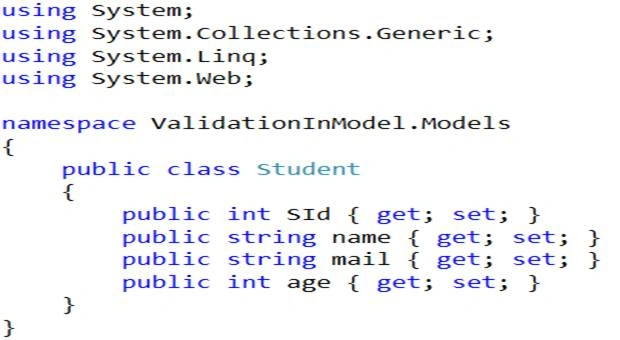
- Add properties to Student Class Model as shown below.
Step 3 apply DataAnnotation attribute on the properties of Student model class.
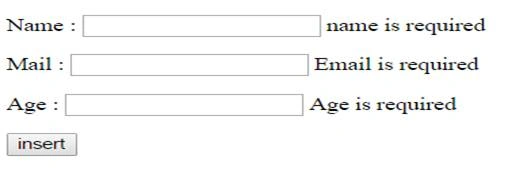
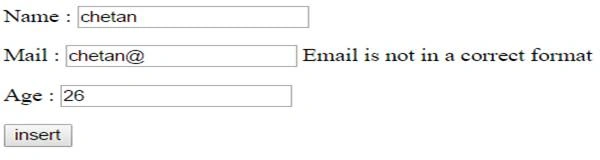
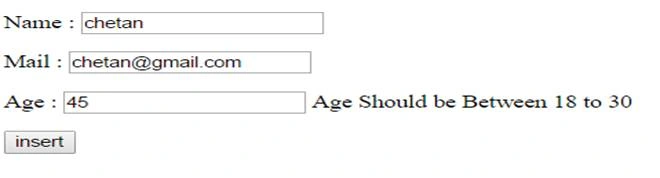
We want to validate that Student Name, Email, and Age is not blank. Name cannot more than 20 characters, Age should be between 18 and 50. Email is in a correct format.
- Add following Namespaces in Student Model Class.
- using System;
- using System.Collections.Generic;
- using System.ComponentModel.DataAnnotations;
- using System.Linq;
- using System.Web;
- Apply DataAnnotation Attributes in Student Class as shown below.
- using System;
- using System.Collections.Generic;
- using System.ComponentModel.DataAnnotations;
- using System.Linq;
- using System.Web;
- namespace ValidationInModel.Models {
- public class Student {
- public int SId {
- get;
- set;
- }
- [Required(ErrorMessage = "name is required")]
- [StringLength(20, ErrorMessage = "name can not more than 20 characters")]
- public string name {
- get;
- set;
- }
- [Required(ErrorMessage = "Email is required")]
- [RegularExpression(@ "^([\w.\-]+)@([\w\-]+)((\.(\w){2,3})+)$", ErrorMessage = "Email is not in a correct format")]
- public string mail {
- get;
- set;
- }
- [Required(ErrorMessage = "Age is required")]
- [Range(18, 30, ErrorMessage = "Age Should be Between 18 to 30")]
- public int age {
- get;
- set;
- }
- }
- }

Join the conversation! Your thoughts help the community grow.