

After reading this blog, you can learn, how to create Line chart in Universal Windows apps development with XAML and Visual C#.
The following important tools are required to develop UWP-
- Windows 10 (Recommended).
- Visual Studio 2015 Community Edition (It is a free software available online).
Now, we can discuss step by step app development.
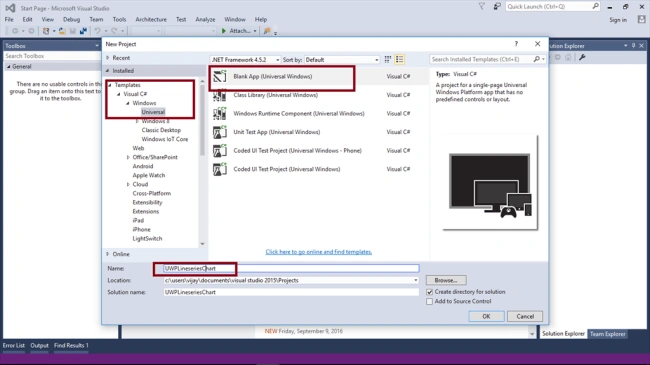
Step1 - Open Visual Studio 2015 -> Start -> New Project-> Select Universal (under Visual C#->Windows)-> Blank app -> Give the Suitable name for your app (UWPLineserieschart)->OK. Choose the Target and minimum platform version for your Windows Universal application will support. Afterwards, the project creates App.xaml and MainPage.xaml.
Step 2 - Open (double click) the file MainPage.xaml in the Solution Explorer and add the WINRT XAML Tool Kit Control reference in the project.
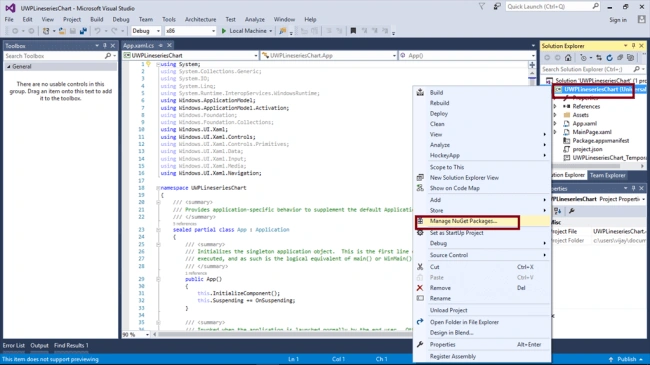
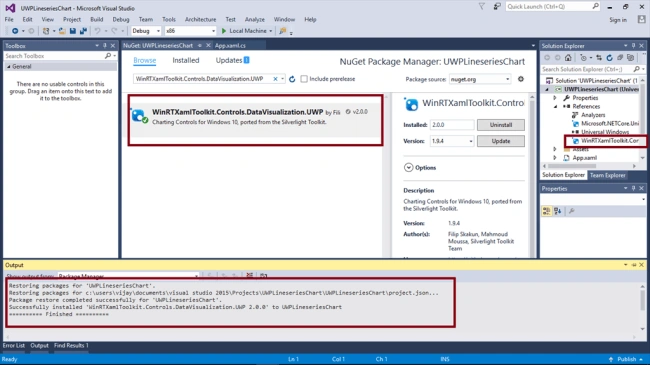
For adding the reference, right click on your project (UWPLineserieschart) and select Manage NuGet Packages.
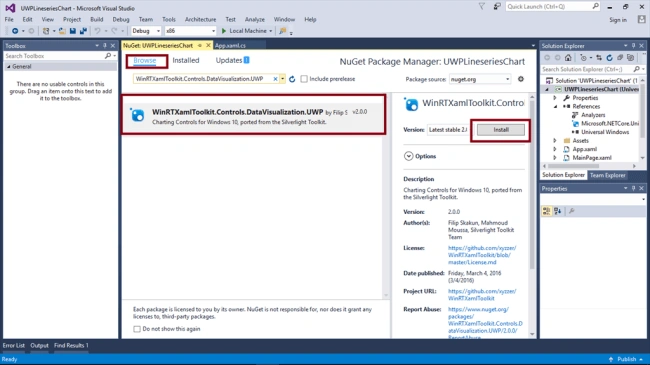
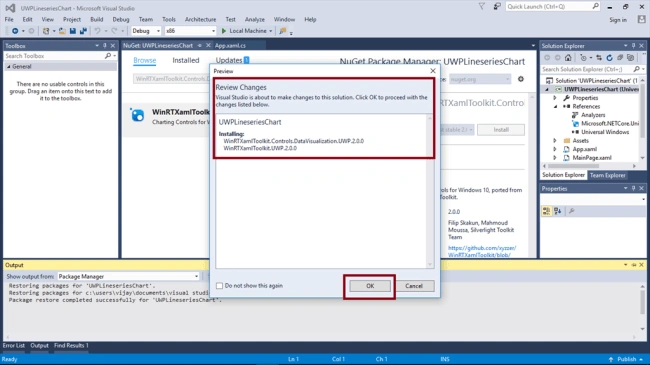
Choose Browse, search WinRTXamlToolkit.Controls.DataVisualization.UWP, select the package and install it.
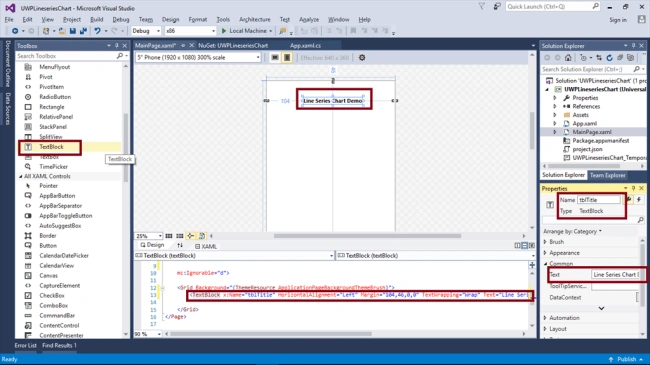
Add TextBlock control, change the name and text property.
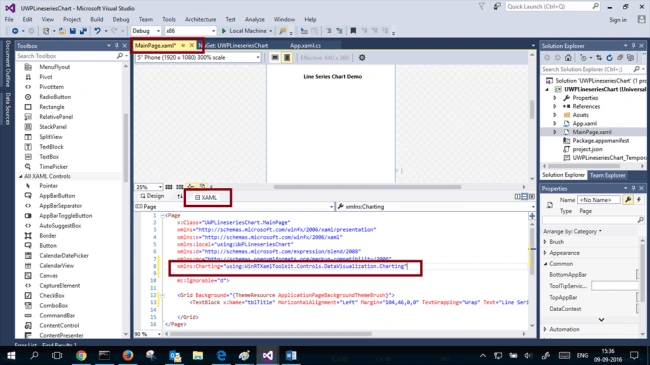
Step 3 - Add the charting namespace in your XAML view.
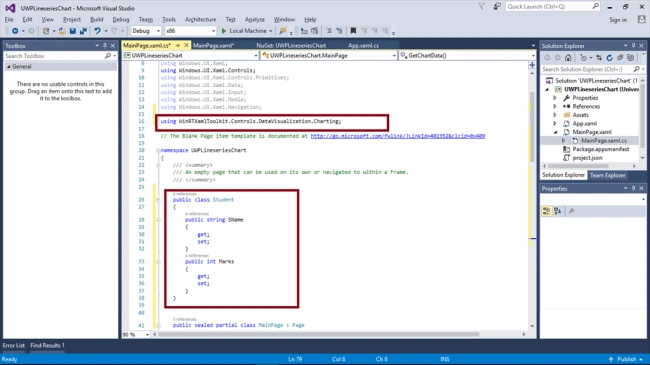
Step 5 - Add the name space, given below and class in MainPage.xaml.cs.
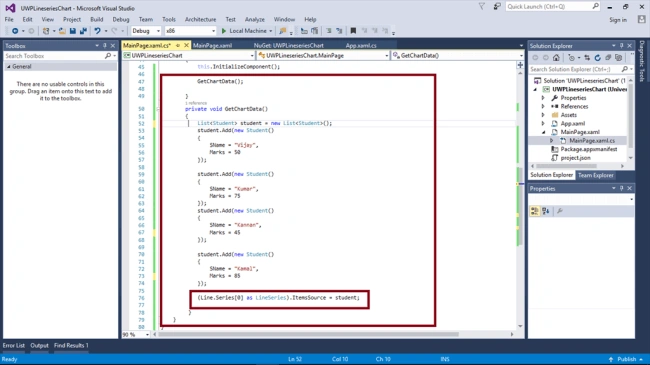
Step 6- Add the method GetChartData() in MainPage.xaml.cs. This code is used to set the values for your Line chart.
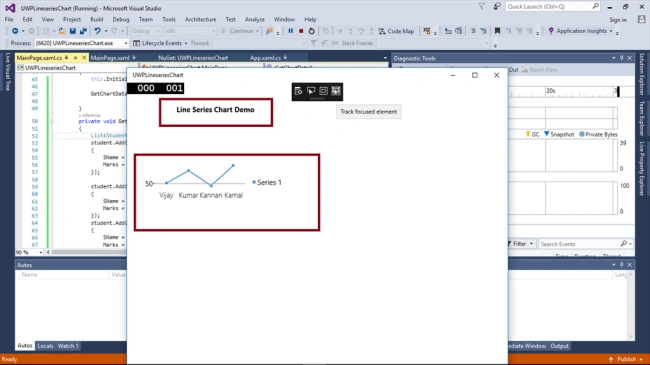
Summary - Now, you have successfully created and tested Line chart in Visual C# - UWP environment.
Kusum DasPosted Jul 2, 2020, 1:35 PM
Hi, I want to create spectrogram signal in UWP application. I have to provide the color code based on data value like 0 = red color and 200 = blue color. the data value will be within 0 to 200 and based on its value respective color should be assigned. Is there any option in LineSeries to provide color mappings or in any other chart series we can provide color range?
Vijayaragavan SPosted Mar 27, 2017, 4:27 AM
Hi ... Verify nuget packages are added and check namespace also added in the c# file
Prajwal GajurelPosted Mar 26, 2017, 12:34 PM
(Line.Series[0] as LineSeries).ItemsSource gives an error name lINE DOESNOT EXISTS