

You may get this error when you try to install SQL Server. I wast trying to install SQL Server 2016 Release Candidate 1, and I got this error during installation. The complete error is like this: Rule Check Result, Rule “Oracle JRE 7 Update 51 (64-bit) or higher is required for Polybase” failed. This computer does not have the Oracle Java SE Runtime Environment Version 7 Update 51 (64-bit) or higher installed.
The Oracle Java SE Runtime Environment is software provided by a third party. Microsoft grants you no rights for such third-party software. You are responsible for and must separately locate, read and accept applicable third-party license terms. I have fixed this issue, and here I am going to share with you how you can also fix this error. I hope you will like this.
As you all know, Microsoft has already released SQL Server 2018 RC Version 1. So I wanted to give it a try, and I decided to install the same. But at a stage in installation, I got an error which was not allowing me to continue further. I started to scratch my head. And finally I found the solution. Here we will see that.
Fix to Rule “Oracle JRE 7 Update 51 (64-bit) or higher is required for Polybase” failed.
Once you have started the installation, you can see a window as follows.
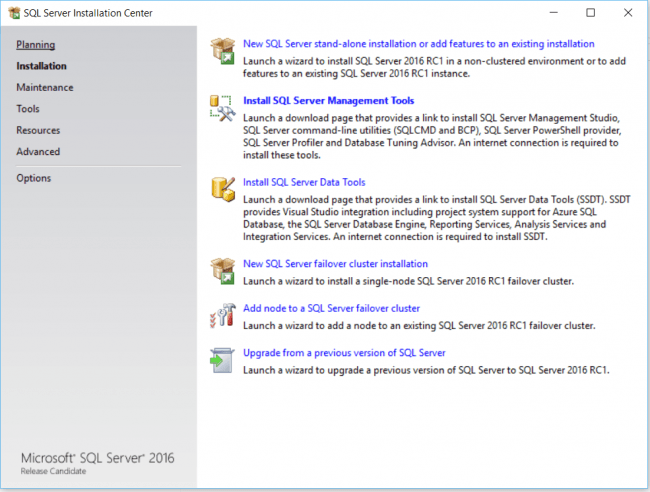
Figure: Installation Center SQL Server Start
If you have not installed SQL Server yet, you must select “New SQL Server stand-alone installation”, or you can upgrade by selecting “Upgrade from a previous version”. So we have started installing the things. When you are steps away to finishing everything once you have selected the features to add you will be getting the error as follows.
Rule Check Result
Rule “Oracle JRE 7 Update 51 (64-bit) or higher is required for Polybase”
failed.
This computer does not have the Oracle Java SE Runtime Environment Version 7
Update 51 (64-bit) or higher installed. The Oracle Java SE Runtime Environment
is software provided by a third party. Microsoft grants you no rights for such
third-party software. You are responsible for and must separately locate, read
and accept applicable third-party license terms. To continue, download the
Oracle SE Java Runtime
Environment.
As it is mentioned in the link provided, you can always download and install the Java SE from that link. This link will be redirected.
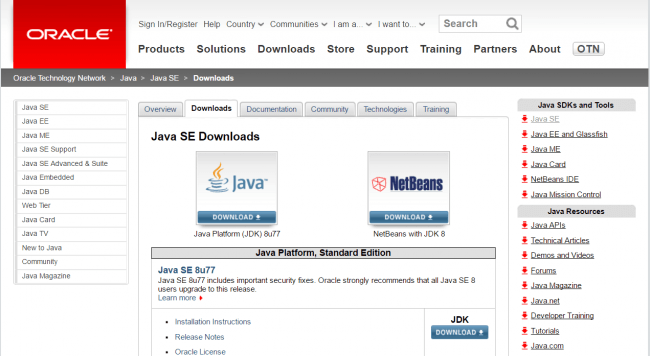
Figure: Java SE
Now we have an another option that is to disable the Java SE from the features selected. For that go back to the feature selection.
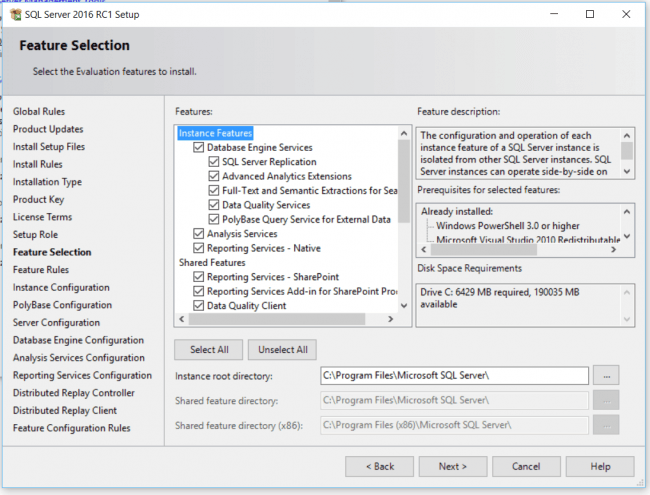
Figure: Feature Selection Installation Center SQL Server
Now Uncheck the selection PolyBase query service for external data.
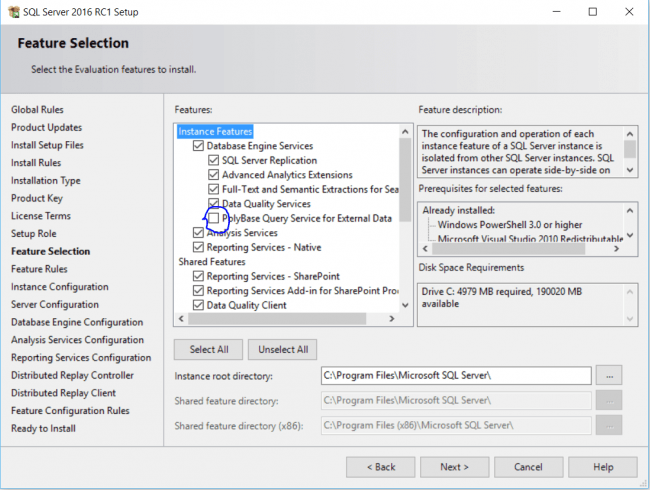
Figure: Feature Selection Installation Center SQL Server Uncheck Polybase Query Service
Now you can go ahead and click next. At last, you will get the success message.
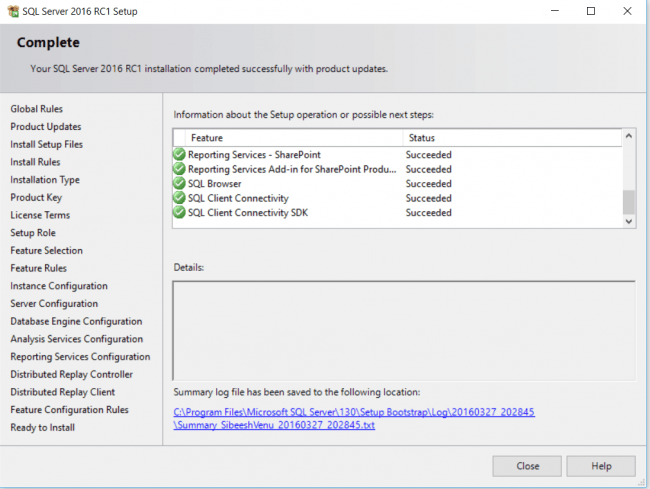
Figure: Installation Center SQL Server Success
Hooray, we have successfully installed our new version of SQL Server. That’s fantastic right? Happy coding.
Conclusion
Did I miss anything that you may think is needed? Did you find this post useful? I hope you liked this article. Please share with me your valuable suggestions and feedback.
Your turn. What do you think?
A blog isn’t a blog without comments, but do try to stay on topic. If you have a question unrelated to this post, you’re better off posting it on C# Corner, Code Project, Stack Overflow, Asp.Net Forum instead of commenting here. Tweet or email me a link to your question there and I’ll definitely try to help if I can.
See this article in my blog here.
Trung Do ThanhPosted Nov 9, 2016, 10:43 PM
Thank you very much. I have installed the SQL 2016 when installed the Jave SDK first.
Gowtham RajamanickamPosted Apr 11, 2016, 2:48 AM
good one...
Sibeesh VenuPosted Mar 29, 2016, 1:03 AM
Debasis Saha Thanks
Sibeesh VenuPosted Mar 29, 2016, 1:03 AM
Saillesh Pawar Thanks, Do you mean features of SQL Server 2016?
Sibeesh VenuPosted Mar 29, 2016, 1:02 AM
Mohammed Ibrahim Thanks
Debasis SahaPosted Mar 29, 2016, 12:19 AM
Good One..
Saillesh PawarPosted Mar 28, 2016, 11:08 AM
will see if issue occurs while installing need to upgrade to SQL Server 2018 What are the featureS?
Mohammed IbrahimPosted Mar 28, 2016, 4:11 AM
nice
Sibeesh VenuPosted Mar 28, 2016, 12:46 AM
Debasis Saha Thanks a lot
Sibeesh VenuPosted Mar 28, 2016, 12:46 AM
Vignesh Mani Thanks a lot
Debasis SahaPosted Mar 28, 2016, 12:40 AM
Good One..
Vignesh ManiPosted Mar 27, 2016, 3:39 PM
Good one