
Steps for Giving strong name to DLL
- Open .net command prompt.
- Go to the folder contanig DLL.
- Type sn -k test.snk, you can use any file name instead of test. This will create test .snk file in that folder.
- Open the assemblyinfo.cs file of project.
- Type file path in this tag [assembly:AssemblyKeyFile@"E:\hemant\practice\HP\bin\Debug\HP.snk")]
- Build application, finally your strong name created for your DLL.
Example
- Created class library path E:\hemant\practice\HP
- Open command prompt go to Dll folder path.
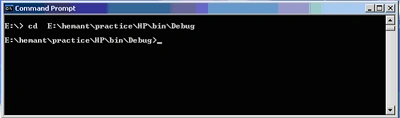
- Type sn -k HP.snk
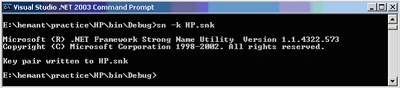
This create HP.snk file in E:\hemant\practice\HP\bin\Debug folder.
- Open the AssemblyInfo.cs file of project.
Type path of snk file in following attribue.

- Build class library.
Steps for Installing in GAC
- After giving strong name in .net command prompt type gacutil in DLL path
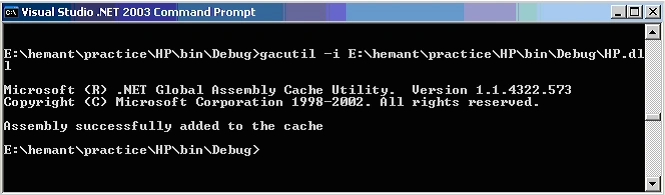
this will install file in assembly.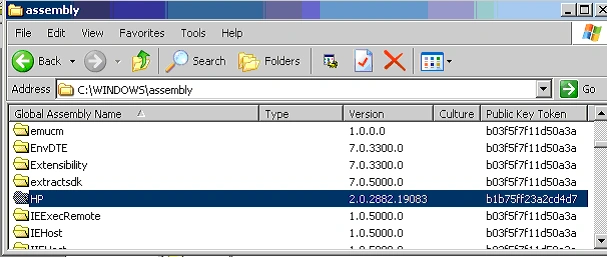
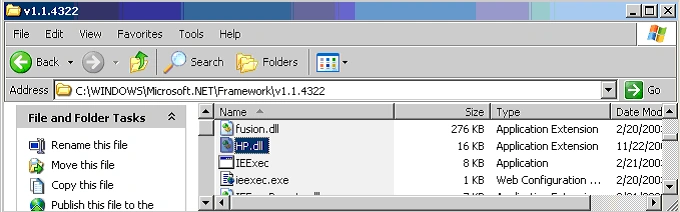
- Copy the DLL file C:\WINDOWS\Microsoft.NET\Framework\v1.1.4322 folder.
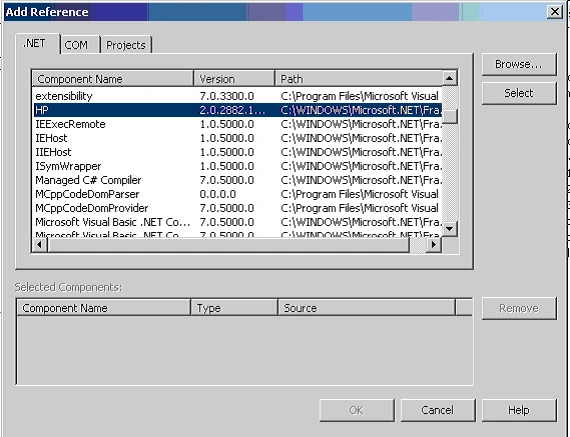
- You can add references to another project using .net tab.
Gajanan AwakalePosted Nov 24, 2011, 3:10 PM
When i tried to install dll in GAC i got some problem , plz help me. The error message is" Failure adding assembly to cache: The system cannot find file specified."
Sutha ShaliniPosted Sep 8, 2011, 5:16 AM
You can add references to another project using .net tab. Note: in last fig shows our dll file installed into GAC. but mine installed , but in that tab that file is not showing as like last fig
Amit PandeyPosted Feb 17, 2011, 3:27 AM
HI Hemant, I tried with steps you mentioned above, I got a warning "Use command line option '/keyfile' or appropriate project settings instead of 'AssemblyKeyFile' d:\Creations\MyAPP\MyApp\MyApp\Properties\AssemblyInfo.cs" I completed all steps but my dll is not found in "C:\Windows\Assembly". Please help me on this issue. Thanks. Amit.
Anders HundborgPosted Jan 22, 2011, 6:14 AM
// (*) In order to create a KeyFile, you can use the sn.exe (Strong Name) utility. // When specifying the KeyFile, the location of the KeyFile should be // relative to the project output directory which is // %Project Directory%\obj\<configuration>. For example, if your KeyFile is // located in the project directory, you would specify the AssemblyKeyFile // attribute as [assembly: AssemblyKeyFile("..\\..\\mykey.snk")]
JosePosted Dec 26, 2008, 9:44 AM
What if the dll I copy there isn't the same I registered on the GAC? Wouldn't that be a mess? Thanks