

Introduction
In this article, we are going to create an ASP.Net Core MVC application that generates QR Code for different purposes like Email, Website, Bookmark Websites, SMS, WhatsApp, etc. For this, we are going to use NuGet package called QRCoder.

About QRCoder NuGet Package
QRCoder is a simple library, written in C#.NET, which enables you to create QR codes. It hasn't any dependencies on other libraries and is available as .NET Framework and .NET Core PCL version on NuGet.
QRCoder provides many types of QR Codes but in this article, I will use only the following types.
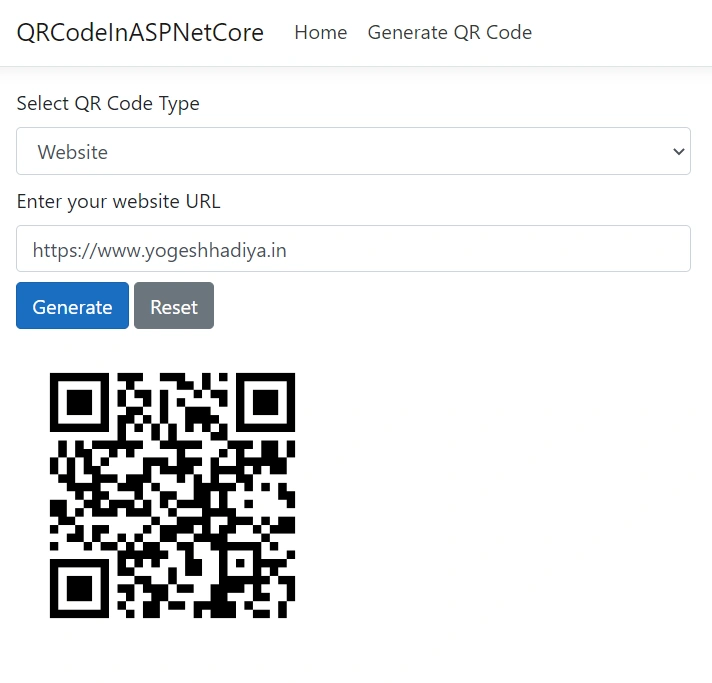
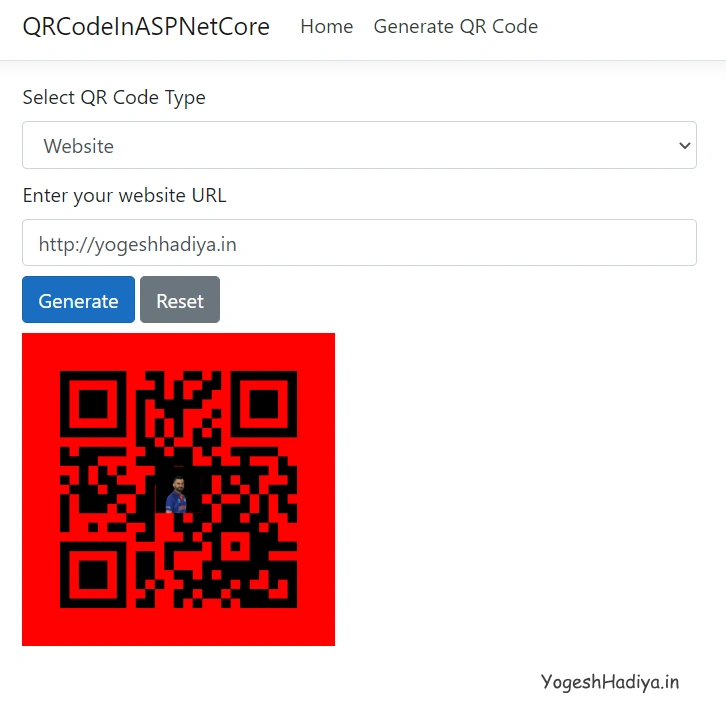
- URL
- Bookmark Website
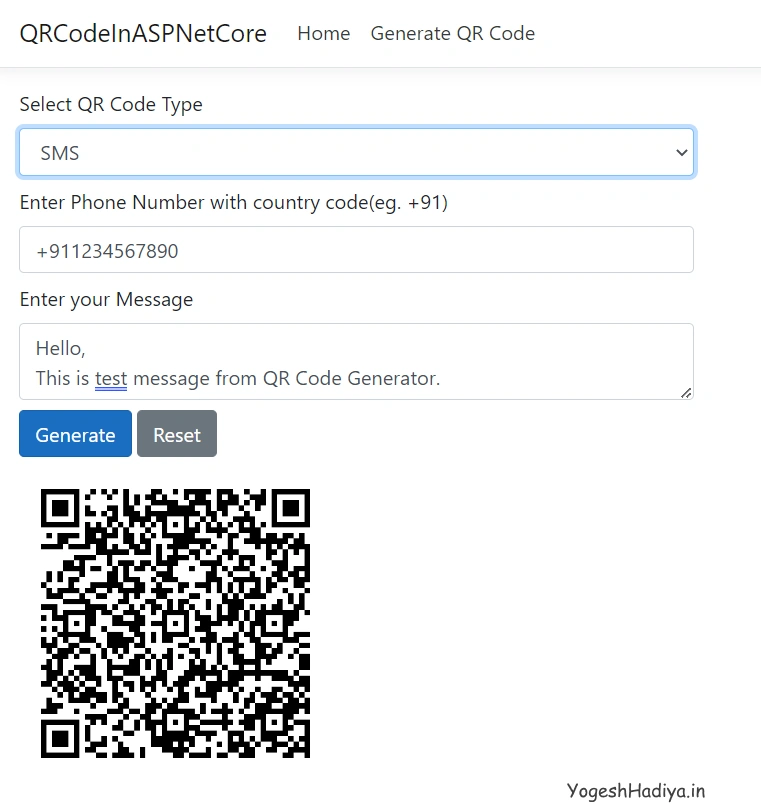
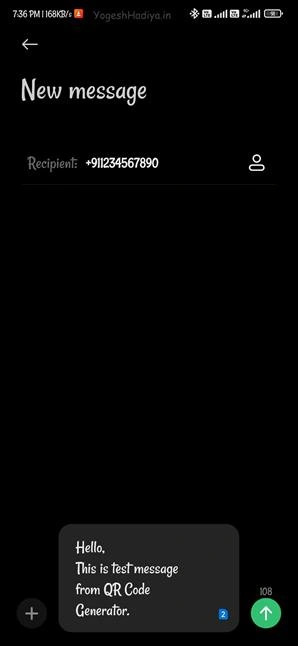
- Send SMS
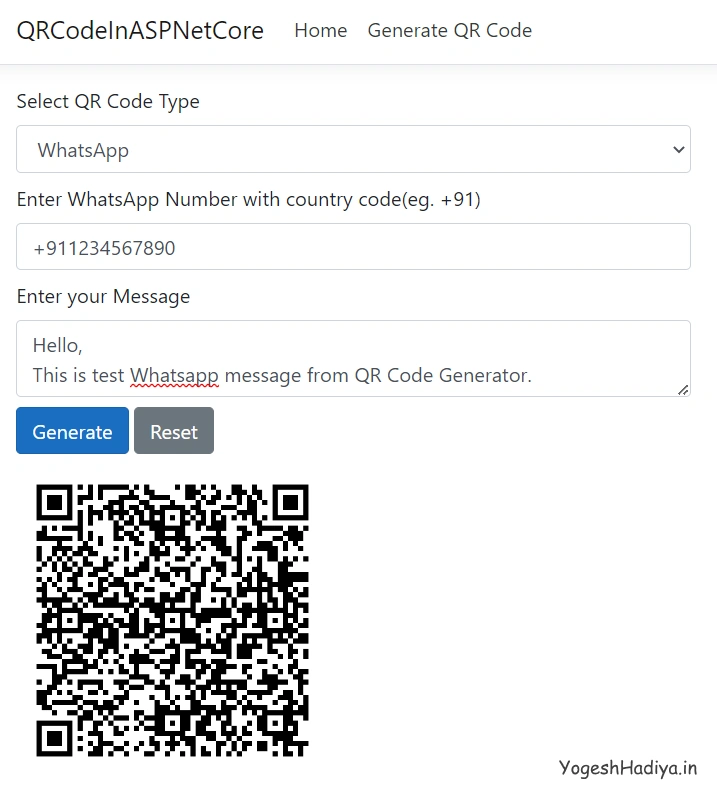
- Send WhatsApp Message
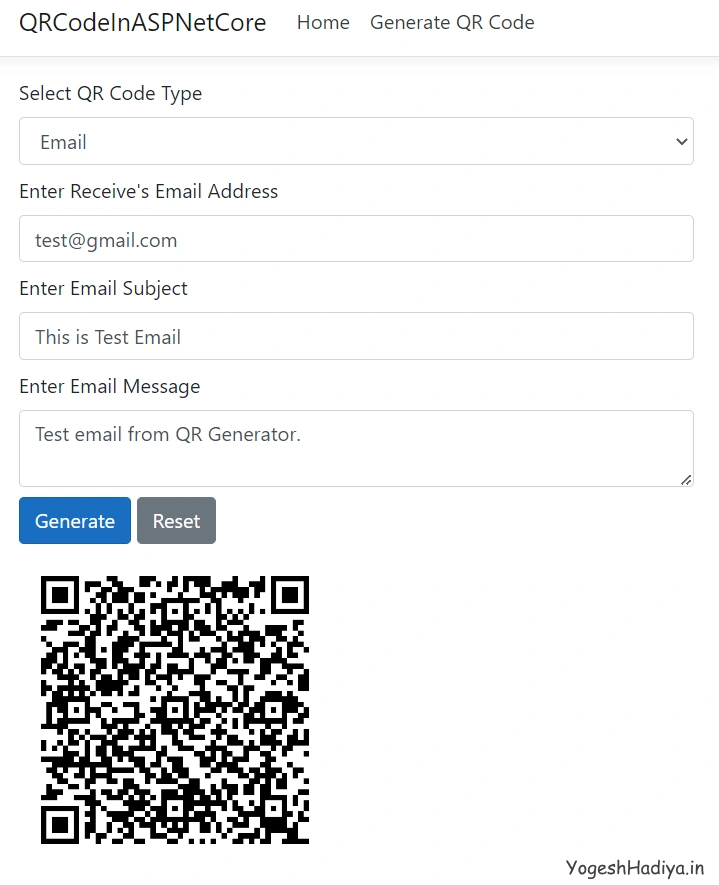
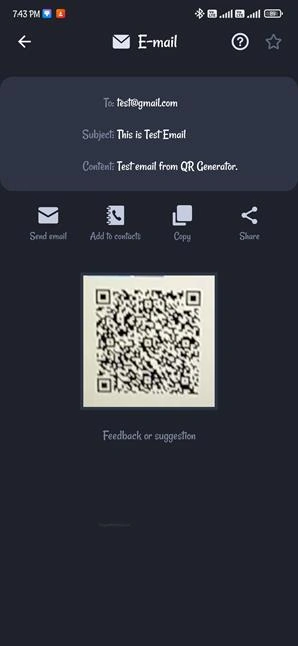
- Compose Email
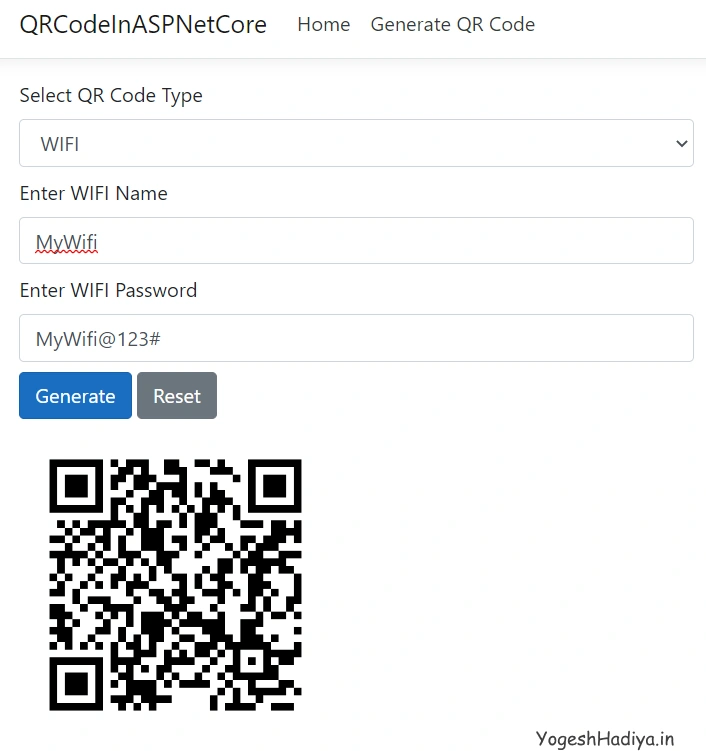
- Connect To WIFI
Create ASP.Net Core MVC project.
Step 1
Open Visual Studio and click on Create New Project.
Step 2
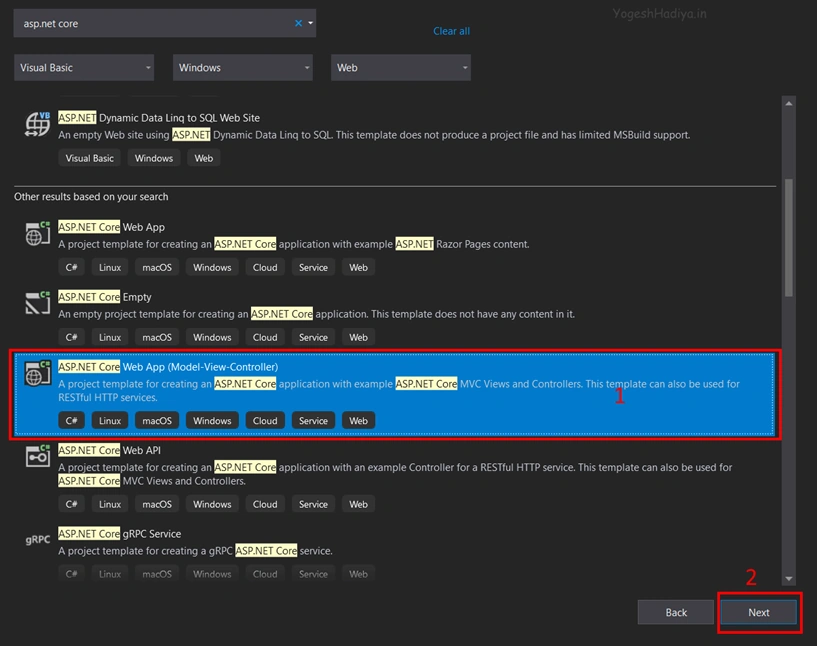
Select ASP.NET CORE Web App (Model-View-Controller) Template as shown in the below image and click on next button.
Step 3
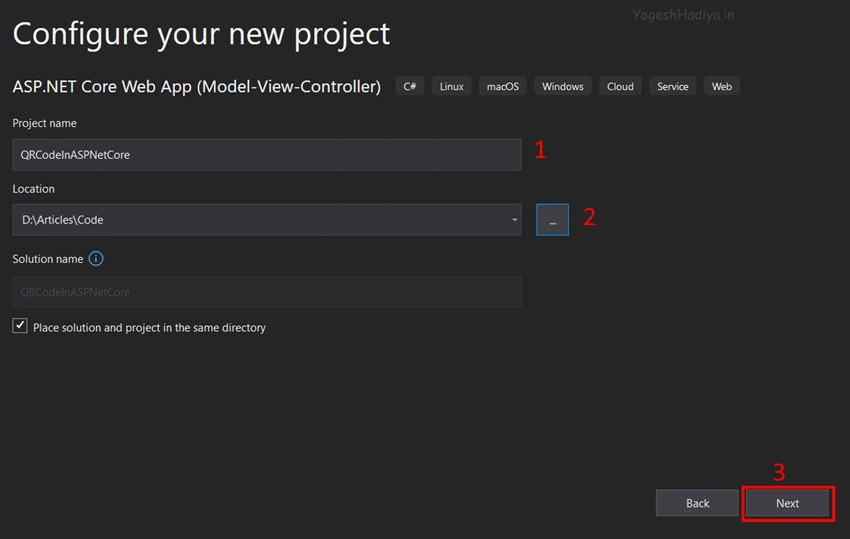
Configure your project by specifying the name of the project and the location where you want to save your project.
Step 4
Select the version of the .Net Core framework you want to use and click on create button.
Add New Controller
Step 1
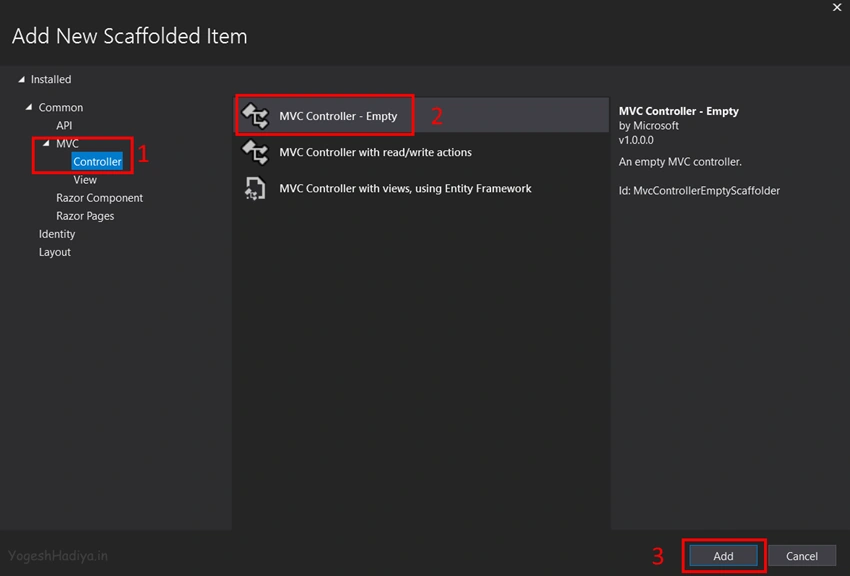
Right Click on Controller Folder then click on Add then Controller.

Step 2
Select MVC Empty Controller. And give a name whatever you want here I gave QRCode.
Add NuGet Package
Step 1
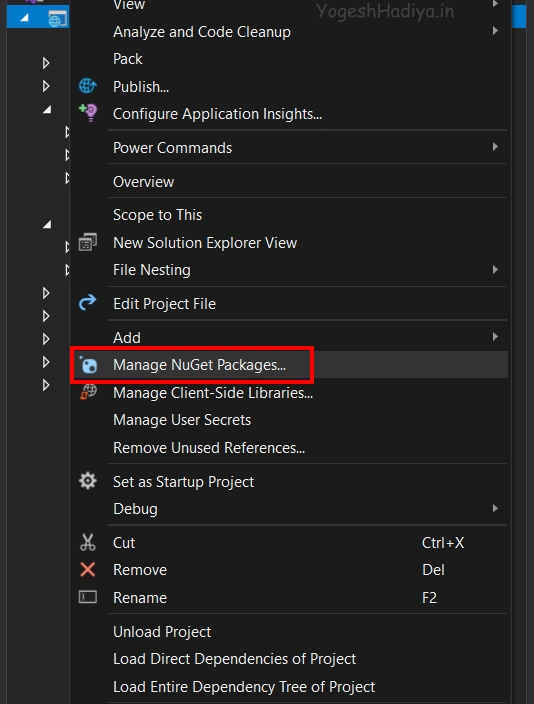
Right click on your project and then click on Manage NuGet Packages.
Step 2
Search for QRCoder in browse tab.

Step 3
Click on the install button and it will install in your project.
Create a new Model Class
For transferring data from controller to view and view to controller we have to use model class.
Step 1
For creating a model right click on the Model folder and click on Add then class.
Step 2
Give a suitable name for your class, Here I gave QRCodeModel.
Step 3
Create required properties in your class. As you can see in the below code I have created different properties for different types of QR Codes.
public class QRCodeModel {
    public int QRCodeType {
        get;
        set;
    }
    public string QRImageURL {
        get;
        set;
    }
    //for bookmark qr code
    public string BookmarkTitle {
        get;
        set;
    }
    public string BookmarkURL {
        get;
        set;
    }
    // for email qr codes
    public string ReceiverEmailAddress {
        get;
        set;
    }
    public string EmailSubject {
        get;
        set;
    }
    public string EmailMessage {
        get;
        set;
    }
    //for sms qr codes
    public string SMSPhoneNumber {
        get;
        set;
    }
    public string SMSBody {
        get;
        set;
    }
    //for website
    public string WebsiteURL {
        get;
        set;
    }
    // for whatsapp qr message code
    public string WhatsAppNumber {
        get;
        set;
    }
    public string WhatsAppMessage {
        get;
        set;
    }
    // for wifi qr code
    public string WIFIName {
        get;
        set;
    }
    public string WIFIPassword {
        get;
        set;
    }
}
Design View
Step 1
Create an action method in your controller as you want. Here I used the index action method.
Step 2
Right-click on the action method and click on Add View to add a new view.
Step 3
Return the model from the controller which you have created. If you want to pass some extra data you can pass it. Here as you see in the below code I just created object of model and pass that model to view.
public IActionResult Index() {
    QRCodeModel model = new QRCodeModel();
    return View(model);
}
Step 4
Design your view as per your requirements.
@model QRCodeModel
@{
    ViewData["Title"] = "Generate QR Code";
}

<form asp-action="Index">

    <div class="row mt-2">
        <div class="col-lg-6 col-md-6 col-sm-12">
            <label>Select QR Code Type</label>
            <select asp-for="QRCodeType" id="QRCodeType" class="form-control" onchange="onQRCodeTypeChange()">
                <option value="1">Website</option>
                <option value="2">Bookmark URL</option>
                <option value="3">SMS</option>
                <option value="4">WhatsApp</option>
                <option value="5">Email</option>
                <option value="6">WIFI</option>
            </select>
        </div>
    </div>

    <!--  Website  -->
    <div class="row mt-2 hideDiv" id="DIV1">
        <div class="col-lg-6 col-md-6 col-sm-12">
            <label>Enter your website URL</label>
            <input autocomplete="off" type="url" asp-for="WebsiteURL" class="form-control" />
        </div>
    </div>

    <!-- Book Mark URL   -->
    <div class="row mt-2 hideDiv" id="DIV2">
        <div class="col-lg-6 col-md-6 col-sm-12">
            <label>Enter your URL</label>
            <input type="url" asp-for="BookmarkURL" class="form-control" autocomplete="off" />
        </div>
    </div>

    <!--  SMS  -->
    <div id="DIV3" class="hideDiv">
        <div class="row mt-2">
            <div class="col-lg-6 col-md-6 col-sm-12">
                <label>Enter Phone Number with country code(eg. +91)</label>
                <input type="text" asp-for="SMSPhoneNumber" class="form-control" autocomplete="off" />
            </div>
        </div>
        <div class="row mt-2">
            <div class="col-lg-6 col-md-6 col-sm-12">
                <label>Enter your Message</label>
                <textarea asp-for="SMSBody" class="form-control"></textarea>
            </div>
        </div>
    </div>

    <!--  Whats App Message  -->
    <div id="DIV4" class="hideDiv">
        <div class="row mt-2">
            <div class="col-lg-6 col-md-6 col-sm-12">
                <label>Enter WhatsApp Number with country code(eg. +91)</label>
                <input type="text" asp-for="WhatsAppNumber" class="form-control" autocomplete="off" />
            </div>
        </div>
        <div class="row mt-2">
            <div class="col-lg-6 col-md-6 col-sm-12">
                <label>Enter your Message</label>
                <textarea asp-for="WhatsAppMessage" class="form-control"></textarea>
            </div>
        </div>
    </div>

    <!--  Compose Email  -->
    <div id="DIV5" class="hideDiv">
        <div class="row mt-2">
            <div class="col-lg-6 col-md-6 col-sm-12">
                <label>Enter Receive's Email Address</label>
                <input type="text" asp-for="ReceiverEmailAddress" class="form-control" autocomplete="off" />
            </div>
        </div>
        <div class="row mt-2">
            <div class="col-lg-6 col-md-6 col-sm-12">
                <label>Enter Email Subject</label>
                <input type="text" asp-for="EmailSubject" class="form-control" autocomplete="off" />
            </div>
        </div>
        <div class="row mt-2">
            <div class="col-lg-6 col-md-6 col-sm-12">
                <label>Enter Email Message</label>
                <textarea asp-for="EmailMessage" class="form-control"></textarea>
            </div>
        </div>
    </div>

    <!--   WIFI   -->
    <div id="DIV6" class="hideDiv">
        <div class="row mt-2">
            <div class="col-lg-6 col-md-6 col-sm-12">
                <label>Enter WIFI Name</label>
                <input type="text" asp-for="WIFIName" class="form-control" autocomplete="off" />
            </div>
        </div>
        <div class="row mt-2">
            <div class="col-lg-6 col-md-6 col-sm-12">
                <label>Enter WIFI Password</label>
                <input type="text" asp-for="WIFIPassword" class="form-control" autocomplete="off" />
            </div>
        </div>
    </div>

    <div class="row mt-2">
        <div class="col-lg-6 col-md-6 col-sm-12">
            <button type="submit" class="btn btn-primary">Generate</button>
            <button type="reset" class="btn btn-secondary">Reset</button>
        </div>
    </div>

    @if (!string.IsNullOrEmpty(Model.QRImageURL))
    {
        <div class="row mt-2" id="qrCodeImage">
            <div class="col-lg-6 col-md-6 col-sm-12">
                <img height="250" width="250" src="@Model.QRImageURL" />
            </div>
        </div>
    }

</form>

@section Scripts{

    <script>
        $(document).ready(function () {
            $("#QRCodeType").trigger("change");
        });

        function onQRCodeTypeChange() {
            let qrcodeType = $("#QRCodeType").val();
            $(".hideDiv").hide();
            $("#DIV" + qrcodeType).show();
        }
    </script>
}





Join the conversation! Your thoughts help the community grow.