

Search is an important aspect of SharePoint. It is one of the key features of the product and one of the major functionality. Let’s see how to configure the Farm search in this configuration.
How to configure?
Let’s open Central Admin of SharePoint on your machine. On your Windows desktop screen, click Start >> Administrative Tools >> SharePoint 2013 Central Administration.
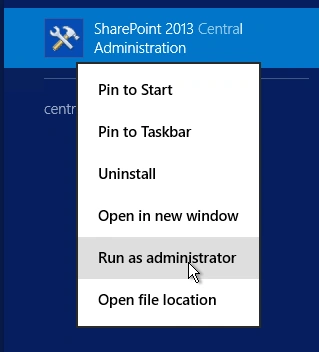
- Run it as an administrator to have the elevated privileges.
- You will see the screenshot given below.
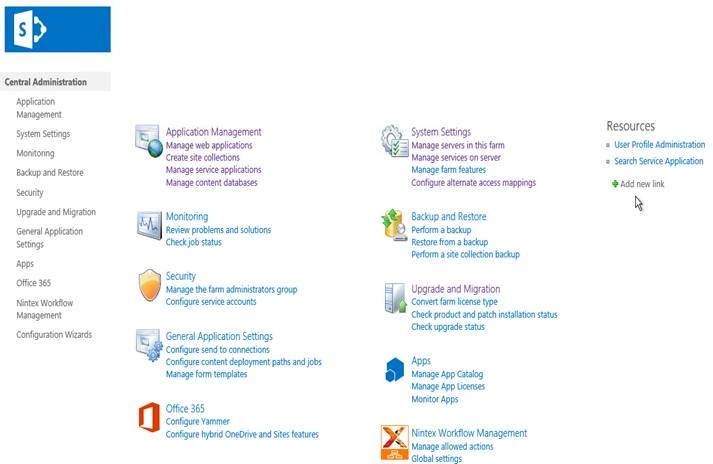
- Central Admin is configured under the categories given above.
- Click General Application Settings.
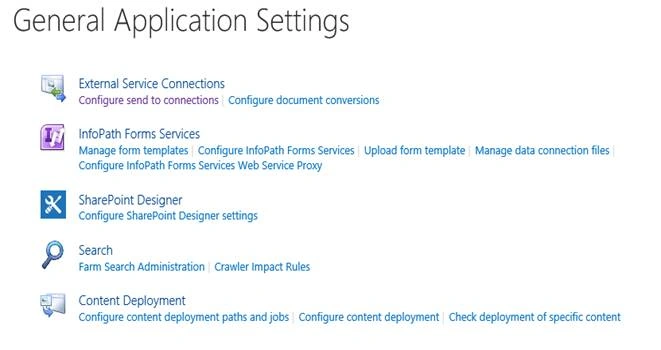
- Go to Search.
- Click Farm Search Administration.
- You will see the screen given below.
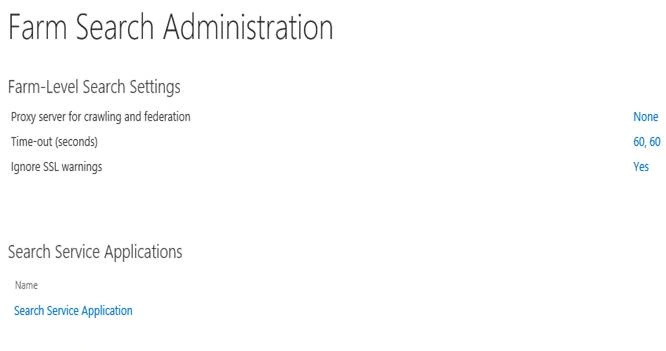
It shows a dashboard with the data of
- Proxy Server for crawling and federation.
- Time-out (seconds).
- Ignore SSL warning.
We can configure them as per our requirement.
Configuration for proxy Server for crawling and federation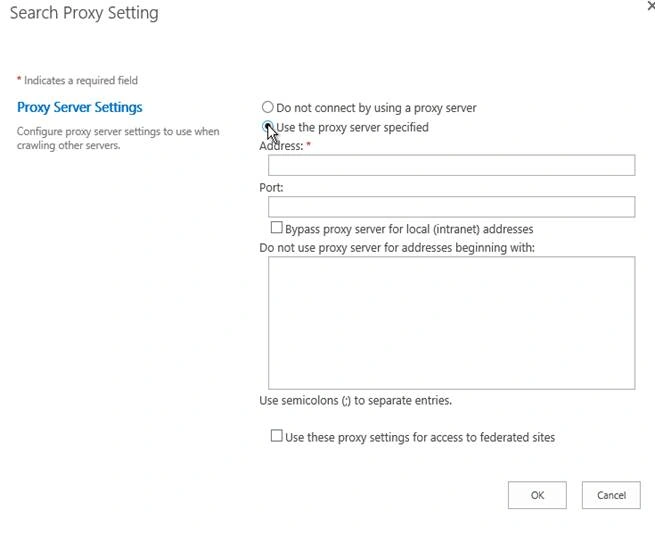
- Proxy Server settings
You can allow or disallow the use of a proxy Server.
If you want to choose, you have to provide the address, port and configure the address, which you want to avoid on the connection to the proxy Server.
You can also bypass proxy Server for local (intranet) addresses and use these proxy settings for access to the federated sites. - Configuration for Time-Out
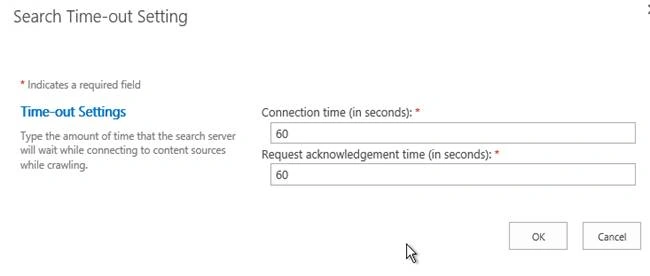
Here, you can imply the connection time of the search engine and the amount if at that point of time, the search Server needs to wait while connect to the content sources while crawling.
- Configuration for SSL
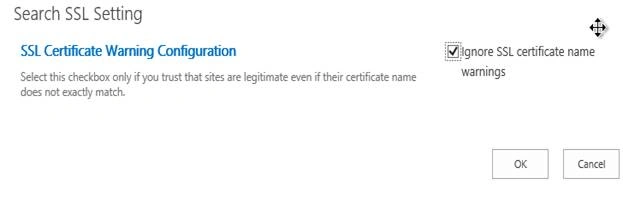
Here, you can configure SSL Certificate to be ignored or presented while the search crawling takes place. It depends on how much you trust the sites on which you are having a search crawl.
Once this configuration is done, the proxy Server for crawling and federation needs to be done. Time-out (seconds) settings and SSL warning settings will be available as per your configuration on Farm search, which will imply to all the Web Applications and the sites within them.
In this article, we saw how to Manage Farm Search Administration in SharePoint 2013 Central Administration. There are more articles to come on Central Administration. Until then, keep reading and keep learning.
Join the conversation! Your thoughts help the community grow.