

Directives – Directives are attributes decorated on HTML elements. All directives start with the word “ng”. AngularJS has a set of built in directives which offers functionality to the application. You can also define your own directives in AngularJS
- ng-app – This directive initializes and AngularJS application.
- ng-bind – This directive binds the content of an HTML element to application data.
- ng-class - This directive specifies CSS classes on HTML elements.
- ng-checked – This directive specifies if an element is checked or not.
- ng-click – This directive specifies and expression to evaluate when and element is being clicked.
- ng-controller – This directive defines the controller object for an application.
- ng-init – This directive initializes application data.
- ng-model – This directive binds the value of HTML controls to application data.
- ng-selected – This directive specifies the selected attribute of an element.
- ng-repeat – This directive defines a template for each data in a collection.
- ng-required – This directive specifies the required attribute of an element.
- ng-show – This directive defines show and hide HTML elements.
- ng-submit – This directive specifies the expressions to run on onsubmit event
- ng-value – This directive specifies the value of an input element.
ng-app
- <!DOCTYPE html>
- <html>
- <head>
- <title></title>
- <meta charset="utf-8" />
- <script src="Scripts/angular.min.js"></script>
- <script src="Scripts/angular-route.min.js"></script>
- <script src="app.js"></script>
- <script src="controller.js"></script>
- </head>
- <body>
- <div ng-app="app" ng-controller="controller">
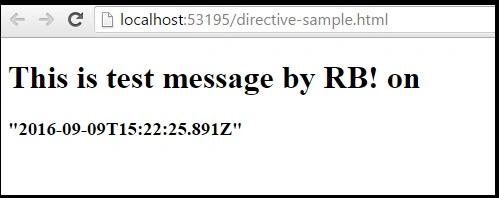
- <h1> {{ title }} {{ date }}</h1>
- </div>
- </body>
- </html>
Other way is you can write app and controller code inside script tag on same page like this.
- <div ng-app="app" ng-controller="controller">
- <h1> {{ title }} {{ date }}</h1>
- </div>
- <script>
- var app = angular.module("app", []);
- app.controller("controller", function ($scope) {
- $scope.title = "This is test message by RB! on ";
- $scope.date = new Date();
- });
- </script>
- <div ng-app="app" ng-init="title='This is test message by RB!'">
- <p ng-bind="title"></p>
- </div>
OR
- <div ng-app="app" ng-controller="controller">
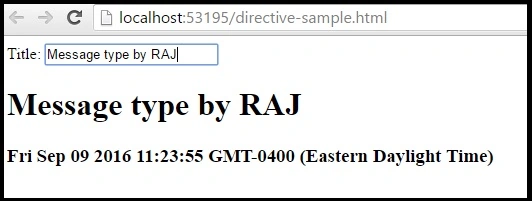
- <label>Title: <input type="text" ng-model="title"></label><br>
- <h1 ng-bind="title"></h1><h3 ng-bind="date"></h3>
- </div>
- <script>
- var app = angular.module("app", []);
- app.controller("controller", function ($scope) {
- $scope.title = "This is test message by RB! on ";
- $scope.date = new Date();
- });
- </script>
ng-class
- <!DOCTYPE html>
- <html>
- <head>
- <title></title>
- <meta charset="utf-8" />
- <script src="Scripts/angular.min.js"></script>
- <style>
- .CSharp {
- color: white;
- background-color: lightblue;
- padding: 20px;
- font-family: "Courier New";
- }
- .ASPNET {
- background-color: coral;
- padding: 40px;
- font-family: Verdana;
- }
- .VBNET {
- background-color: brown;
- padding: 40px;
- font-family: Verdana;
- }
- .red {
- color: red;
- }
- .green {
- color: green;
- }
- .blue {
- color: blue;
- }
- </style>
- </head>
- <body ng-app="">
- <p>Choose a technology:</p>
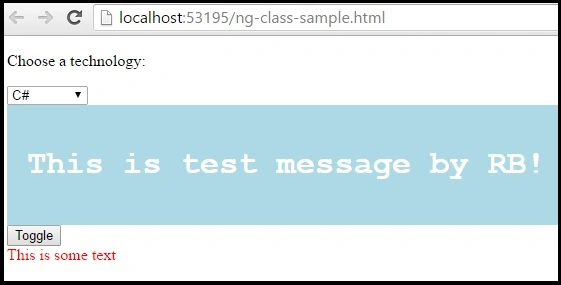
- <select ng-model="home">
- <option value="CSharp">C#</option>
- <option value="ASPNET">ASP.NET</option>
- <option value="VBNET">VB.NET</option>
- </select>
- <div ng-class="home">
- <h1>This is test message by RB!</h1>
- </div>
- <div>
- <button ng-click="areaStatus = !areaStatus">Toggle</button>
- <div ng-class="{'red' : areaStatus, 'green' : !areaStatus}">
- This is some text
- </div>
- </div>
- </body>
- </html>
ng-checked
- <div ng-app="app" ng-controller="controller">
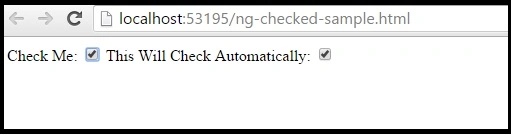
- Check Me: <input type="checkbox" ng-model="checked">
- This Will Check Automatically: <input id="checkTest" type="checkbox" ng-checked="checked">
- </div>
- <br />
- <script>
- var app = angular.module("app", []);
- app.controller("controller", function ($scope) {
- $scope.checked = false;
- });
- </script>
- <div ng-app="">
- <p>Fav Technologies:</p>
- <input type="checkbox" ng-model="all"> Check all<br><br>
- <input type="checkbox" ng-checked="all">C#<br>
- <input type="checkbox" ng-checked="all">ASP.NET<br>
- <input type="checkbox" ng-checked="all">VB.NET<br />
- <input type="checkbox" ng-checked="all">MVC<br />
- <input type="checkbox" ng-checked="all">AngularJS
- </div>
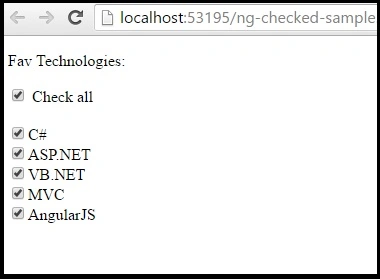
In above screen when you click on check all check box all check boxes will be checked.
ng-click
- <!DOCTYPE html>
- <html>
- <head>
- <title></title>
- <meta charset="utf-8" />
- <script src="Scripts/angular.min.js"></script>
- </head>
- <body>
- <div ng-app="app" ng-controller="controller">
- <button ng-click="myFunc()">OK</button>
- <p>The button has been clicked {{count}} times.</p>
- <button ng-click="submit()">Submit</button>
- <p>Alert - {{msg}}</p>
- </div>
- <script>
- var app = angular.module("app", []);
- app.controller("controller", function ($scope) {
- $scope.count = 0;
- $scope.myFunc = function () {
- $scope.count++;
- };
- $scope.submit = function () {
- $scope.msg = "Congrats! you clicked a submit button.";
- };
- });
- </script>
- </body>
- </html>
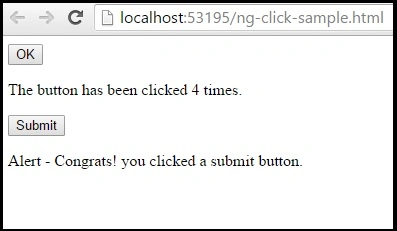
In given code, we have two buttons and two functions. One button invokes a function which increase a number and other function display a message when click on submit button.
ng-controller
- <!DOCTYPE html>
- <html>
- <head>
- <title></title>
- <meta charset="utf-8" />
- <script src="Scripts/angular.min.js"></script>
- </head>
- <body>
- <div ng-app="app" ng-controller="controller">
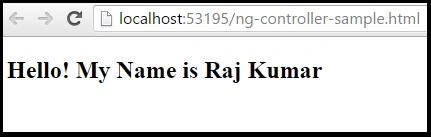
- <h2>Hello! My Name is {{firstname}} {{lastname}}</h2>
- </div>
- <script>
- var app = angular.module("app", []);
- app.controller("controller", function ($scope) {
- $scope.firstname = "Raj";
- $scope.lastname = "Kumar";
- });
- </script>
- </body>
- </html>
ng-init
- <!DOCTYPE html>
- <html>
- <head>
- <title></title>
- <meta charset="utf-8" />
- <script src="Scripts/angular.min.js"></script>
- </head>
- <body>
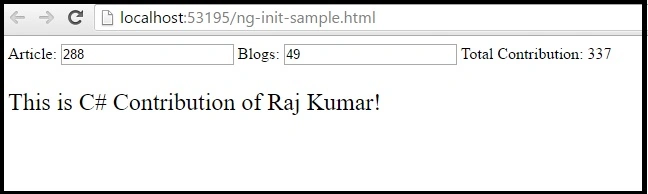
- <div ng-app="app" ng-init="title='This is C# Contribution of Raj Kumar!';TotalArticles=288;TotalBlogs=49">
- Article: <input type="text" ng-model="TotalArticles" />
- Blogs: <input type="text" ng-model="TotalBlogs" />
- Total Contribution: {{TotalArticles + TotalBlogs}}
- <div>
- <p style="font-size:24px;" ng-bind="title"></p>
- </div>
- </div>
- <script>
- var app = angular.module("app", []);
- </script>
- </body>
- </html>
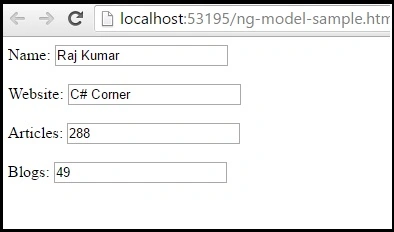
ng-model
- <!DOCTYPE html>
- <html>
- <head>
- <title></title>
- <meta charset="utf-8" />
- <script src="Scripts/angular.min.js"></script>
- </head>
- <body>
- <div ng-app="app" ng-controller="controller">
- Name: <input ng-model="name" /><br /><br />
- Website: <input ng-model="website" /><br /><br />
- Articles: <input ng-model="articles" /><br /><br />
- Blogs: <input ng-model="blogs"/>
- </div>
- <script>
- var app = angular.module("app", []);
- app.controller("controller", function ($scope) {
- $scope.name = "Raj Kumar";
- $scope.website = "C# Corner";
- $scope.articles = "288";
- $scope.blogs = "49";
- });
- </script>
- </body>
- </html>
ng-selected
- <!DOCTYPE html>
- <html>
- <head>
- <title></title>
- <meta charset="utf-8" />
- <script src="Scripts/angular.min.js"></script>
- </head>
- <body>
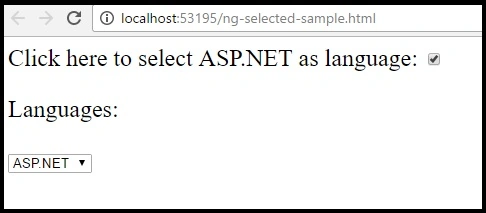
- <div ng-app="app" style="font-size:24px;">
- Click here to select ASP.NET as language:
- <input type="checkbox" ng-model="selected">
- <p>Languages:</p>
- <select>
- <option>C#</option>
- <option ng-selected="selected">ASP.NET</option>
- <option>VB.NET</option>
- <option>MVC</option>
- <option>AngularJS</option>
- </select>
- </div>
- <script>
- var app = angular.module("app", []);
- </script>
- </body>
- </html>
- <!DOCTYPE html>
- <html>
- <head>
- <title></title>
- <meta charset="utf-8" />
- <script src="Scripts/angular.min.js"></script>
- </head>
- <body>
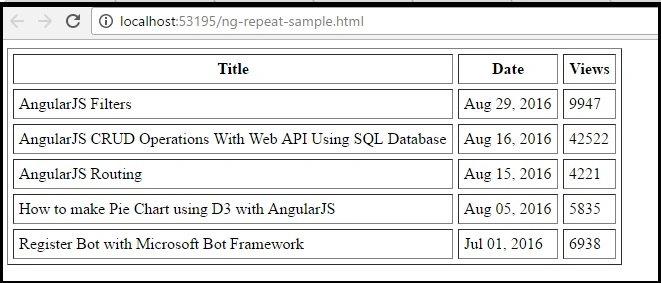
- <table ng-app="app" ng-controller="controller" cellpadding="5" cellspacing="5" border="1">
- <thead>
- <tr>
- <th>Title</th>
- <th>Date</th>
- <th>Views</th>
- </tr>
- </thead>
- <tr ng-repeat="obj in articles">
- <td>{{obj.title}}</td>
- <td>{{obj.date}}</td>
- <td>{{obj.view}}</td>
- </tr>
- </table>
- <script>
- var app = angular.module("app", []);
- app.controller("controller", function ($scope) {
- $scope.articles = [
- {
- "title": "AngularJS Filters",
- "date": "Aug 29, 2016",
- "view": "9947"
- },
- {
- "title": "AngularJS CRUD Operations with Web API Using SQL Database",
- "date": "Aug 16, 2016",
- "view": "42522"
- },
- {
- "title": "AngularJS Routing",
- "date": "Aug 15, 2016",
- "view": "4221"
- },
- {
- "title": "How to make Pie Chart using D3 with AngularJS",
- "date": "Aug 05, 2016",
- "view": "5835"
- },
- {
- "title": "Register Bot with Microsoft Bot Framework",
- "date": "Jul 01, 2016",
- "view": "6938"
- }
- ]
- });
- </script>
- </body>
- </html>
ng-required
- <!DOCTYPE html>
- <html>
- <head>
- <title></title>
- <meta charset="utf-8" />
- <script src="Scripts/angular.min.js"></script>
- </head>
- <body>
- <div ng-app="app" ng-controller="controller">
- <form name="articleForm">
- <label for="inputTitle">Title:</label>
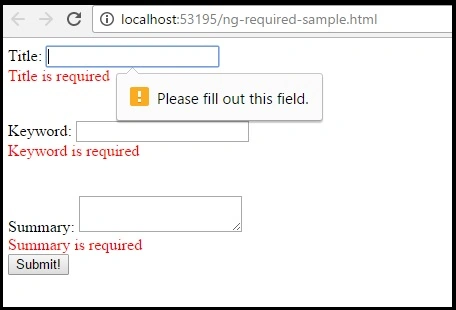
- <input type="text" id="inputTitle" name="inputTitle" ng-model="title" ng-required="isRequired" />
- <p style="color:red;" ng-if="!articleForm.inputTitle.$valid">Title is required!</p>
- <br /><br />
- <label for="inputKeyword">Keyword:</label>
- <input type="text" id="inputKeyword" name="inputKeyword" ng-model="keyword" ng-required="isRequired" />
- <p style="color:red;" ng-if="!articleForm.inputKeyword.$valid">Keyword is required!</p>
- <br /><br />
- <label for="inputSummary">Summary:</label>
- <textarea type="text" id="inputSummary" name="inputSummary" ng-model="Summary" ng-minlength="100" ng-maxlength="1000" ng-required="isRequired"></textarea>
- <p style="color:red;" ng-if="!articleForm.inputSummary.$valid">Summary is required!</p>
- <div>
- <button type="submit" class="button" ng-click="checkValidate()">Submit!</button>
- </div>
- </form>
- </div>
- <script>
- var app = angular.module("app", []);
- app.controller("controller", function ($scope) {
- $scope.isRequired = false;
- $scope.checkValidate = function () {
- $scope.isRequired = true;
- }
- });
- </script>
- </body>
- </html>
ng-show
- <!DOCTYPE html>
- <html>
- <head>
- <title></title>
- <meta charset="utf-8" />
- <script src="Scripts/angular.min.js"></script>
- </head>
- <body>
- <div ng-app="app">
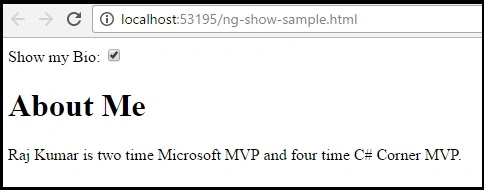
- Show my Bio: <input type="checkbox" ng-model="myVar">
- <div ng-show="myVar">
- <h1>About Me</h1>
- <p>Raj Kumar is two time Microsoft MVP and four time C# Corner MVP.</p>
- </div>
- </div>
- <script>
- var app = angular.module("app", []);
- </script>
- </body>
- </html>
ng-submit
- <!DOCTYPE html>
- <html>
- <head>
- <title></title>
- <meta charset="utf-8" />
- <script src="Scripts/angular.min.js"></script>
- </head>
- <body>
- <div ng-app="app">
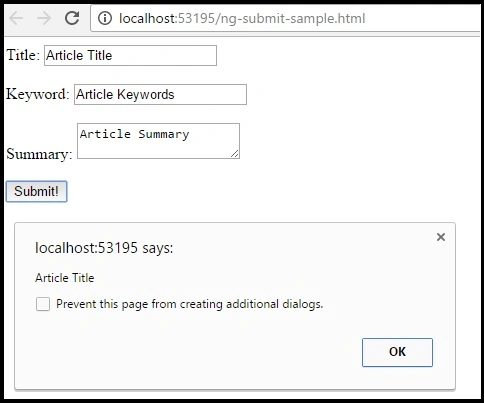
- <form name="articleForm" ng-controller="controller" ng-submit="submitData(title, keyword, summary)">
- <label>Title:</label>
- <input type="text" name="form.title" ng-model="title" />
- <br /><br />
- <label>Keyword:</label>
- <input type="text" name="form.keyword" ng-model="keyword" />
- <br /><br />
- <label>Summary:</label>
- <textarea type="text" name="form.summary" ng-model="summary" ng-minlength="100" ng-maxlength="1000"></textarea>
- <br /><br />
- <div>
- <button type="submit">Submit!</button>
- </div>
- </form>
- </div>
- <script>
- var app = angular.module("app", []);
- app.controller("controller", function ($scope) {
- $scope.submitData = function (title, keyword, summary) {
- alert(title);
- alert("Data saved successfully!");
- }
- });
- </script>
- </body>
- </html>
ng-value
- <!DOCTYPE html>
- <html>
- <head>
- <title></title>
- <meta charset="utf-8" />
- <script src="Scripts/angular.min.js"></script>
- </head>
- <body>
- <div ng-app="app" ng-controller="controller">
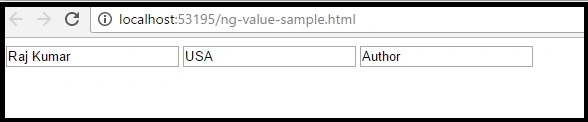
- <input ng-value="name" />
- <input ng-value="location" />
- <input ng-value="type" />
- </div>
- <script>
- var app = angular.module("app", []);
- app.controller("controller", function ($scope) {
- $scope.name = "Raj Kumar";
- $scope.location = "USA";
- $scope.type = "Author";
- });
- </script>
- </body>
- </html>
Conclusion
In this article, we have learnt the basic examples of AngularJS directives. If you have any question or comments, then drop me a line in C# Corner comments section or download attached sample code.
Satish Kumar VadlavalliPosted Dec 23, 2016, 1:55 AM
Nice share, keep up good work