

How to create a custom Event Handler class and predefine the methods to reuse it. This helps to reuse it.
- How to create a button dynamically at runtime
- How to add buttons to a form element.
- How to create a class for a custom event handler.
- How to create a method for an event handler.
- How to assign the custom event handler to a button.
Step 1: Used Namespaces:
using System;
using System.Web.UI.WebControls;
Step 2: Creating a Button at runtime and add to a Form element:
this.form1.Controls.Add(AddButton("Save", "save"));
this.form1.Controls.Add(AddButton("Delete", "delete"));
Step 3: Helps to create a Button at runtime and assign the event to it:
public static Button AddButton(string text, string eventName)
{
EventClass eventClass = new EventClass();
Button but = new Button();
but.Text = text;
but.ID = text + "Button";
but.Click += eventClass.AddEventHandler(eventName);
return but;
}
Step 4: Creating a method for the event handler:
public void Save(object sender, EventArgs e)
{
// Your code to save.
}
Step 5: Assigning a event method to the Event Handler:
but.Click += eventClass.AddEventHandler(eventName);
Step 6: Custom event class to predefine the events:
public class EventClass
{
public EventHandler AddEventHandler(string eventName)
{
EventHandler handler = null;
// if the event name is save it assing the Save method.
if (eventName == "save")
{
handler = new EventHandler(Save);
}
// if the event name is delete it assing the Delete method.
else if (eventName == "delete")
{
handler = new EventHandler(Delete);
}
return handler;
}
public void Save(object sender, EventArgs e)
{
// Your code to save.
}
public void Delete(object sender, EventArgs e)
{
// Your code to Delete.
}
}
Output: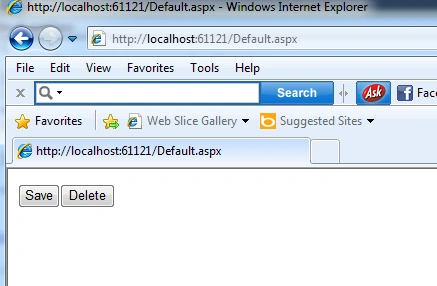
Thanks for reading this article. Have a nice day.
Join the conversation! Your thoughts help the community grow.