
Introduction
The login page is the most important web page in web-development, the login page provides secure access to websites for registered users only. Logged in users get privileges to access the web page in a secure manner.
Let's see how to create a login page, Here are the steps to follow:
Step 1 : Firstly you need to design your login page.
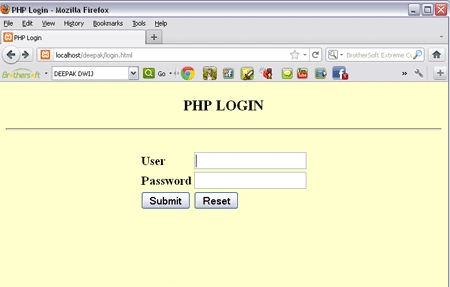
Step 2 : HTML scripting for the above designed page.
<html>
<head>
<title>PHP
Login</title>
</head>
<body
bgcolor="#FFFFCC">
<center>
<h3>PHP
LOGIN
</h3>
<hr
/>
<form
method="post"
action="login.php"
>
<table
border="0"
>
<tr>
<td>
<B>User</B>
</td>
<td><input
type="text"
name="userid">
</tr>
<tr>
<td><B>Password</B></td>
<td><input
name="password"
type="password"></input></td>
</tr>
<br/>
<tr>
<td><input
type="submit"
value="Submit"/>
<td><input
type="reset"
value="Reset"/>
</tr>
</table>
</form>
</center>
</body>
</html>
saved it as login.html
Step 3 :
Now we will create a database
table named login1 having two columns named "username" & "password".
| username | password |
| DEEPAK DWIJ | abc |
| SAKSHI | saki |
You must have installed a XAMPP server in your
pc, if you have then just run the services.
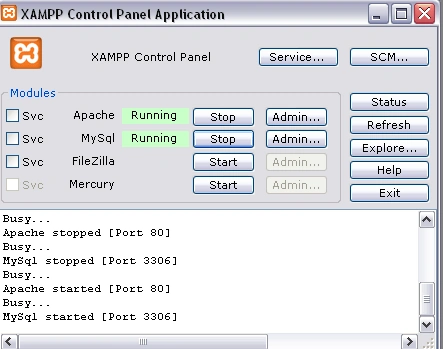
Type the http://localhost/phpmyadmin
at your browser, you will get.
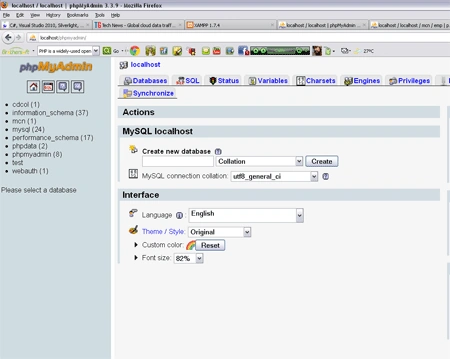
Create your database table login1 , to know how to create table then go to
http://www.c-sharpcorner.com/UploadFile/c8aa13/working-with-database-in-php/
Step 4 : After creating a login1 table, the role of PHP page
starts now.
<html>
<body
bgcolor="#ffffCC">
<center>
<h1><?php
$f_usr= $_POST["userid"];
$f_pswd= $_POST["password"];
$con=mysql_connect("localhost","root","");
if(!
$con)
{
die('Connection
Failed'.mysql_error());
}
mysql_select_db("phpdata",$con);
$result=mysql_query("select
* from login1");
while($row=mysql_fetch_array($result))
{
if($row["username"]==$f_usr
&& $row["password"]==$f_pswd)
echo"Welcome
:
$f_usr";
else
echo"Sorry
:
$f_usr";
}
?>
</h1>
</center>
</body>
</html>
save this page by login.php
Step 5 :
Now we
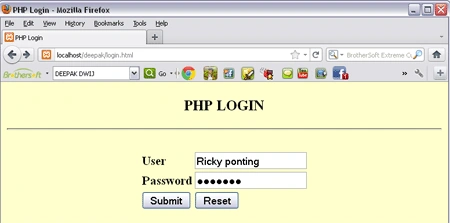
going to run the login page, open Your browser and type
http://localhost/deepak/login.html
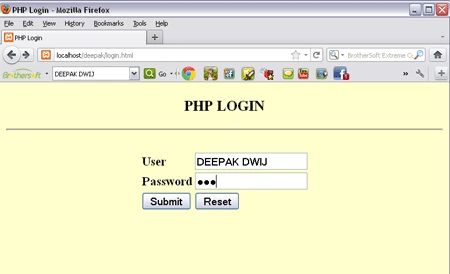
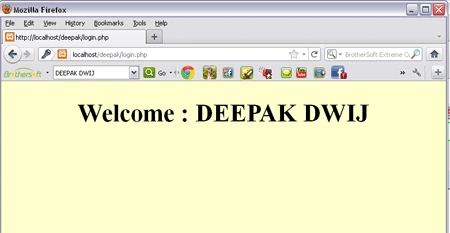
Click the submit button then, if you are login successfully then.
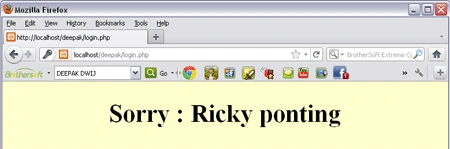
Unregistered user login then.
After clicking Submit button.
debasish mallickPosted Mar 12, 2015, 6:46 AM
It is very helpful. thank you.
Ankush PolPosted May 12, 2014, 6:10 AM
very nice...
Nitish HardeniyaPosted Feb 28, 2013, 12:12 PM
Hey i am getting an error- Warning: mysql_fetch_array() expects parameter 1 to be resource, boolean given in C:\xampp\htdocs\oct\login.php on line 15 plzz suggest a solution..
Former memberPosted Oct 2, 2012, 2:39 AM
Hi....This is really nice article. http://dotnetpools.com/Article/ArticleDetiail/?articleId=24&title=Ajax%20Login%20Example%20Using%20Jquery%20%20In%20Asp.net
kuldeep pathakPosted Sep 21, 2012, 8:36 AM
great job.
Mohamad AhmadPosted Jul 3, 2012, 6:49 AM
Hi, Very good, & nice Work. Thanks.
Deepak DwijPosted Jan 7, 2012, 6:50 AM
Gud work mke !