
Introduction
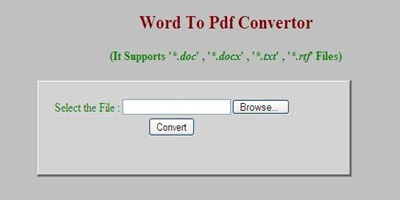
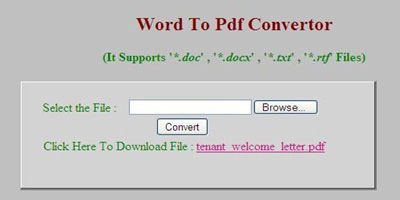
This article explains a way to convert a Microsoft Word Document to PDF Format. The operation is very simple. This is used to Convert the .doc, .docx, .txt, .rtf Document into .pdf Document.
Steps
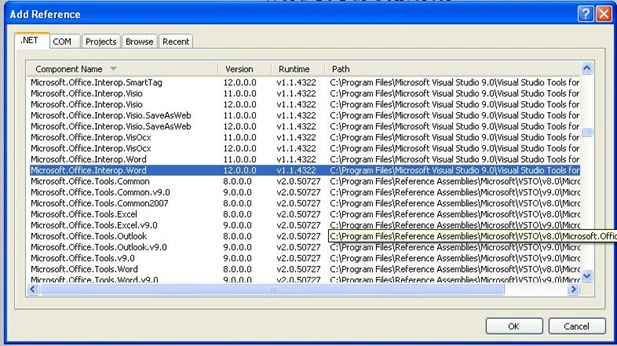
Choose Website -> Add Reference -> .Net -> Microsoft.Office.Interop.Word 12.0.0.0 and Click on Ok.
Code
Namespace
using Microsoft.Office.Interop.Word;
private Microsoft.Office.Interop.Word.ApplicationClass
MSWordDoc;
object UnknownType = Type.Missing;
To Open the Word Document
MSWordDoc.Documents.Open(ref InputLocation,
//Input File Name Location
ref
UnknownType, //
Conversion Conformation
ref
UnknownType, //
Set ReadOnly Property
ref
UnknownType, //
Add to the Recent Files
ref
UnknownType, //
Document Password Setting
ref UnknownType, // Password
Templete
ref
UnknownType, //
Revert
ref
UnknownType, //
Write Password to Document
ref
UnknownType, //
Write Password Template
ref
UnknownType, //
File Format
ref
UnknownType, //
Encoding File
ref
UnknownType, //
Visibility
ref
UnknownType, //
To Open or Repair
ref
UnknownType, //
Document Direction
ref
UnknownType, // Encoding Dialog
ref
UnknownType); //
XML Text Transform
To Get Document in PDF Format
object SavePDFFormat = Microsoft.Office.Interop.Word.WdSaveFormat.wdFormatPDF;
To SaveAs the Document
MSWordDoc.ActiveDocument.SaveAs(ref OutputLocation, //Output
File Location
ref SavePDFFormat, // File Format
ref UnknownType,
// Comment to PDF File
ref UnknownType,
// Password
ref UnknownType,
// Add to Recent File
ref UnknownType,
// Write Password
ref UnknownType,
// ReadOnly Propert
ref UnknownType,
// Original Font Embeding
ref UnknownType,
// Save Picture
ref UnknownType,
// Saving Form Datas
ref UnknownType,
// Save as AOVE Letter
ref UnknownType,
// Encoding
ref UnknownType,
// Inserting Line Breakes
ref UnknownType,
// Allow Substitution
ref UnknownType,
// Line Ending
ref UnknownType);
// Add BiDi Marks
result
= "Success";
To Close the Document File
MSWordDoc.Documents.Close(ref UnknownType, ref
UnknownType, ref UnknownType)
To Exit the Word Application
MSWordDoc.Quit(ref UnknownType, ref
UnknownType, ref UnknownType);
jin boomPosted Nov 6, 2018, 4:01 AM
IDiTect Word to PDF converter, not require office interop, easy to use https://www.iditect.com/tutorial/docx-to-pdf/
Saber ShaikhPosted Nov 14, 2014, 5:40 AM
thanks
waseem malikPosted Jul 22, 2014, 6:58 AM
its working..thanks
Former memberPosted Apr 20, 2014, 11:38 PM
I use Aspose.Words for .NET library to convert my word documents to other formats including PDF and its working great you should also try this lib its very easy to use: http://www.aspose.com/.net/word-component.aspx
Former memberPosted Jan 20, 2014, 5:18 AM
not working
harish naik bPosted Jul 7, 2012, 2:18 PM
hi, its not working in my system its getting error please send the file to [email protected]