

INTRODUCTION
Azure Point to Site (P2S) VPN gateway helps to have a secure connection with Azure virtual machines through individual client computers. Leveraging this option, the VM owners can access the Azure VMs from remote locations. Point to Site VPN (P2S) is the best option to choose when only a few clients are required to connect to the Azure Virtual Network. There are two types of authentications used in P2S VPN gateway, “Radius Authentication” and “Azure Native Certificate Authentication”.
P2S connection with “Radius authentication” involves additional infrastructure such as RADIUS server, VPN client, and also involves additional administrative efforts; whereas, the “Azure Native Certificate Authentication” involves Certificate generation and less administrative efforts. “Azure Native Certificate Authentication” has two different types of certificates - “Root Certificate” & “Client Certificate”. The initial certificate generated by the Azure administrator is the ‘Root Certificate’ using which the ‘Client Certificate’ can be generated. The administrative efforts involve simple steps, such as uploading the certificate data and revoking the certificate.
The following steps will help to generate the Root certificate and upload on the Azure portal through PowerShell from a Windows 10 machine.
CREATE, UPLOAD, & CONNECT
Step 1

- Login to Azure PowerShell.
- Execute the below command
$cert = New-SelfSignedCertificate -Type Custom -KeySpec Signature -Subject "CN=P2SRootCert" -KeyExportPolicy Exportable -HashAlgorithm sha256 -KeyLength 2048 -CertStoreLocation "Cert:\CurrentUser\My" -KeyUsageProperty Sign -KeyUsage CertSign
The above command creates a self-signed root certificate named “P2SRootCert” and is automatically installed in 'Certificates-Current User\Personal\Certificates'.
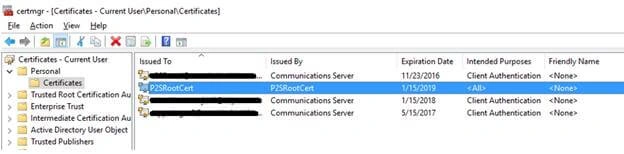
- The generated root certificate can be viewed in certmgr.msc console.
- This certificate has to be exported so that the same shall be imported in Azure Portal.
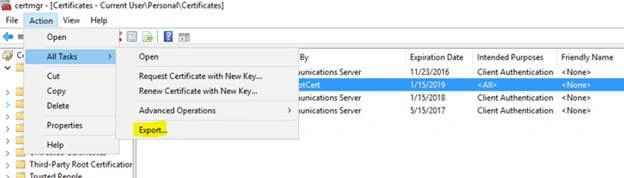
- Select Certificate, click Action >> All Tasks >> Export.
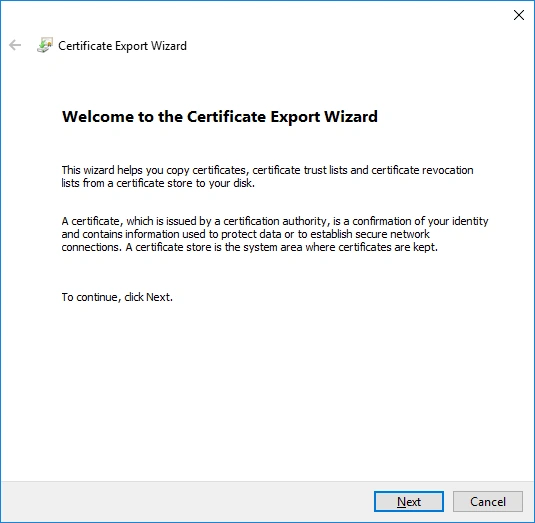
- Click "Next" in the Certificate Export Wizard window.
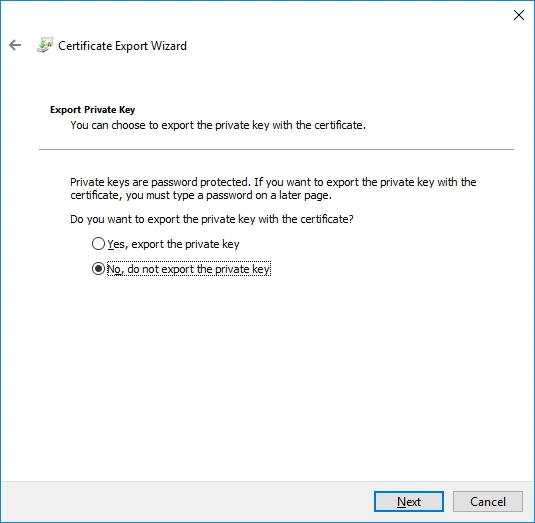
- On Export Private Key window, select “No, do not export the private key”.
- Click "Next".
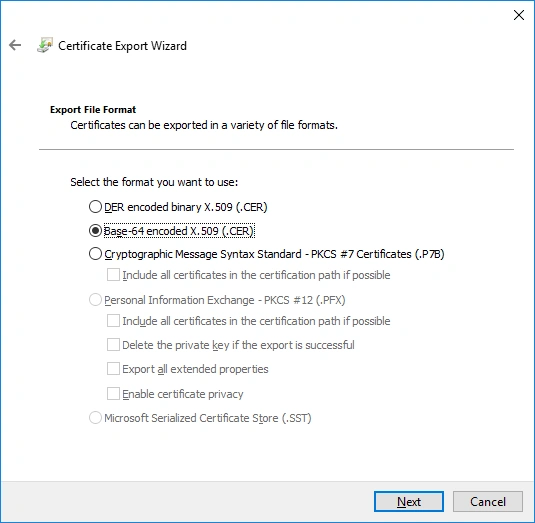
- On Export file format page, select “Base-64 encoded X.509 (.CER)".
- Click Next.
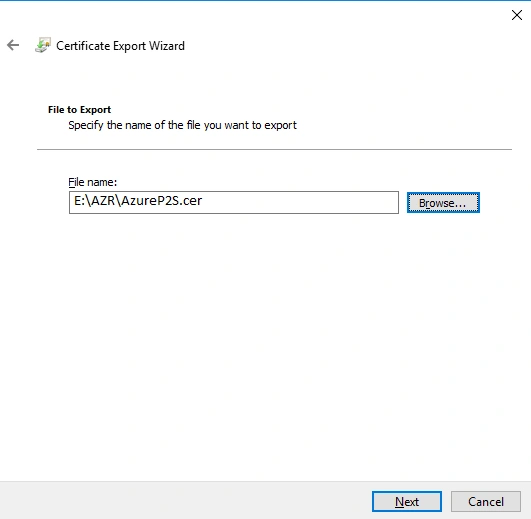
- Browse and select the path to export the file.
- Specify the file name.
- Click "Next".
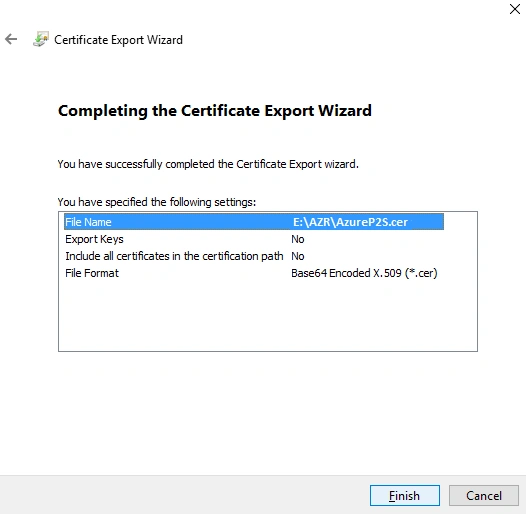
- Verify the details provided in the previous steps.
- Click "Finish" to export the certificate.

- The certificate is exported successfully.
- Click OK.

- Run the below command to store the certificate name in a variable.
$P2SRootCertName = “AzureP2S.cer”
- Run the below command to store the certificate path in a variable.
$filePathForCert = “E:\AZR\AzureP2S.cer”
- Run the below command to store the certificate value in a variable.
$cert = new-object system.security.cryptography.X509Certificates.X509Certificate2($filePathForCert)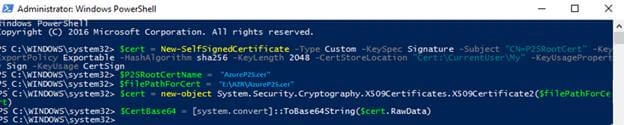
- Run the below command to convert the certificate value and store in a variable.
$CertBase64 = [system.convert]::ToBase64String($cert.RawData)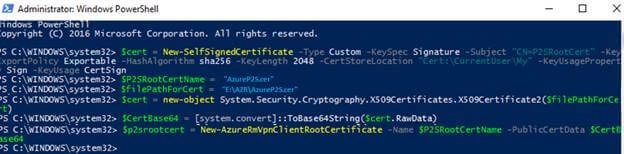
- Run the below command to create a Root certificate in the Azure portal and store the value in a variable.
$p2srootcert = New-AzureRmVpnClientRootCertificate –Name $P2SRootCertName –PublicCertData $CertBase64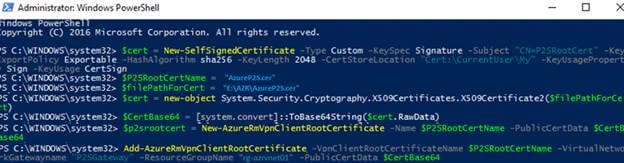
- Run the below command to upload the Root certificate in the Azure portal.
Add-AzureRmVpnClientRootCertificate –VpnClientRootCertificateName $P2SRootCertName -VirtualNetwork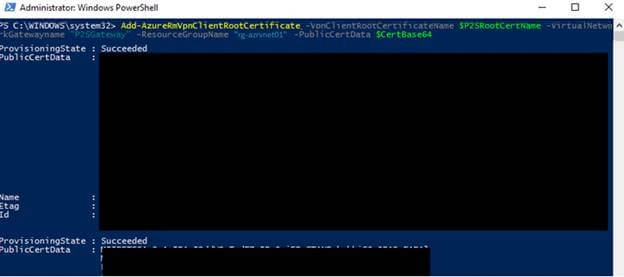
- Root Certificate is uploaded to the Azure portal successfully.
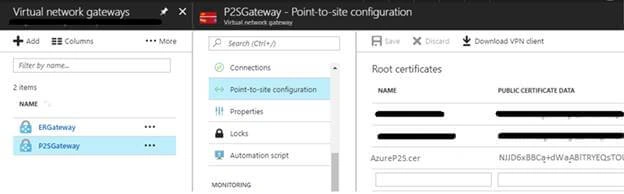
- Login to Azure portal, navigate to Virtual Network Gateways page, and select the P2S gateway.
- Select the “Point-to-site configuration” in P2S gateway settings blade.
- The uploaded certificate will be displayed here.
- Click “Download VPN client” to download & install the VPN client.
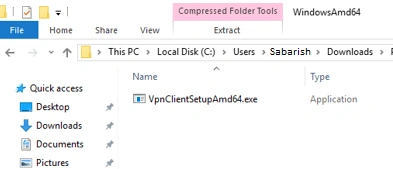
- Based on the system configuration (32\64 bit), select and run the setup file.
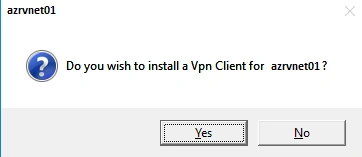
- Click "Yes" to install VPN client.
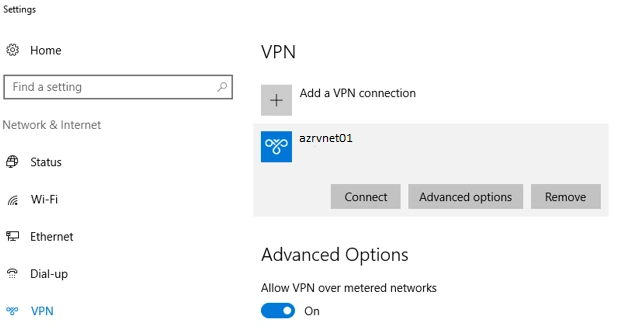
- From the system settings we can see that the VPN is installed successfully.
- Click Connect to get connected to the P2S VPN gateway.
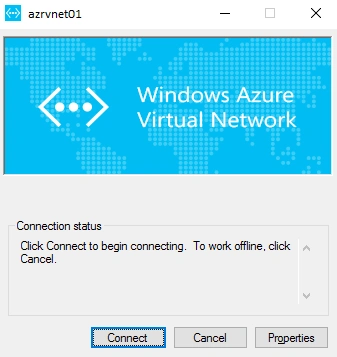
- Click "Connect" in the VPN client window.
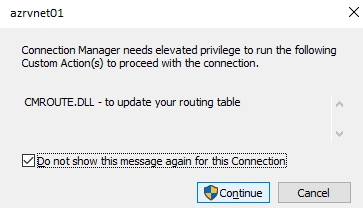
- Click "Continue" to grant the elevated privilege to run the VPN client.
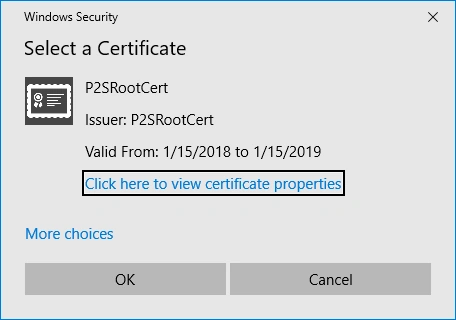
- Select the appropriate certificate and click OK.
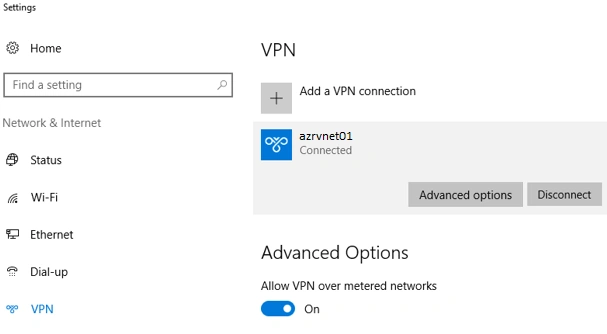
- VPN connection has been established successfully.
SUMMARY
In this article, I have explained about creating, uploading, and installing the Azure P2S root certificate.
P2S root certificate can be used to generate the P2S client certificate. The generated root certificate and client certificate cannot be used unless the root certificate is uploaded to the Azure portal. The Azure administrator will have access to revoke the uploaded certificate from the Azure portal.
Sagar Pandurang KapPosted Feb 19, 2018, 11:23 PM
Cool stufff....Nice..