

Many times as a developer we have to move data from development server to staging server and staging server to production server. This article will help developers to generate database scripts in SQL Server with data.
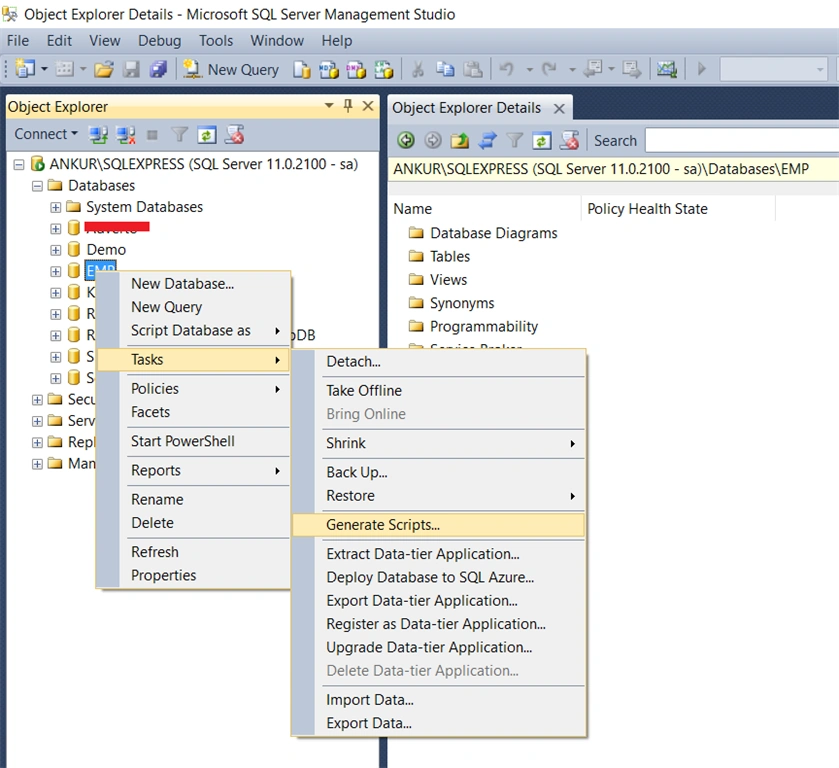
Step 1: Right click on the database you want to generate script and go to Tasks, then click Generate Scripts.
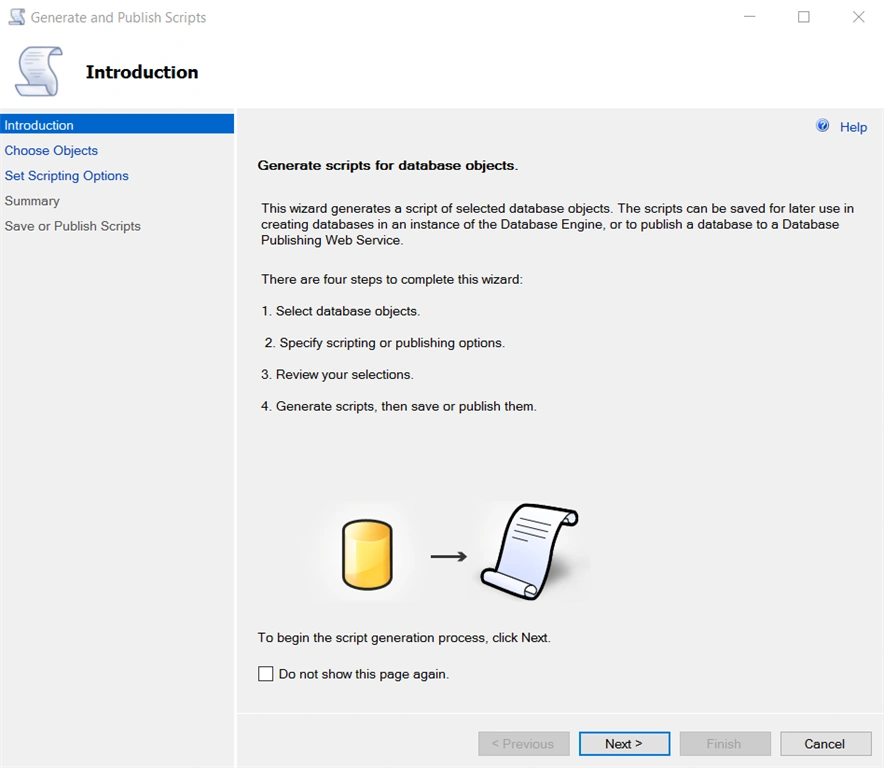
Step 2 : In the next screen, it's nothing but an Introduction screen that explains the following four steps,
- Select Database Object
- Specifying scripting or publishing options
- Review your selection
- Generate Scripts and save or publish
Click on 'Next' button.
Step 3:
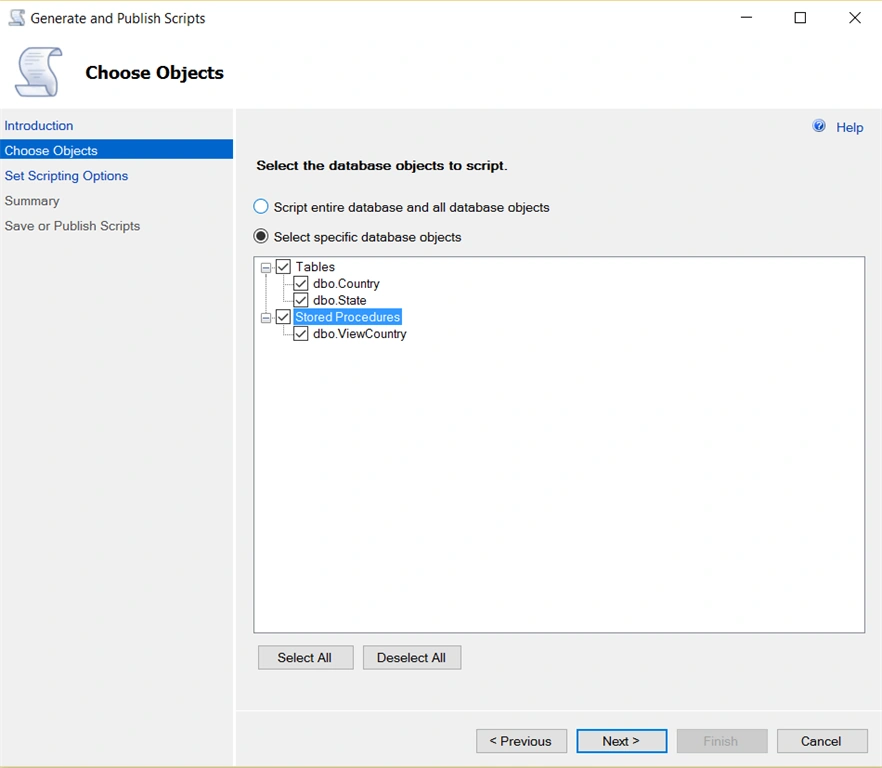
Choose Objects; here either you can select all tables and stored procedures, etc. or you can select specific tables or stored procedures. Click on 'Next' button.
Choose Objects; here either you can select all tables and stored procedures, etc. or you can select specific tables or stored procedures. Click on 'Next' button.
Step 4:
Set Scripting Options, You can select Output Type like "Save scripts to a specific location" or "Publish to web service," here we will select first option. Give a file name and location where you want to save the script.
Set Scripting Options, You can select Output Type like "Save scripts to a specific location" or "Publish to web service," here we will select first option. Give a file name and location where you want to save the script.
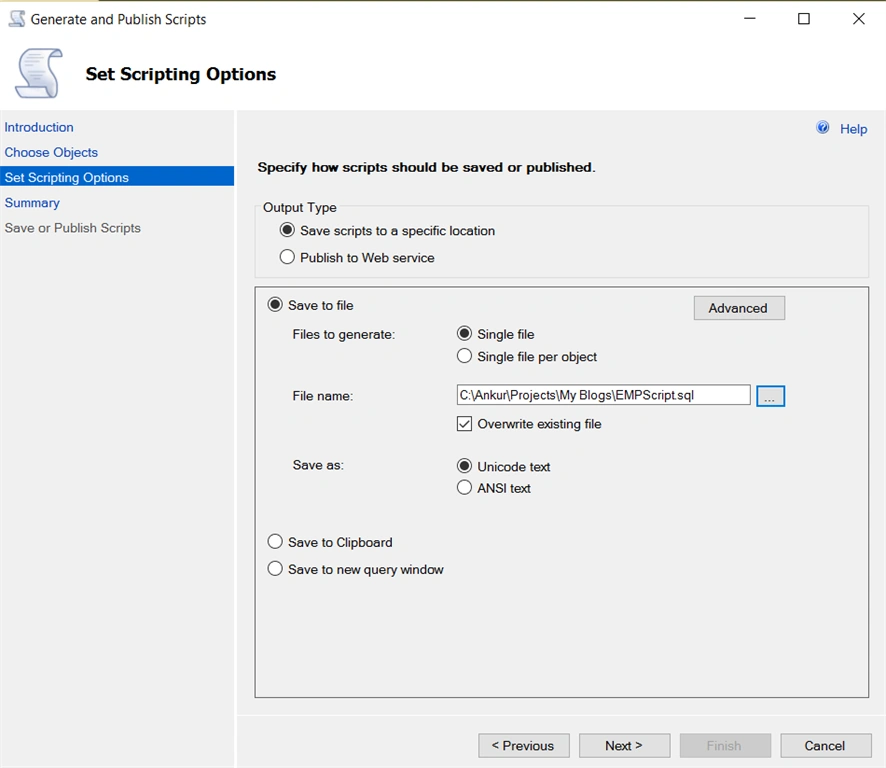
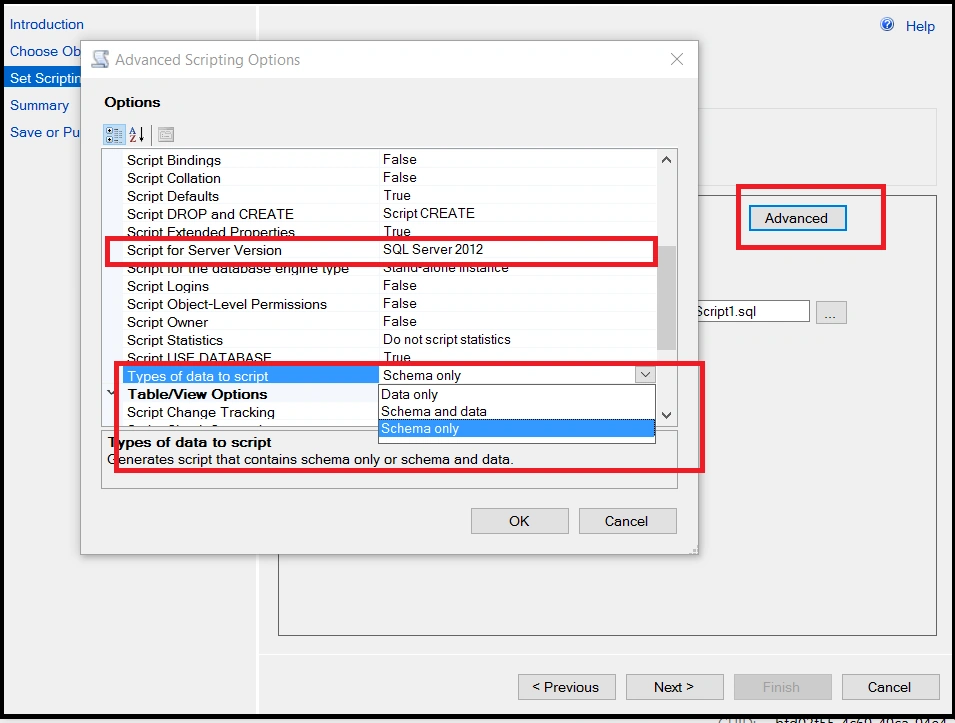
Now, Click on 'Advanced' Button.
From the option tab you can set the property like "Script for Server Version." Choose Server version on which you want to run the script, here I have selected SQL Server 2012.
From the "Type of data to script," select "Schema and data," if you want to move only data you can select "Data only."
Schema Only option will create objects scripts only.
Click 'OK' and then 'Next' to proceed further.
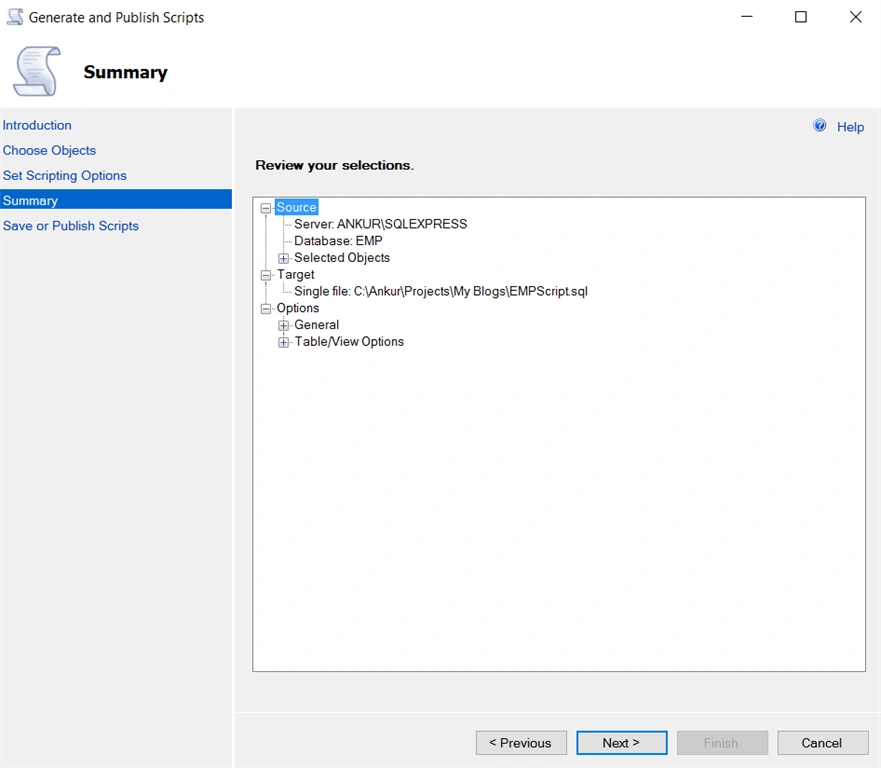
Step 5: In the Summary, Just check path and click on 'Next'.
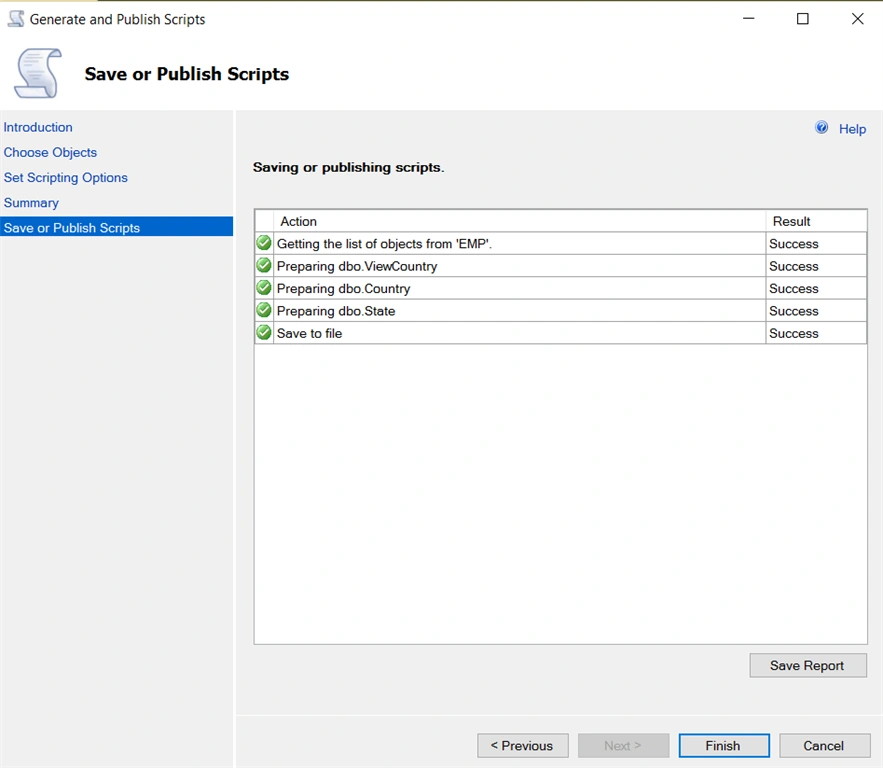
Step 6 : Save or Publish Scripts, Check if all the Action succeeds or not and click on 'Finish'.
Step 7: Open your Script file and run in SQL Server Query Window. For understanding below is the script which we have created.
Rajeev PunhaniPosted Mar 2, 2016, 12:01 AM
Nice Share.
Ammar ShaukatPosted Mar 1, 2016, 12:54 PM
Great.
Amit Kumar SinghPosted Feb 29, 2016, 11:49 PM
Thanks
Thiru RPosted Feb 29, 2016, 11:23 PM
So far i missed "Script for Server Version" and messed-up many times. Thank you so much.
Abdulmannan BahelimPosted Feb 29, 2016, 11:17 PM
nice share
Ankur MistryPosted Feb 29, 2016, 2:29 PM
Thank you all
Gowtham KPosted Feb 29, 2016, 11:16 AM
Good one, Thanks for sharing
Asfend YarPosted Feb 29, 2016, 10:24 AM
nice share
csharp programmerPosted Feb 29, 2016, 5:52 AM
Is there any way to do the same in Schedules fashion using SQL Jobs ?.
Raja TPosted Feb 29, 2016, 1:58 AM
Nice, Thanks for sharing
Sibeesh VenuPosted Feb 29, 2016, 12:17 AM
Nice Share
Kirtan ParmarPosted Feb 28, 2016, 12:44 PM
thanks for sharing, and what do you suggest for fastest way to take backup from live sql database ?
Pankaj Kumar ChoudharyPosted Feb 28, 2016, 12:21 PM
Nice Explain Sir.........